De/code: A TV Spec Sheet. What 4K, HDR10+, Dolby Vision, 120Hz and Motion Rate Really Mean
Every term on a TV spec sheet, decoded with definitions from the ITU, Dolby, HDR10+, HDMI Licensing, the UHD Alliance and TV makers themselves: 4K, HDR formats, nits, native refresh rate vs motion rate, VRR, ALLM, HDMI 2.1, eARC, Dolby Atmos, OLED, QD-OLED, QLED, Mini-LED and Filmmaker Mode.
We may earn a commission when you buy through links on this page. Learn more
Quick answer
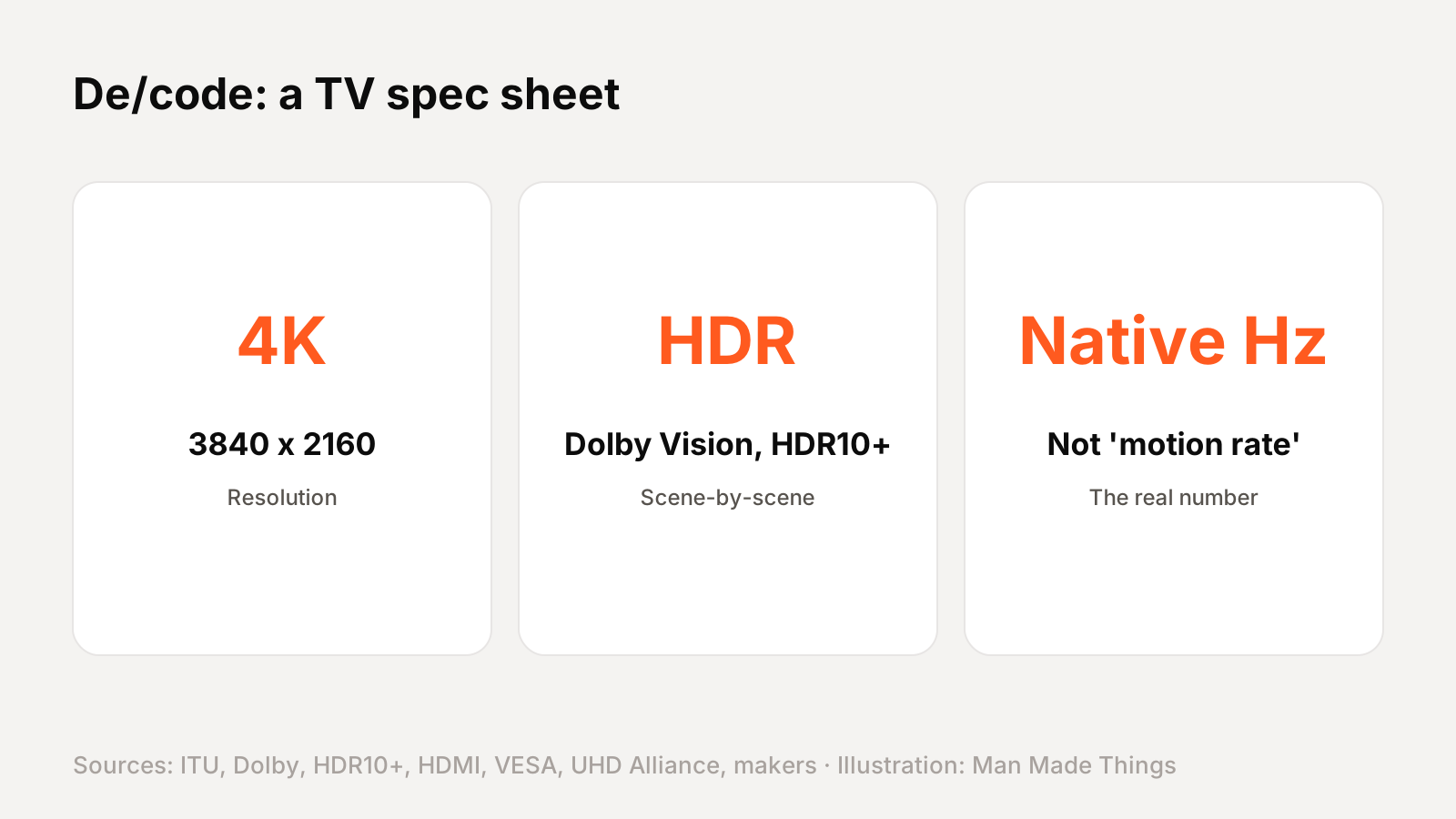
On a TV spec sheet: 4K means 3840 x 2160 pixels. HDR10 uses one brightness setting for a whole movie, while HDR10+ and Dolby Vision adjust scene by scene. Native refresh rate (60Hz or 120Hz) is the real number; "motion rate" figures like 240 or 480 are marketing that combine the panel with processing. For gaming, look for 120Hz, VRR and ALLM. For sound, eARC carries lossless Dolby TrueHD and Dolby Atmos to a soundbar or receiver. OLED pixels make their own light; QLED and Mini-LED are LCDs with a backlight.
TV spec sheets might be the most confusing labels in tech. Brands mix real standards with their own trademarks, and some of the biggest numbers on the box don't mean what they seem to.
This De/code goes through a typical spec sheet line by line. Every definition comes from the organization that owns the standard: the International Telecommunication Union (ITU), Dolby, HDR10+ Technologies, HDMI Licensing, VESA, the UHD Alliance, NVIDIA, and the TV makers' own explanations. Where a maker's claim needs context, I say so.
Shopping for a big screen? See our best 75-inch OLED and QLED TVs.
Resolution: 4K and 8K
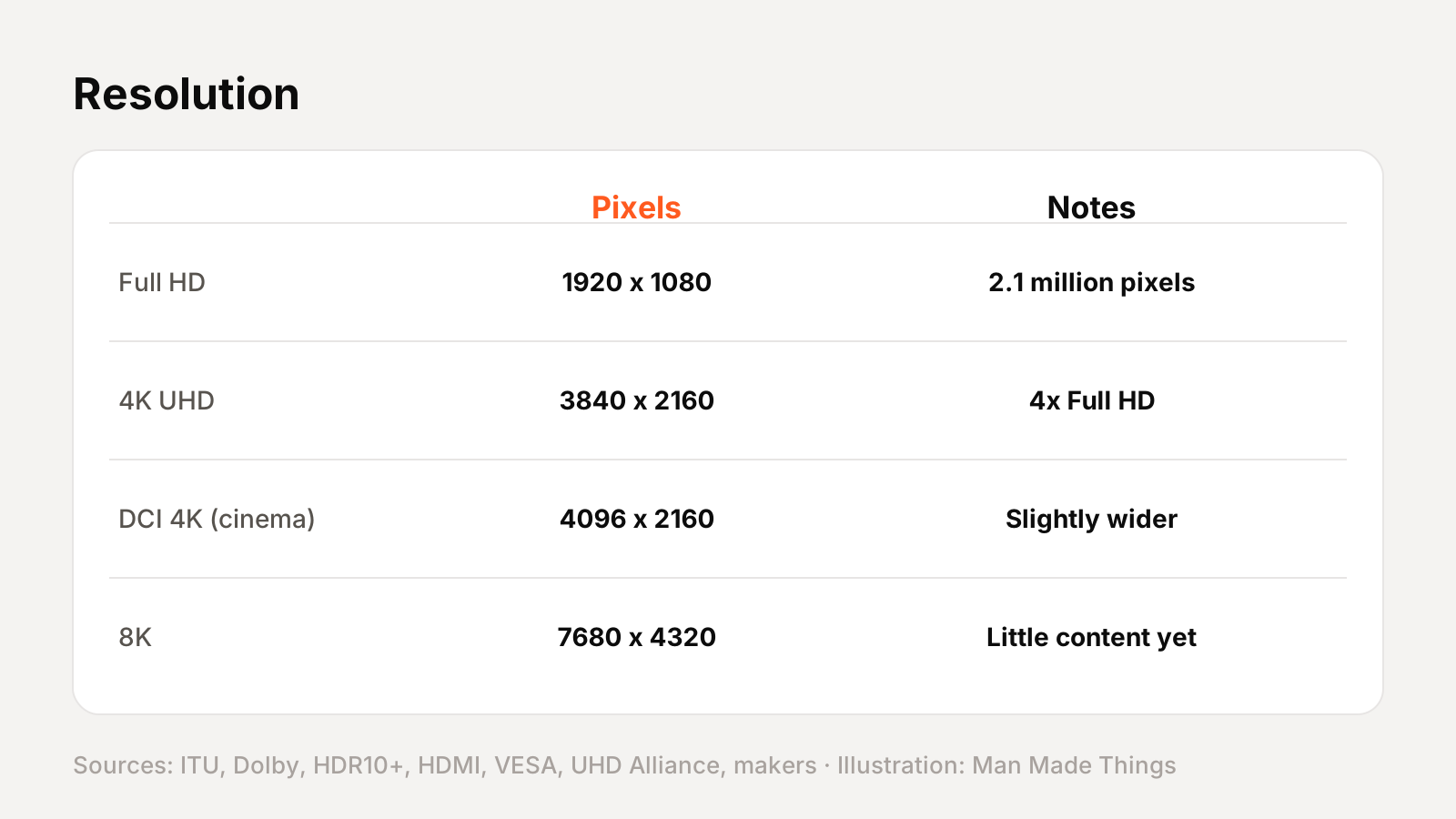
- 4K / UHD: 3,840 × 2,160 pixels, as defined in the ITU's BT.2020 standard. The UHD Alliance notes that's four times as many pixels as Full HD. (Cinema "DCI 4K" is slightly wider, at 4,096 × 2,160.)
- 8K: 7,680 × 4,320 pixels, also defined in BT.2020.
Almost every big TV is now 4K. 8K TVs exist, but 8K content is still rare.
HDR formats: HDR10, HDR10+, Dolby Vision and HLG
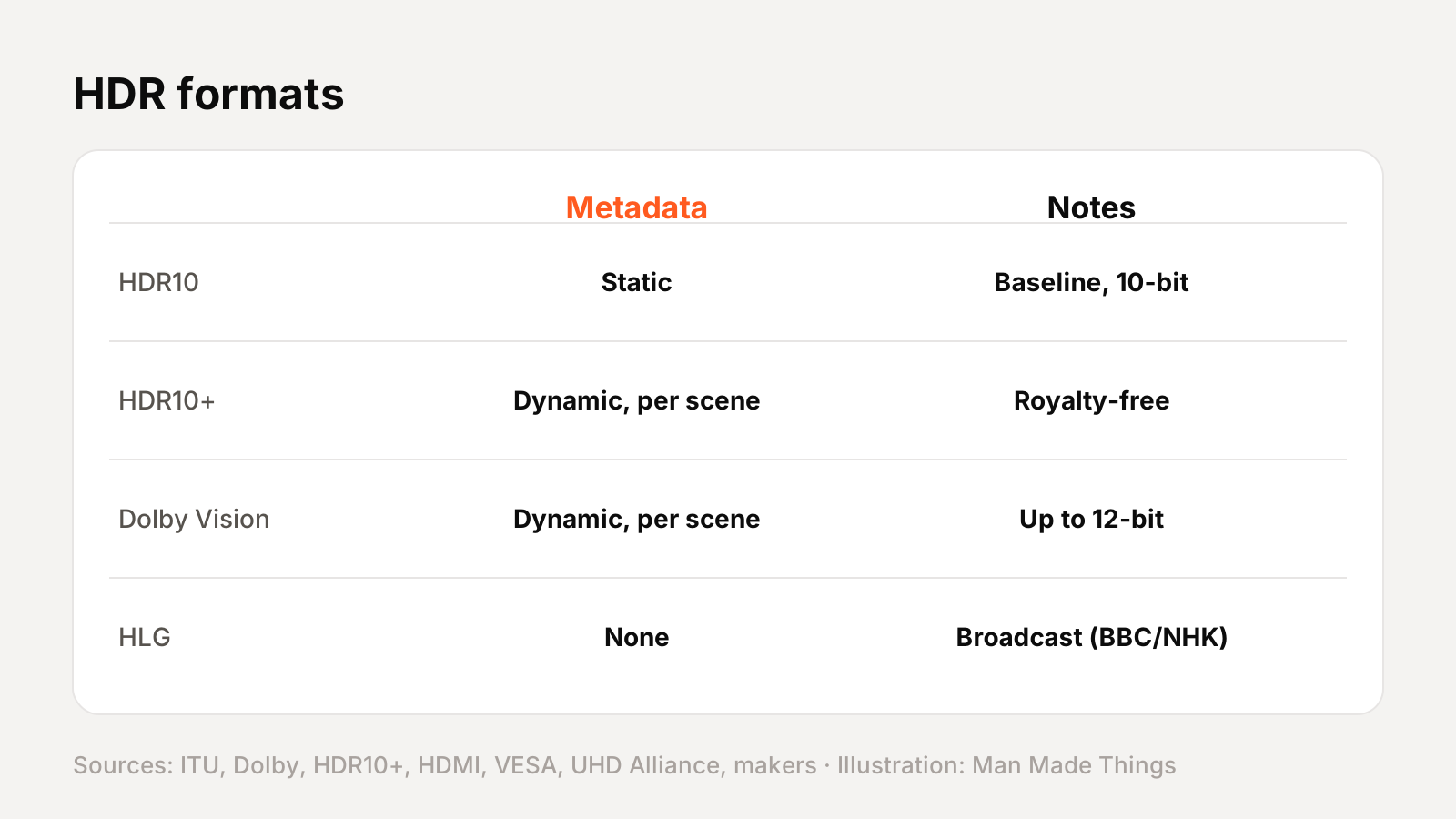
HDR (high dynamic range) lets a TV show brighter highlights, deeper shadows and more color. There are four main formats:
| Format | How it works | Notes |
|---|---|---|
| HDR10 | Static metadata: one setting for the whole program | 10-bit, the baseline format |
| HDR10+ | Dynamic metadata, adjusted scene by scene | Royalty-free; backward compatible with HDR10 |
| Dolby Vision | Dynamic metadata, adjusted scene by scene | Up to 12-bit color |
| HLG | No metadata | Developed by the BBC and NHK for live broadcast |
- HDR10: HDR10+ Technologies explains that static metadata means "a single tone mapping curve is applied" to the whole program.
- HDR10+: adjusts each scene, and is backward compatible with HDR10. It's royalty-free, though makers pay an annual administration fee.
- Dolby Vision: Dolby says it adjusts "for each scene" and supports 12-bit color.
- HLG (Hybrid Log-Gamma): the BBC explains it avoids metadata because metadata often gets lost in live broadcasts.
What to look for: if you watch a lot of streaming movies, a TV that supports both Dolby Vision and HDR10+ covers the most content.
Brightness: what nits mean
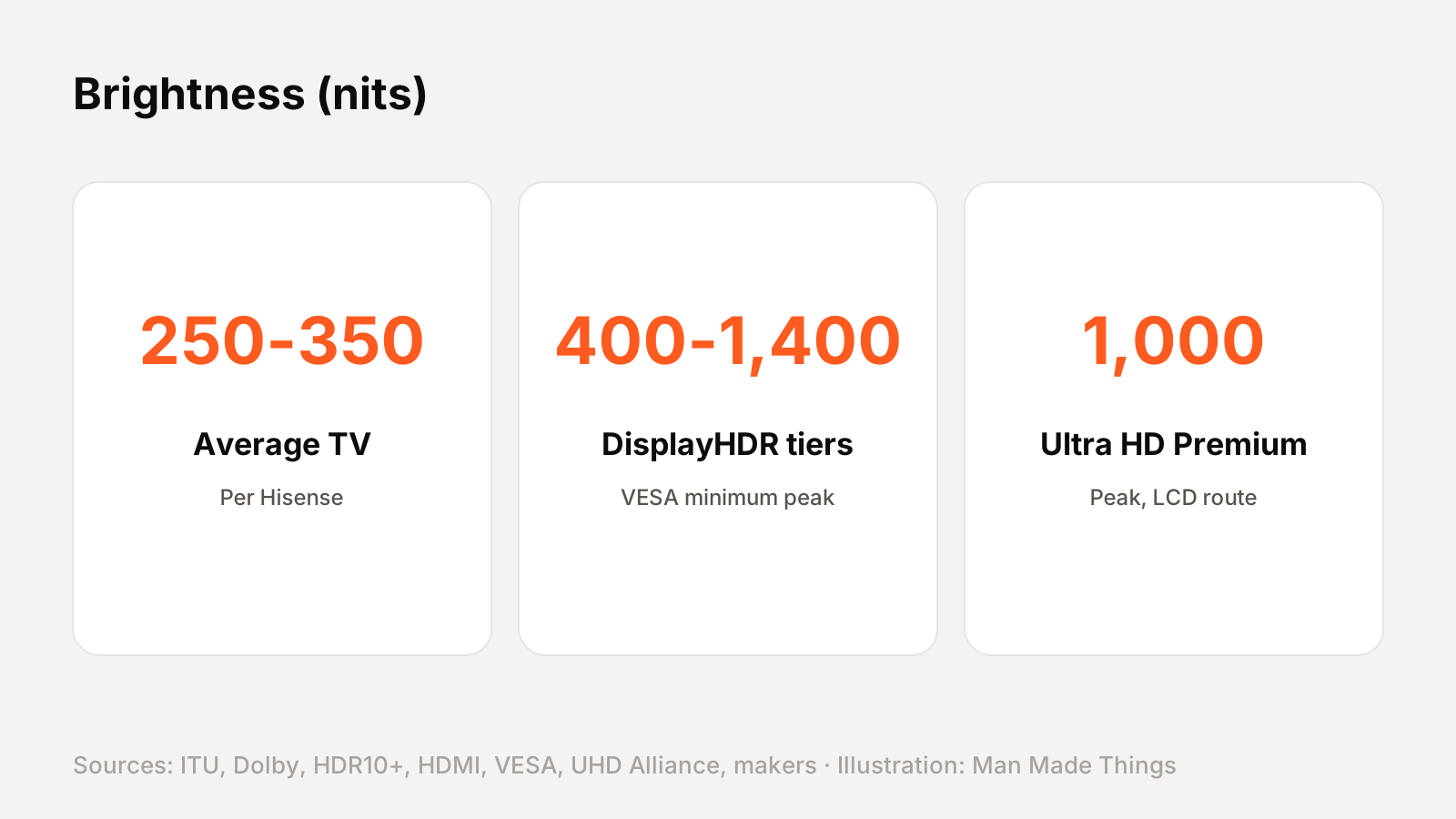
Nits (candelas per square meter) measure brightness. Higher peak brightness makes HDR highlights pop and helps in bright rooms.
For reference:
- VESA's DisplayHDR certification tiers run from 400 to 1,400 nits minimum peak brightness.
- The UHD Alliance's Ultra HD Premium logo requires either 1,000 nits peak with 0.05-nit blacks, or 540 nits with 0.0005-nit blacks. The second option suits OLEDs, which reach deeper blacks.
- Hisense's own spec sheet says the average TV is 250–350 nits, and anything over 500 is "extremely good."
A tip: brightness numbers aren't always measured the same way between brands, so treat them as a rough guide.
Refresh rate vs "motion rate": the biggest trap
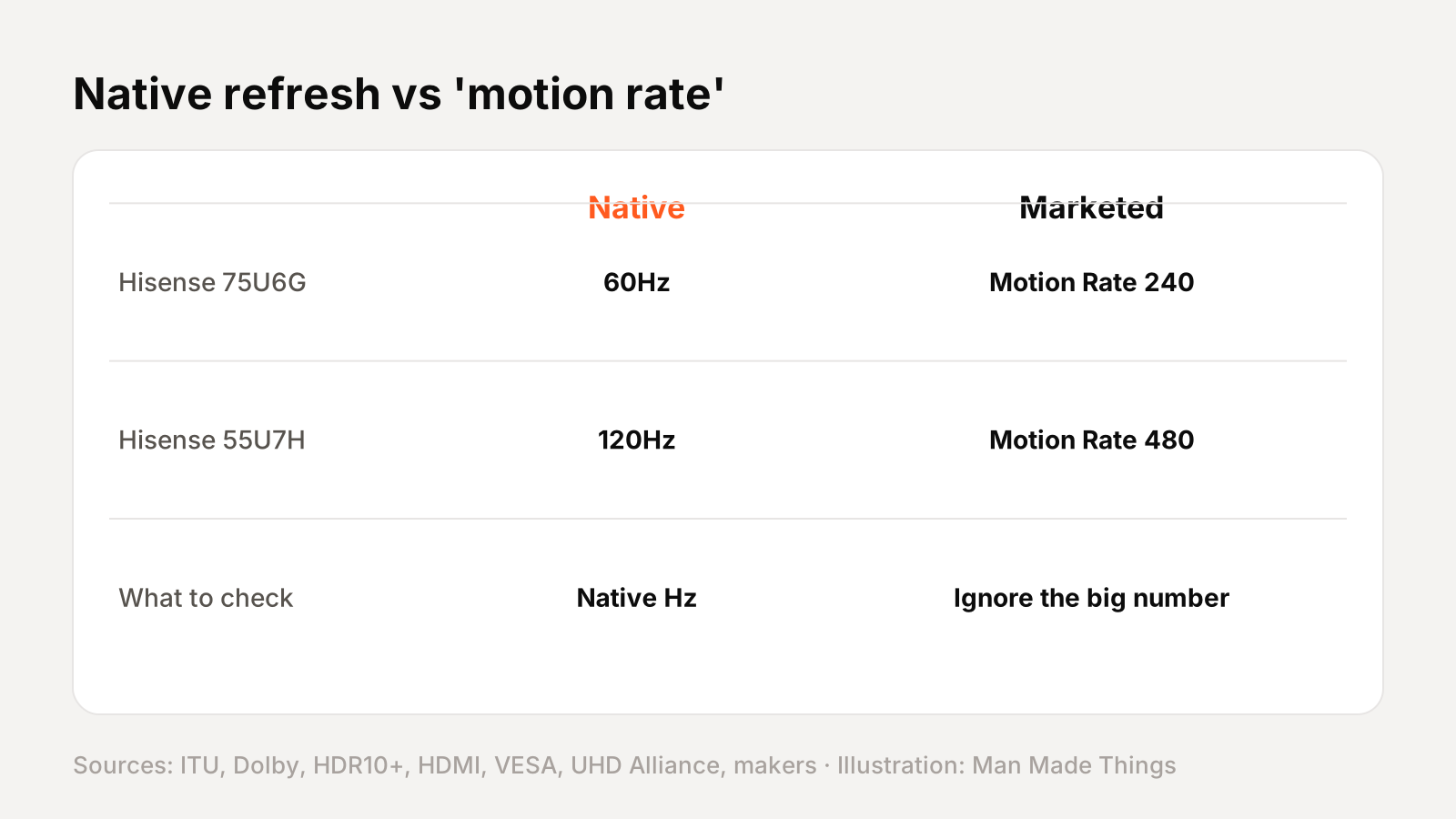
Native refresh rate is how many times per second the panel actually refreshes: usually 60Hz or 120Hz, and up to 144Hz or 165Hz on some gaming TVs.
"Motion rate," "Clear Motion Rate," "TruMotion" and similar names are bigger numbers that include processing tricks. They're not the panel's real refresh rate. Here's the proof from the makers' own documents:
- Hisense's 75U6G spec sheet lists a native 60Hz refresh rate alongside "Motion Rate 240."
- Hisense's 55U7H lists a native 120Hz panel with "Motion Rate 480."
- Samsung explains that Clear Motion Rate takes into account the panel refresh rate, image processor speed and backlight technology.
- LG says TruMotion uses black screen insertion, in-between image extrapolation or backlight scanning.
What to look for: find the native refresh rate. For gaming and fast sports, 120Hz native makes a real difference; a 60Hz TV with "240 motion rate" is still a 60Hz TV.
Gaming: VRR, ALLM and HDMI 2.1
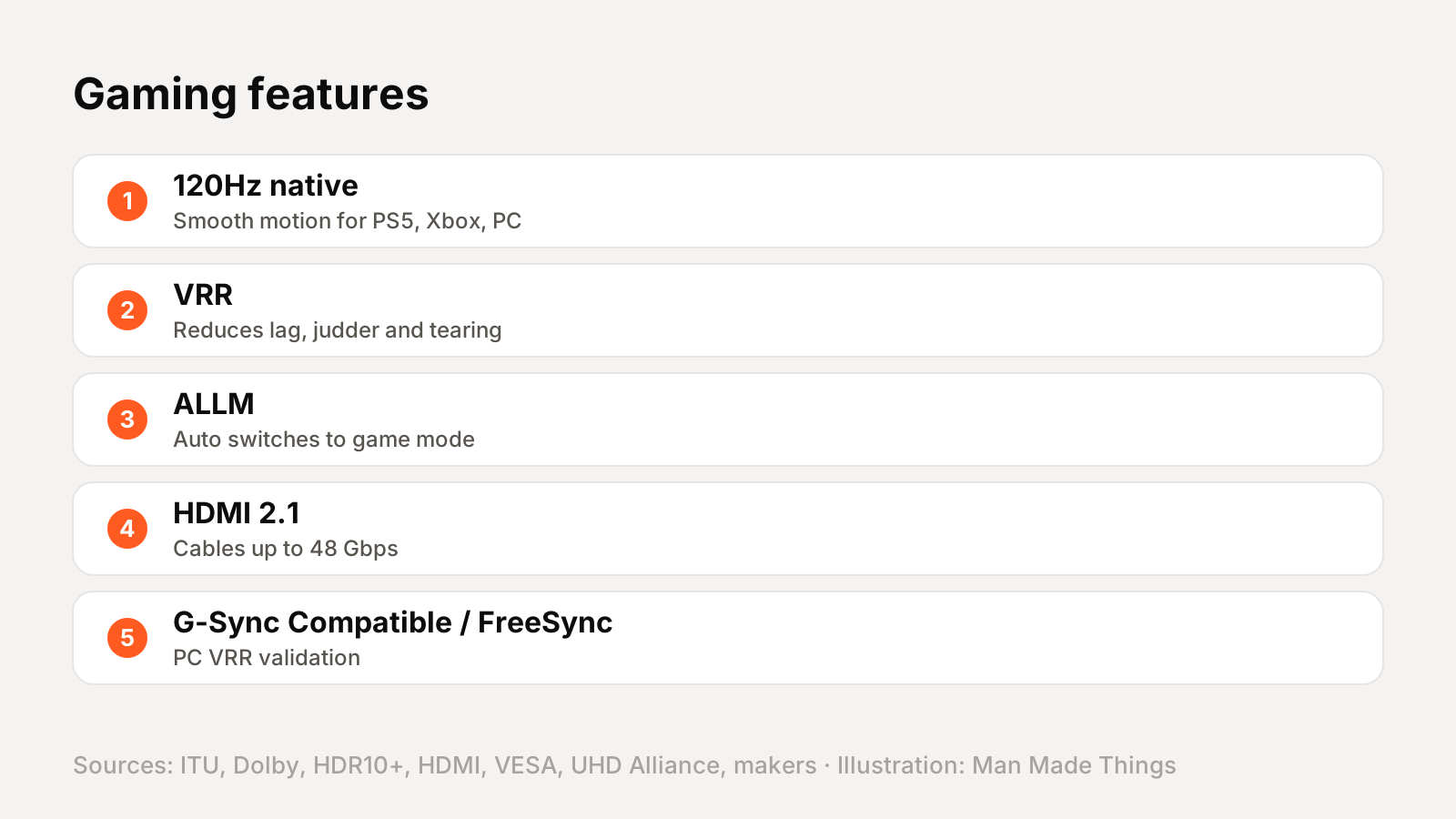
- VRR (variable refresh rate): HDMI Licensing says VRR lets a source deliver frames as fast as it can, reducing lag, judder and tearing.
- ALLM (auto low latency mode): the console or PC tells the TV to switch to its low-latency game mode automatically, then switch back for movies.
- G-Sync Compatible: NVIDIA says these displays don't use NVIDIA processors but are validated by NVIDIA for a good, basic VRR experience. FreeSync is AMD's equivalent.
- HDMI 2.1: the Ultra High Speed HDMI cable introduced with HDMI 2.1 supports up to 48 Gbps, enough for high frame rates at 4K. HDMI Licensing has since announced HDMI 2.2, with up to 96 Gbps.
What to look for: for a PS5, Xbox or gaming PC, look for 120Hz native, VRR and ALLM on at least one HDMI 2.1 port. Our best PS5 accessories and high refresh rate gaming monitors guides have more.
Sound: eARC and Dolby Atmos
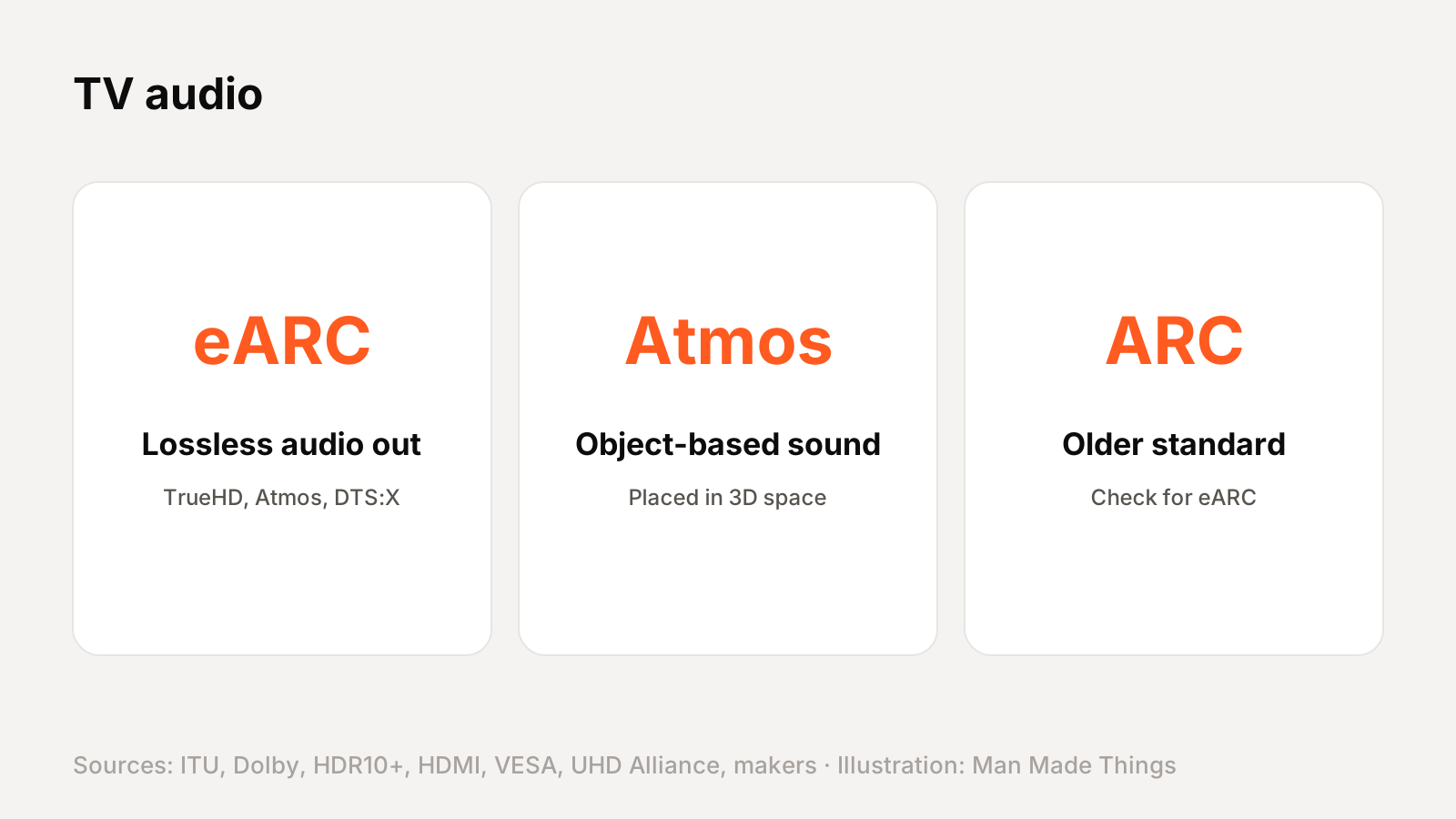
- eARC (enhanced audio return channel): sends sound from the TV to a soundbar or AV receiver over HDMI. HDMI Licensing says it supports Dolby TrueHD, Dolby Atmos, DTS-HD Master Audio and DTS:X, and up to 32 channels of uncompressed audio. Dolby says TrueHD is lossless, bit-for-bit identical to the studio master.
- Dolby Atmos: Dolby describes it as placing sounds as "audio objects" anywhere in 3D space, rather than in fixed channels.
What to look for: if you plan to add a soundbar or receiver, make sure the TV has eARC, not just ARC.
Panel types: OLED, QD-OLED, QLED and Mini-LED
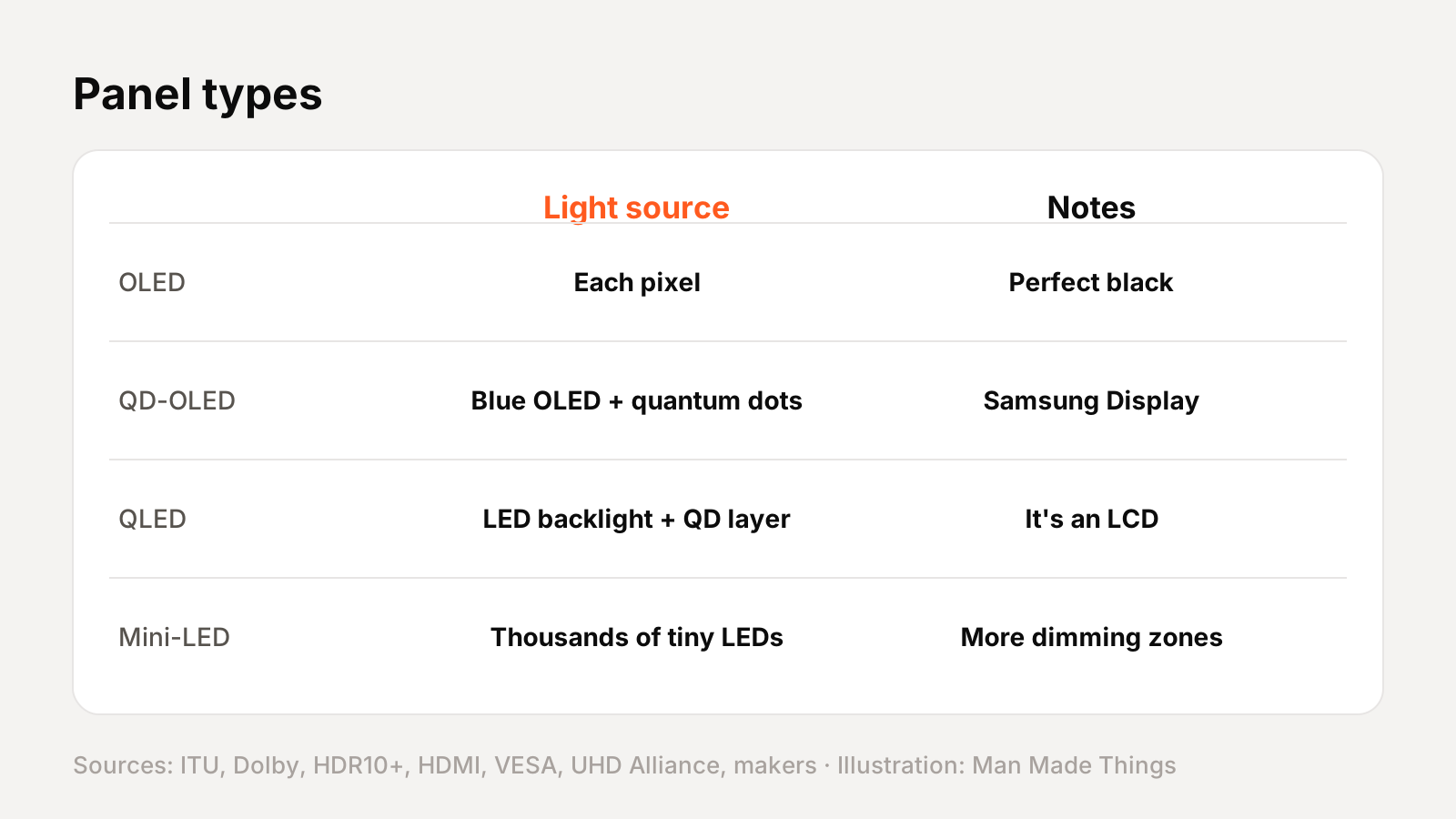
| Panel | How it works, per the makers |
|---|---|
| OLED | Every pixel makes its own light; no backlight (LG). Each pixel can turn off completely (Samsung). |
| QD-OLED | A blue light-emitting layer plus quantum dots that create color (Samsung Display). |
| QLED | An LCD with quantum dots placed between the LED backlight and the LCD layer (TCL). |
| Mini-LED | Thousands of tiny LEDs behind the screen for finer local dimming (TCL). Samsung's Neo QLED combines Mini-LEDs with quantum dots. |
Local dimming zones are areas of the backlight that dim independently on QLED and Mini-LED TVs. More zones generally mean better contrast, but counts vary hugely: Hisense's U6G spec sheet lists 48 zones, while TCL lists up to 3,840 on its 98-inch C8K. TCL has even footnoted that one "4,000+" claim was laboratory data, with 2,304 zones manufactured. So read the fine print.
Filmmaker Mode and IMAX Enhanced
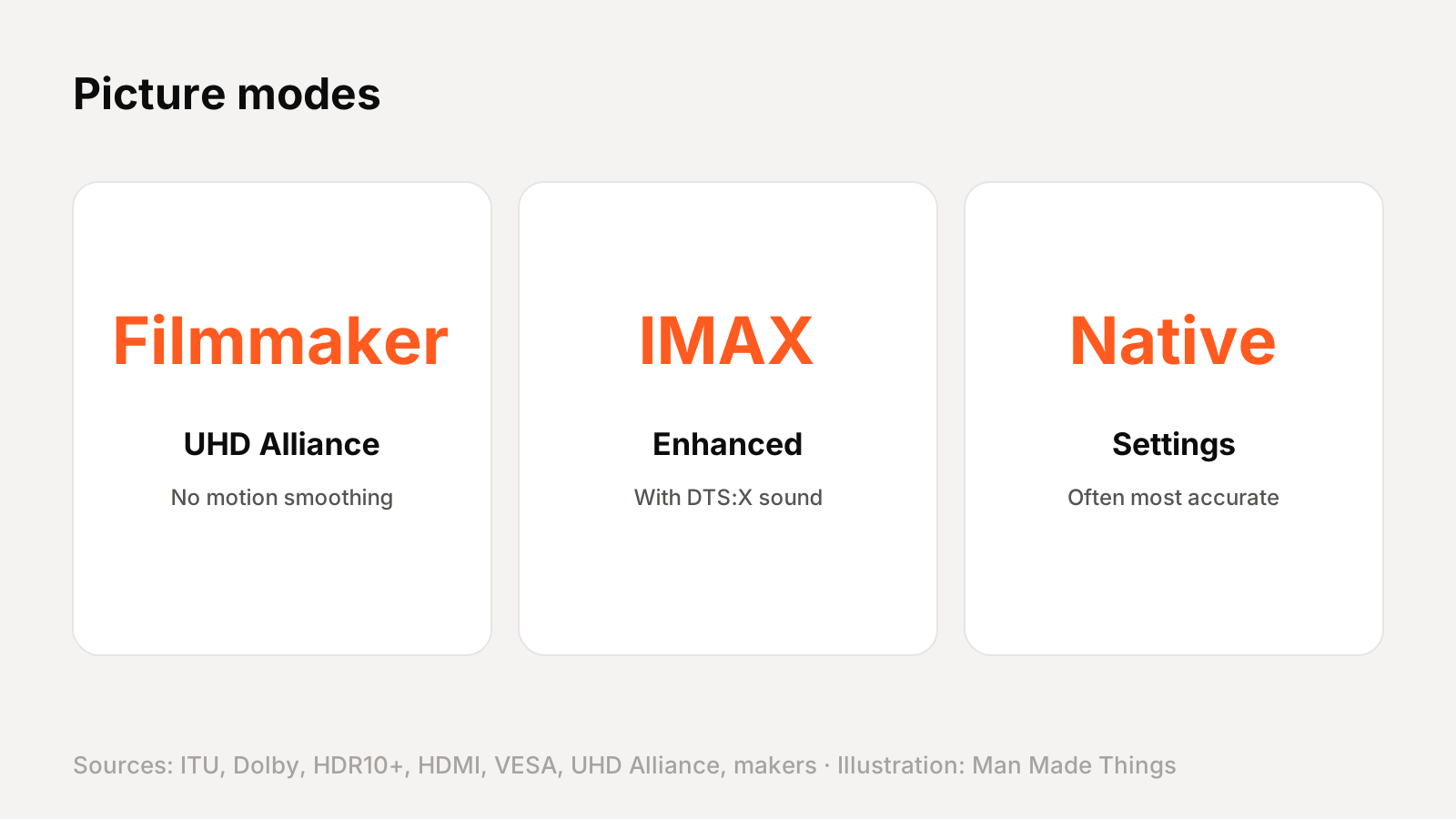
- Filmmaker Mode: from the UHD Alliance. It turns off post-processing like motion smoothing and preserves the original aspect ratio, colors and frame rate, so movies look the way the director intended.
- IMAX Enhanced: DTS describes it as IMAX's expanded-aspect-ratio versions of films, paired with DTS:X sound, on certified devices.
The bottom line: on any spec sheet, focus on the panel type, native refresh rate, HDR formats (Dolby Vision and HDR10+) and eARC. Treat "motion rate" and peak brightness claims with healthy skepticism.
Frequently asked questions
What's the difference between HDR10, HDR10+ and Dolby Vision?
+
HDR10 uses static metadata, one setting for the whole program. HDR10+ and Dolby Vision use dynamic metadata, adjusting scene by scene; Dolby Vision also supports 12-bit color.
Is motion rate the same as refresh rate?
+
No. Hisense's own spec sheets list a native 60Hz panel as "Motion Rate 240." Look for the native refresh rate.
Do I need HDMI 2.1 for a PS5?
+
To get 4K at 120Hz with VRR, you need an HDMI 2.1-capable port and a TV with a native 120Hz panel.
What is eARC?
+
Enhanced audio return channel sends high-quality sound, including lossless Dolby TrueHD and Dolby Atmos, from your TV to a soundbar or receiver over HDMI.
Is QLED the same as OLED?
+
No. OLED pixels make their own light. QLED is an LCD TV with a backlight and a quantum dot layer.
Sources
- ITU-R BT.2020
- ITU-R BT.2100-3 (PDF)
- HDR10+ Technologies
- Dolby: Dolby Vision for TV
- Dolby: Dolby Atmos
- BBC R&D: High dynamic range
- VESA DisplayHDR
- UHD Alliance: UHD features
- UHD Alliance: Filmmaker Mode
- Hisense 75U6G spec sheet (PDF)
- Hisense 55U7H spec sheet (PDF)
- LG: TruMotion explained
- HDMI: Variable refresh rate
- HDMI: Auto low latency mode
- HDMI: Ultra High Speed HDMI Cable
- HDMI: eARC
- NVIDIA: G-Sync monitors
- TCL: Mini-LED vs QLED
- Samsung Display: QD-OLED
- DTS: IMAX Enhanced explained
Editor-in-Chief
Rahul has been writing about gadgets and software since 2013, first at Thetechhacker and now at Man Made Things. He edits every review on the site and signs off on every verdict.
More from Rahul →
