The Best PS5 Accessories: Controllers, Headsets, Storage and More
Six PS5 accessories worth buying: the DualSense Edge, Pulse Elite headset, a licensed Sandisk SSD, the DualSense Charging Station, PlayStation Portal and the Disc Drive, plus how to add storage.
We may earn a commission when you buy through links on this page. Learn more
Quick answer
The best PS5 accessories are the DualSense Edge controller ($199) for customizable controls, the Pulse Elite headset ($149) for low-latency wireless audio, an M.2 SSD like the licensed Sandisk Optimus GX Pro 850P (from $309.99) for more storage, the $29 DualSense Charging Station, the PlayStation Portal ($249) for playing away from the TV, and the $79 Disc Drive for Digital and Pro consoles.
A PS5 is great out of the box, but a few accessories make it noticeably better. More storage means fewer painful decisions about which games to delete. A good headset brings out the 3D audio Sony built the console around. And a charging dock means you never pick up a dead controller again.
There's also a lot of accessory clutter out there, so I've focused on the six that solve real problems. Most are Sony's own, because they work seamlessly with the console, and I've included a licensed SSD that Sony sells on its own store.
Every price and spec below comes from PlayStation's official US store or the maker's own site. Black Friday deals were live when I checked, so prices may move. Want a headset for music too? See our best noise-cancelling headphones. These are research-based picks with no star scores. Let's get into it.
Our picks at a glance
1. Best controller upgrade
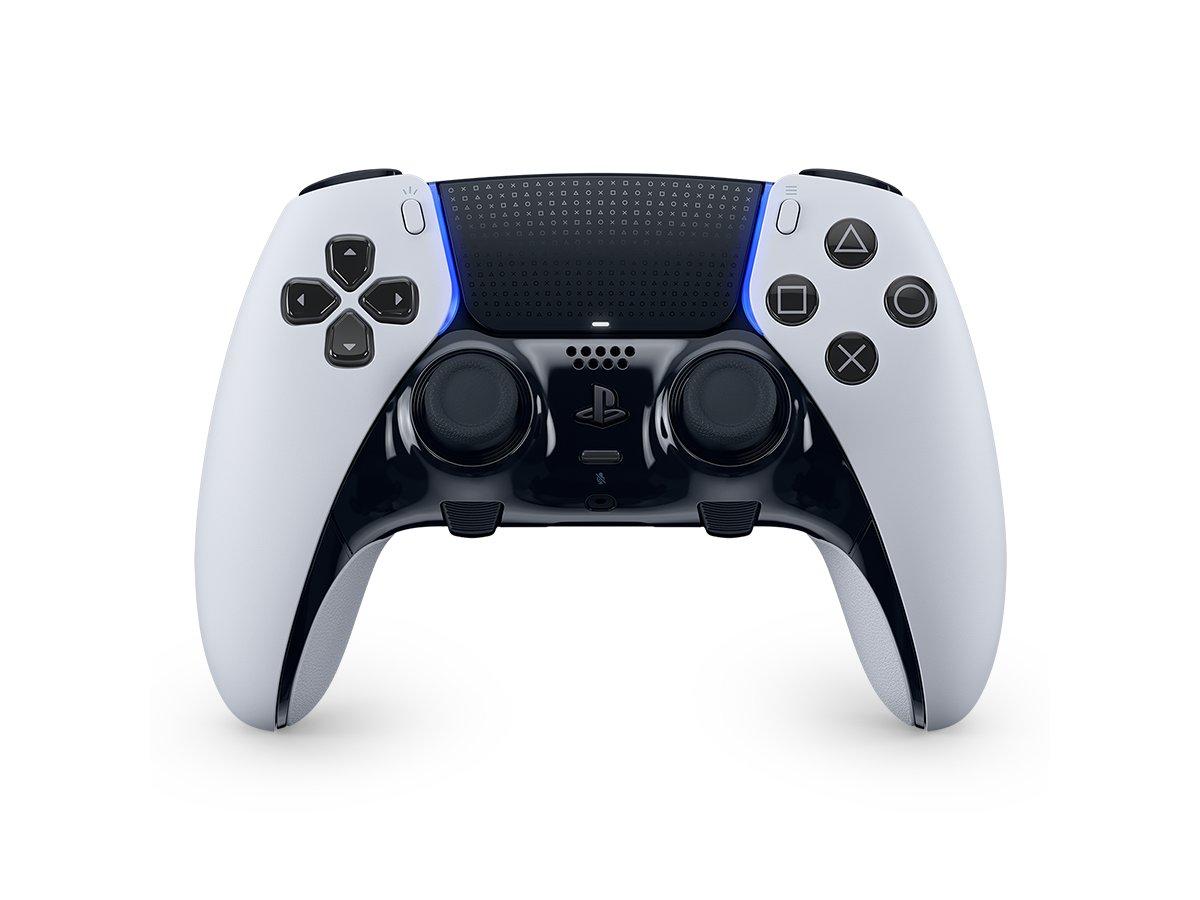
DualSense Edge Wireless Controller
The DualSense Edge is Sony's pro controller, and it's the upgrade I'd make first if you play a lot. You can remap buttons, adjust stick sensitivity and dead zones, shorten trigger travel and save it all as profiles you switch between with the Fn button.
The back buttons are the real game-changer. Mapping jump or reload to a paddle means you never take your thumb off the right stick. It comes with two styles of back buttons, three pairs of stick caps and a carrying case that lets you charge the controller over USB while it's stored.
Sony also made the sticks replaceable. When one starts drifting, you can swap in a $19 module instead of buying a new controller. The catches are price, at $199, and that Sony doesn't publish a battery life figure. On PC, haptics may need a wired connection.
Pros
- 01Deep customization and profiles
- 02Back buttons for faster inputs
- 03Replaceable stick modules
- 04Carrying case included
Cons
- 01Expensive at $199
- 02Stick modules cost $19 each
- 03Battery life not published
| Customization | Remappable buttons, stick and trigger dead zones, trigger stops |
|---|---|
| Back buttons | 4 swappable (half-dome and lever) |
| Stick modules | Replaceable ($19 each) |
| Profiles | Quick-swap control profiles, Fn button |
| Features | Haptic feedback, adaptive triggers, built-in mic |
| In the box | Braided USB cable, 6 stick caps, carrying case |
2. Best headset
PULSE Elite Wireless Headset
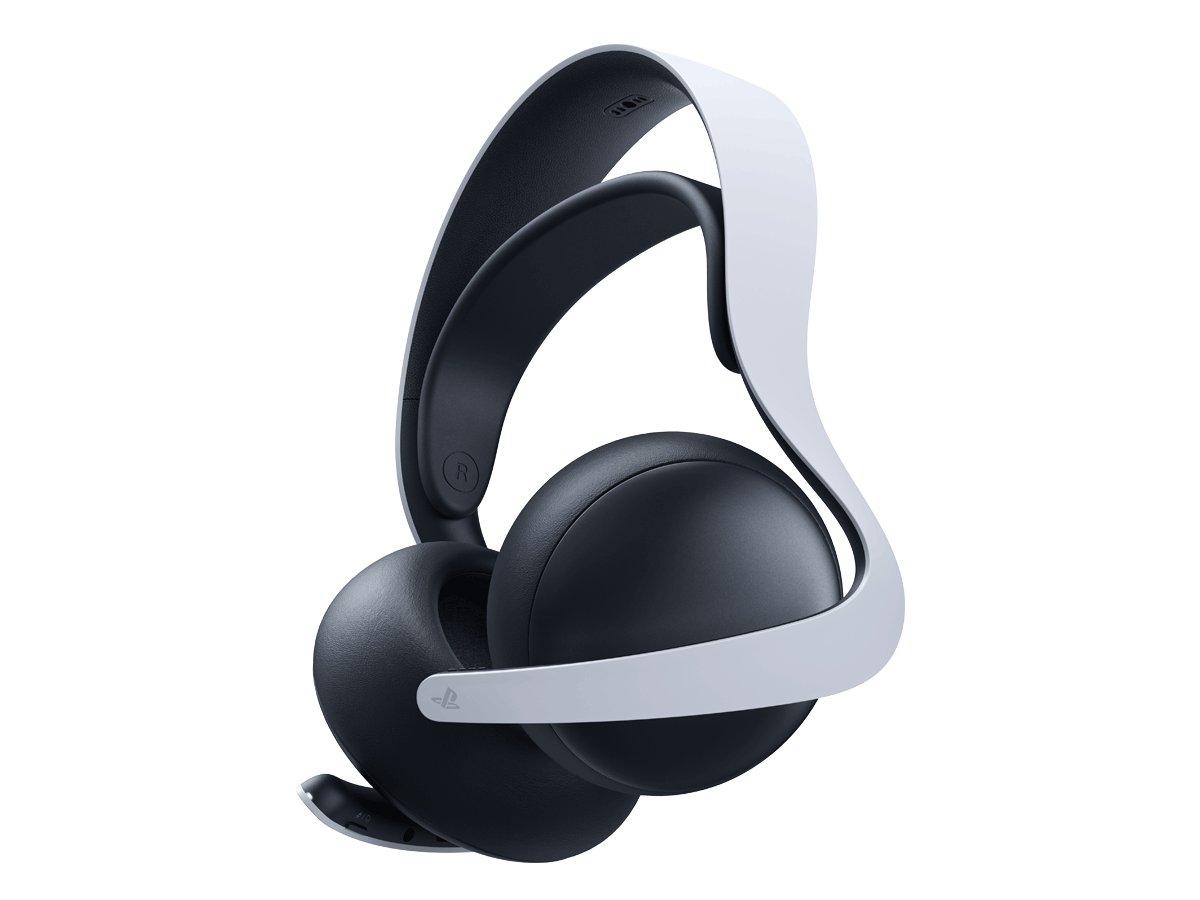
The Pulse Elite is the best way to hear what the PS5's 3D audio can do. It uses planar magnetic drivers and connects over Sony's PlayStation Link, which Sony describes as ultra-low latency and lossless.
It's flexible, too. You can connect over PS Link and Bluetooth at the same time, so you can take a call on your phone while gaming. It works with PS5, PC, Mac and phones, and connects directly to the PlayStation Portal without the dongle. The mic retracts fully into the earcup when you don't need it.
Battery life is up to 30 hours, and a 10-minute charge gives you about two hours. It comes with a charging hanger to keep it topped up. On the downside, PS5, PC and Mac connections need the USB adapter, and the wall-mount screws aren't included.
Pros
- 01Planar magnetic drivers
- 02Low-latency PS Link plus Bluetooth
- 0330-hour battery with fast charging
- 04Works natively with PlayStation Portal
Cons
- 01USB dongle needed on PS5 and PC
- 02Wireless only
- 03Mount screws not included
| Drivers | Planar magnetic |
|---|---|
| Wireless | PlayStation Link (USB adapter included) plus Bluetooth |
| Battery | Up to 30 hours; 10 min charge = 2 hours |
| Mic | Retractable, AI-enhanced noise rejection |
| Works with | PS5, PlayStation Portal, PC, Mac, mobile |
| In the box | PS Link adapter, charging hanger, USB cable |
3. Best storage upgrade
SANDISK Optimus GX PRO 850P NVMe SSD for PS5 (2TB)
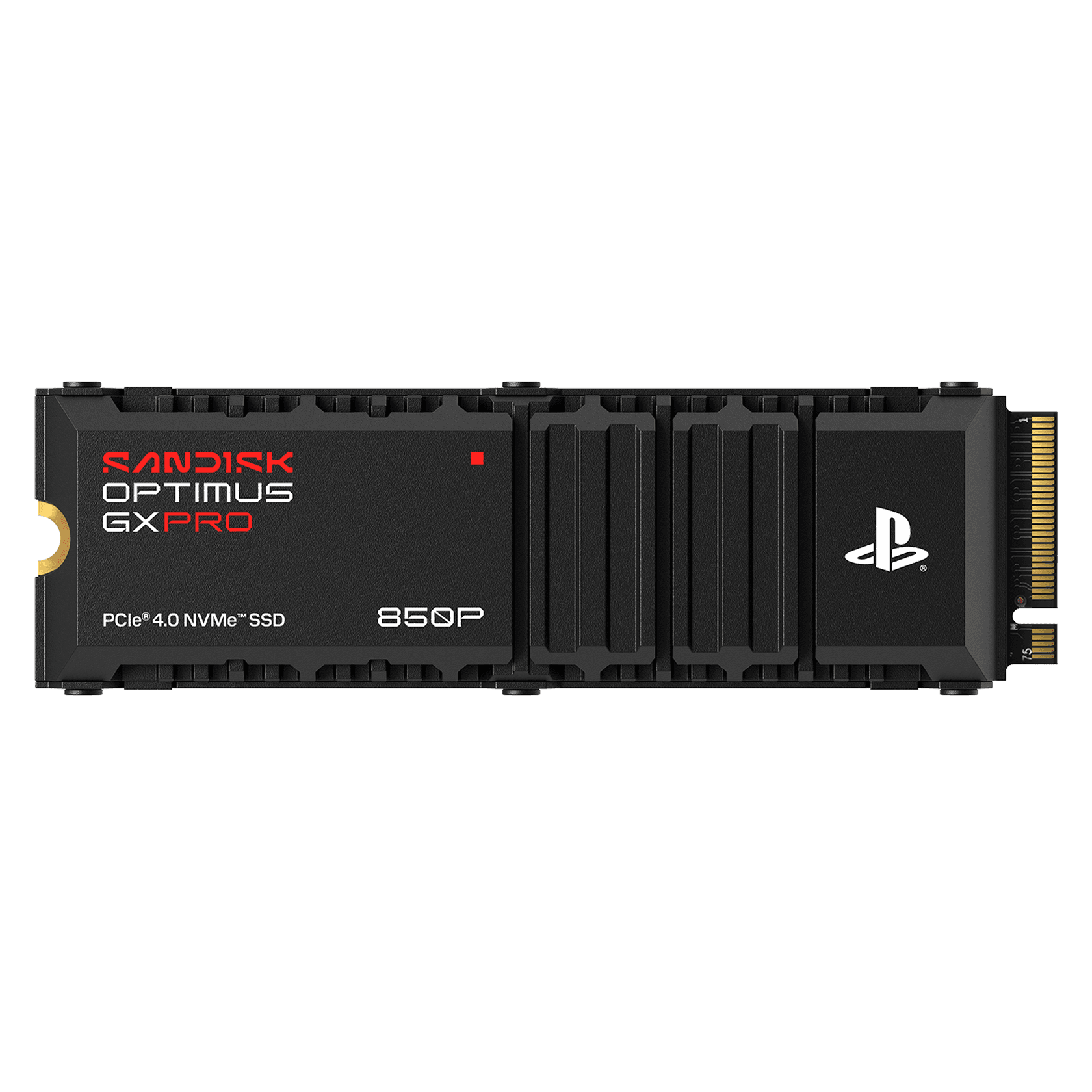
Running out of space is the most common PS5 headache, and an internal M.2 SSD is the best fix. This Sandisk drive is officially licensed for PS5 and PS5 Pro and sold on Sony's own store, so you know it fits and meets Sony's requirements.
It reads at up to 7,300 MB/s, well above the 5,500 MB/s Sony recommends, and comes with a heatsink designed for the PS5's slot. Sony requires cooling on any M.2 drive, so the built-in heatsink saves you buying one separately. It's rated for 1,200 terabytes written and backed by a five-year warranty.
The downside is price: $609.99 for 2TB is steep. Any drive that meets Sony's requirements will work, so compare prices before you buy. Installation means opening the console, and the drive gets formatted. Sony also notes games may not always perform the same as on internal storage, even with faster drives.
Pros
- 01Officially licensed for PS5 and Pro
- 02PS5 heatsink included
- 037,300 MB/s reads
- 045-year warranty
Cons
- 01Expensive per terabyte
- 02Requires opening the console
- 03Formatting erases the drive
| Interface | PCIe 4.0 NVMe, M.2 2280 |
|---|---|
| Speed | 7,300 MB/s read, 6,600 MB/s write |
| Heatsink | PS5-specific, fits the expansion slot |
| Capacities | 1TB $309.99, 2TB $609.99, 4TB $1,139.99 |
| Endurance | 1,200 TBW (2TB) |
| Warranty | 5 years |
4. Best charging dock
DualSense Charging Station
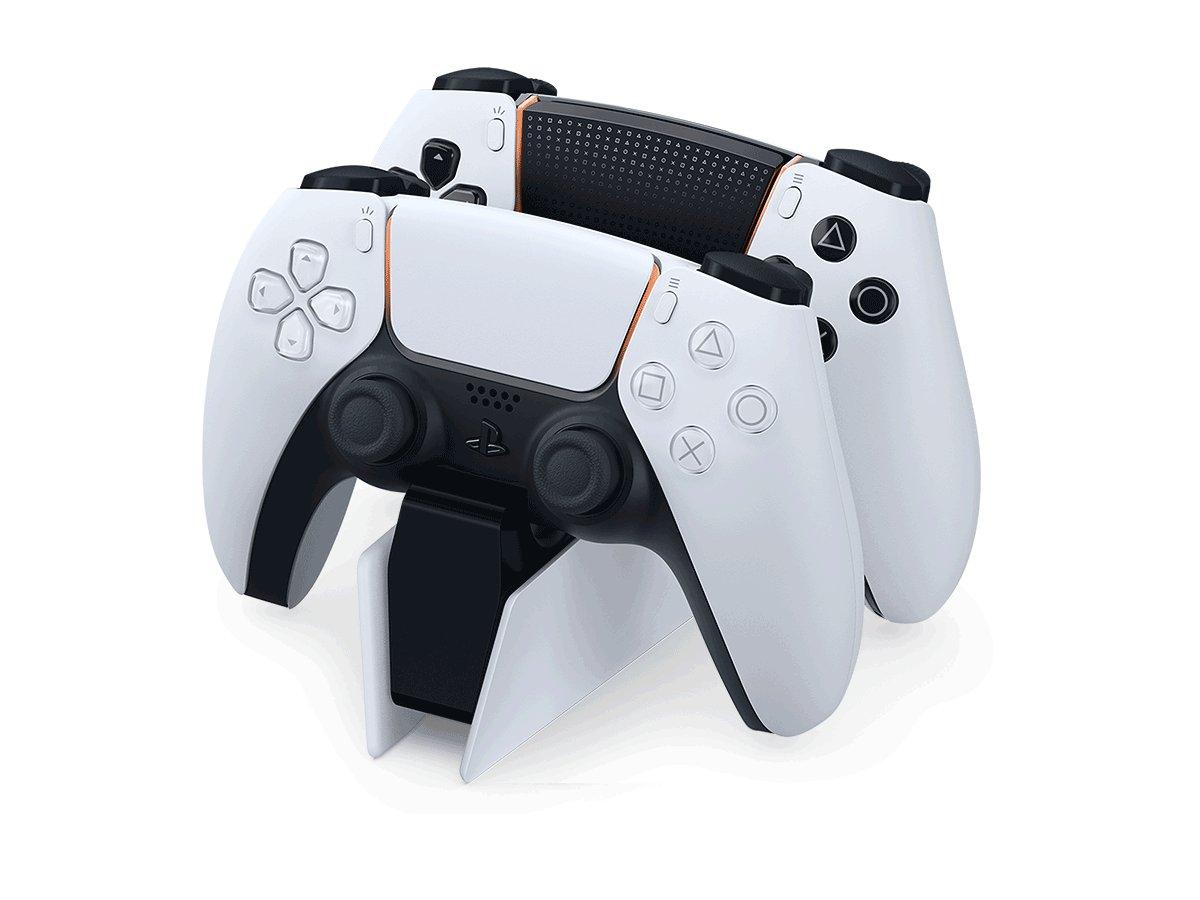
This is the cheapest accessory here and one of the most useful. The Charging Station docks two DualSense or DualSense Edge controllers at once, plugs into the wall, and doesn't need the console to be on. Sony says it charges as quickly as plugging into the PS5.
Its click-in design means you just drop controllers in at the end of a session, and they're full next time. It also frees up the console's USB ports for other things. At $29, it's an easy add-on.
There's not much to complain about. It holds only two controllers, needs a wall outlet, and isn't any faster than the console. If you only have one controller, a USB cable and Sony's Rest Mode charging setting do the same job for free.
Pros
- 01Charges two controllers
- 02Works with DualSense Edge
- 03No console needed
- 04Only $29
Cons
- 01Two controllers maximum
- 02Needs a wall outlet
- 03No faster than the console
| Capacity | Two controllers at once |
|---|---|
| Compatible | DualSense and DualSense Edge |
| Power | AC adaptor, no console needed |
| Speed | As fast as charging from the PS5 |
| Design | Click-in dock |
5. Best for playing away from the TV
PlayStation Portal Remote Player
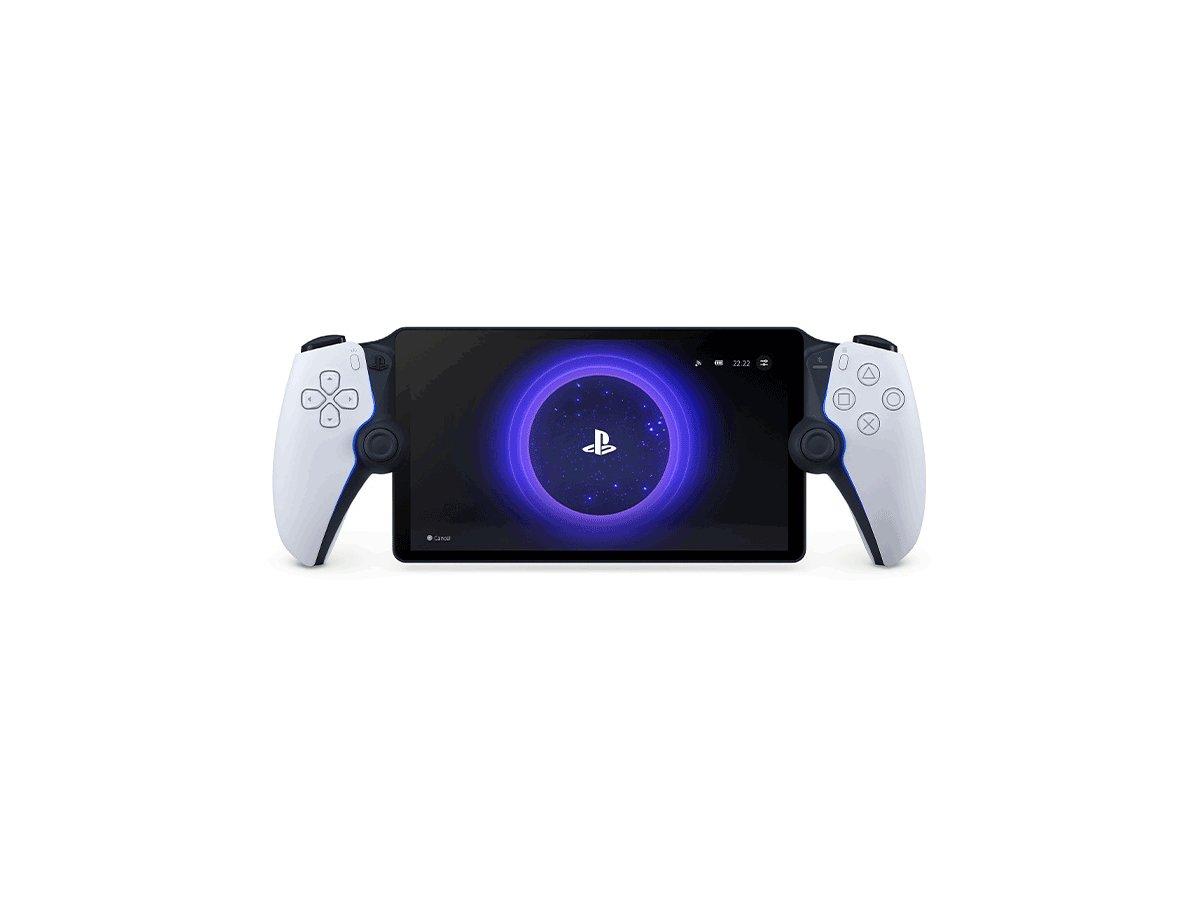
The Portal is for anyone who shares a TV. It streams games from your PS5 to an 8-inch, 1080p screen, built into a full DualSense controller with haptics and adaptive triggers, so someone else can watch the TV while you keep playing in another room.
Remote Play doesn't need a PS Plus subscription, and with PS Plus Premium, you can also stream supported games from the cloud without your PS5. Audio works through PS Link, which pairs directly with the Pulse Elite, a 3.5mm headphone jack or built-in speakers.
It's not a standalone console, though. For Remote Play, your PS5 must be on or in Rest Mode, and quality depends on your Wi-Fi. Sony requires at least 5 Mbps and recommends 15 Mbps. PS VR2 games aren't supported, and only one Portal can connect to a PS5 at a time.
Pros
- 01Play while the TV is in use
- 02Full DualSense controls
- 03No PS Plus needed for Remote Play
- 04PS Link audio built in
Cons
- 01Needs your PS5 on or in Rest Mode
- 02Depends on Wi-Fi quality
- 03Not a standalone console
| Screen | 8-inch LCD, 1080p, up to 60fps |
|---|---|
| Controls | DualSense haptics and adaptive triggers |
| Audio | PS Link, 3.5mm jack, speakers |
| Network | Wi-Fi, 5 Mbps minimum, 15 Mbps recommended |
| Extras | PS Plus Premium cloud streaming |
6. Best for disc collections
Disc Drive for PS5 Digital Edition Consoles
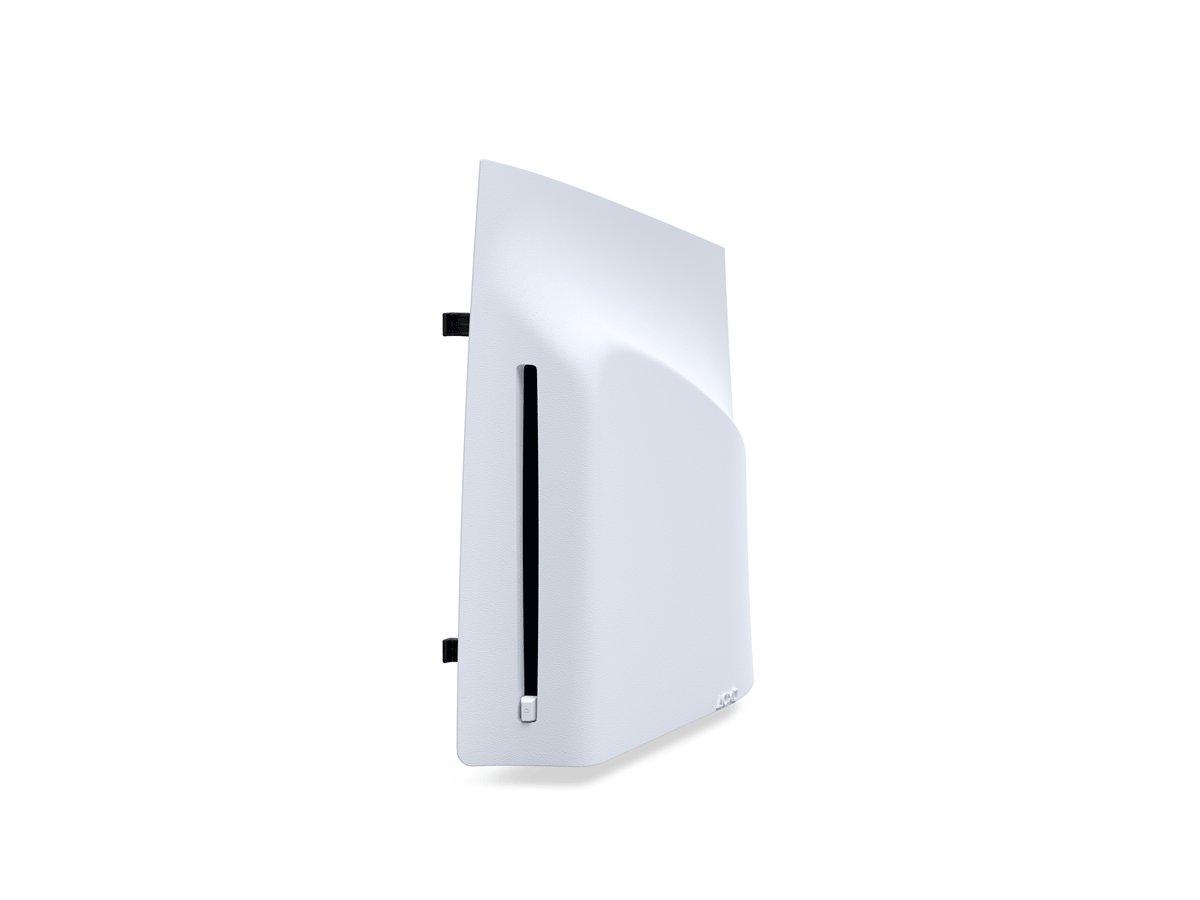
If you have a PS5 Pro or a slim Digital Edition, this $79 drive adds disc playback, including 4K UHD Blu-ray movies, PS5 game discs and supported PS4 discs. It's handy if you own a collection of physical games or movies, or buy used games.
Setup needs a one-time internet connection to pair the drive with your console. It comes with a matching cover and feet for horizontal placement.
Check compatibility first. It doesn't work with the original launch Digital Edition (CFI-1000). Sony also notes on the product page that from January 2028, newly released PlayStation games will be digital only, though discs for earlier games will keep working, so this drive is mostly about the games and movies you already own.
Pros
- 01Adds 4K UHD Blu-ray playback
- 02Plays PS5 and PS4 discs
- 03Only $79
Cons
- 01Not for the original Digital Edition
- 02Needs internet to pair
- 03New games go digital-only from 2028
| Plays | 4K UHD Blu-ray, Blu-ray, DVD, PS5 and supported PS4 discs |
|---|---|
| Compatible | PS5 Pro and slim Digital Edition (CFI-2000/2100) |
| Setup | Internet connection needed to pair |
| In the box | White cover, two horizontal feet |
How to add an M.2 SSD to your PS5
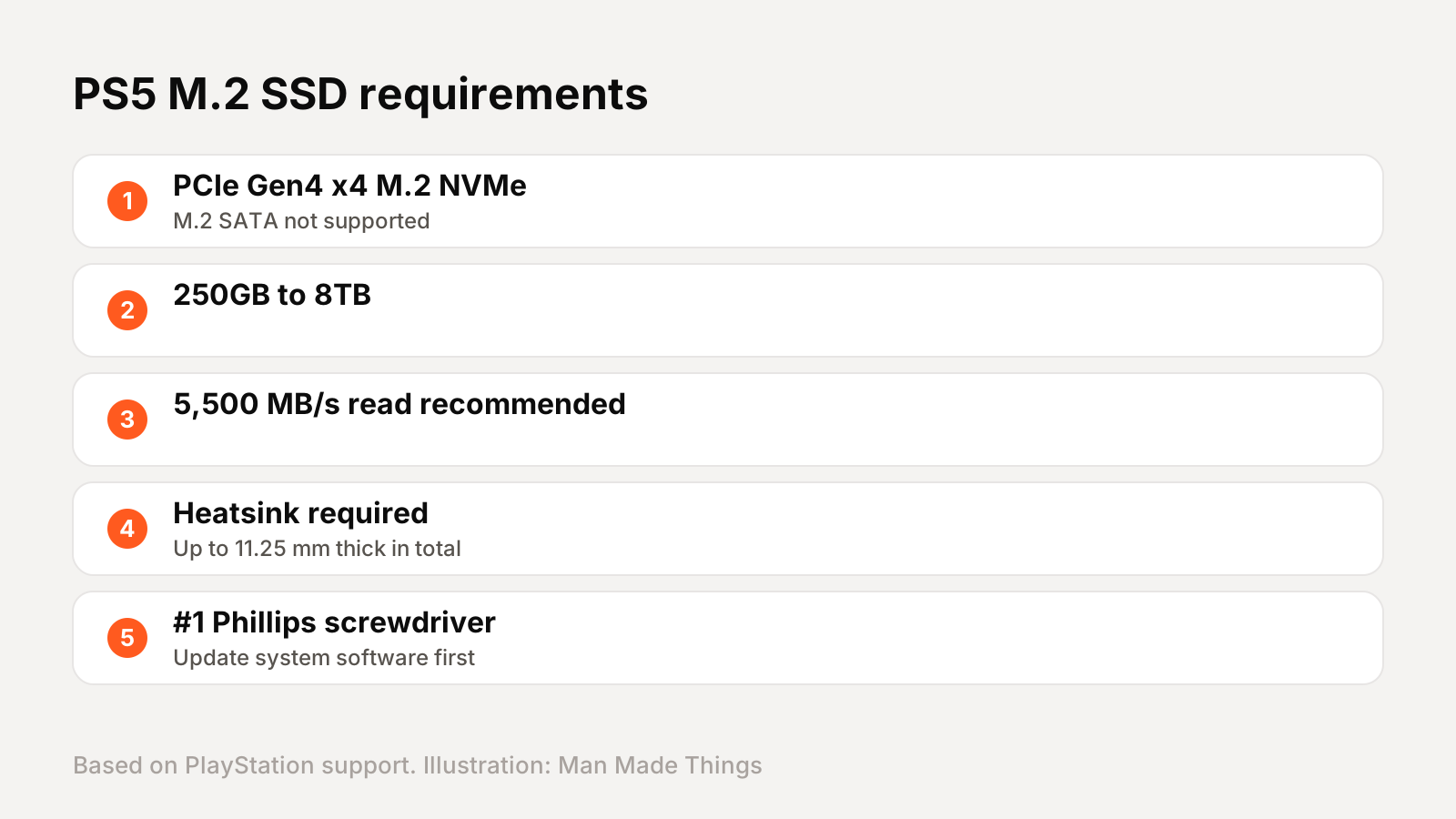
Sony's official requirements for a PS5 expansion drive are specific:
- PCIe Gen4 x4 M.2 NVMe SSD. Sony says M.2 SATA SSDs aren't supported.
- 250GB to 8TB of storage.
- 5,500 MB/s sequential read or faster recommended.
- A heatsink or heat transfer sheet is required. Sony warns not to use an M.2 drive without cooling, and not to add a second heatsink to one that has its own.
- Up to 11.25 mm thick including the heatsink.
To install, Sony says you'll need a #1 Phillips screwdriver. Update your system software first, and touch grounded metal to discharge static. On newer slim and Pro consoles, remove the small cover, unscrew the expansion slot cover, insert the drive and screw it in. Then power on and follow the on-screen steps to format it. Sony says installing a compliant drive this way shouldn't affect your warranty.
Keep your controllers charged
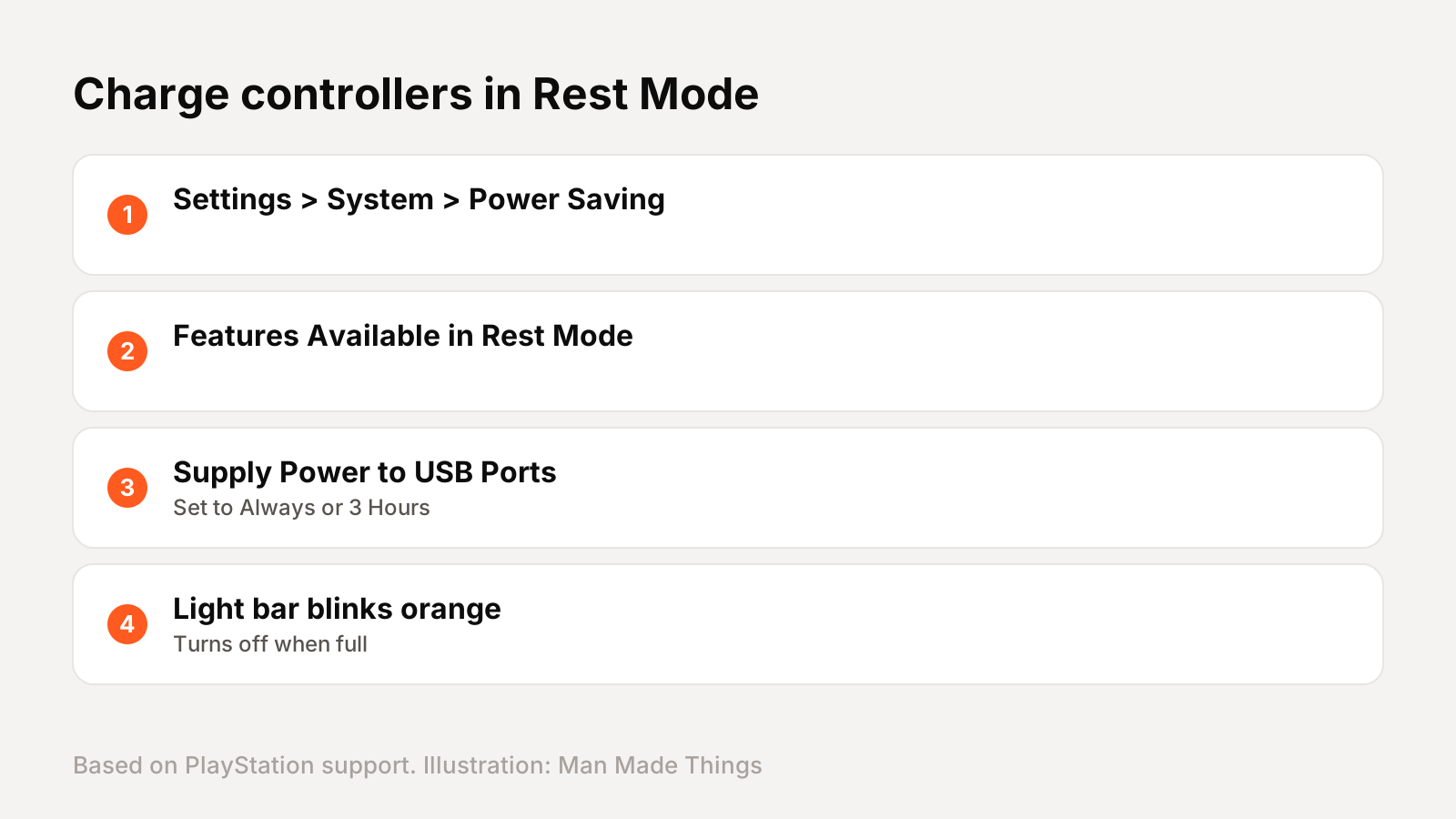
You don't need a dock to charge controllers overnight. Sony's support page explains how to charge in Rest Mode: go to Settings, System, Power Saving, Features Available in Rest Mode, and set Supply Power to USB Ports to Always or 3 Hours.
While charging in Rest Mode, Sony says the controller's light bar slowly blinks orange, then turns off when it's full. You can check the battery level anytime in the Control Center, where three solid bars mean fully charged.
Sony also recommends using a USB cable that complies with USB standards. If you play every day or have two controllers, the $29 Charging Station is still the tidiest solution, since it keeps controllers ready without leaving the console in Rest Mode.
Frequently asked questions
What are the best PS5 accessories?
+
The DualSense Edge controller, Pulse Elite headset, an M.2 SSD for storage, the DualSense Charging Station, PlayStation Portal and the Disc Drive for Digital and Pro consoles.
What SSD works with PS5?
+
Sony requires a PCIe Gen4 x4 M.2 NVMe SSD of 250GB to 8TB with a heatsink, and recommends 5,500 MB/s read speeds or faster.
Does PlayStation Portal need PS Plus?
+
No, not for Remote Play from your PS5. PS Plus Premium adds cloud streaming without your PS5.
Does the PS5 Disc Drive work with all consoles?
+
No. Sony says it works with PS5 Pro and slim Digital Edition (CFI-2000 and CFI-2100) consoles, not the original Digital Edition.
Sources
- PlayStation Direct: DualSense Edge
- PlayStation: DualSense Edge
- PlayStation: PULSE Elite headset
- Sandisk: Optimus GX PRO 850P for PS5
- PlayStation Direct: DualSense Charging Station
- PlayStation: PlayStation Portal
- PlayStation Direct: Disc Drive for PS5
- PlayStation: How to install an M.2 SSD
- PlayStation: Charge controllers in Rest Mode
Editor-in-Chief
Rahul has been writing about gadgets and software since 2013, first at Thetechhacker and now at Man Made Things. He edits every review on the site and signs off on every verdict.
More from Rahul →
