The 5 Best Routers for Gigabit Internet (1 Gbps and Faster)
Five Wi-Fi 7 routers that can actually deliver a 1 Gbps or faster internet plan: the ASUS RT-BE86U, NETGEAR Nighthawk RS300, TP-Link Archer BE550, eero 7 and UniFi Dream Router 7, compared on WAN ports, Wi-Fi bands, coverage and subscriptions.
We may earn a commission when you buy through links on this page. Learn more
Quick answer
The ASUS RT-BE86U ($269.99) is the best router for gigabit internet for most homes: it has a 10G port plus four 2.5G ports, covers up to 2,750 sq ft and includes subscription-free security. The NETGEAR Nighthawk RS300 ($299.99) is the best tri-band pick, the TP-Link Archer BE550 makes every port 2.5G, the eero 7 (from $169.99) is the easiest to expand, and the UniFi Dream Router 7 ($279) is best for enthusiasts.
You're paying for gigabit internet, but are you getting it? Often the bottleneck isn't your provider; it's the router. A router with a 1 Gbps WAN port leaves no headroom for a gigabit plan, and anything above 1 Gbps needs a faster port.
Every router here has at least one 2.5 Gbps WAN port and supports Wi-Fi 7, so they can handle a 1 Gbps plan with room to grow into 2 Gbps or more. They differ in how many fast wired ports they have, whether they use the 6 GHz band, and whether their security features cost extra.
All specs and prices come from each maker's own US product pages as of November 2026. TP-Link doesn't list a price on its site, so I haven't quoted one. These are research-based picks, not lab tests, so there are no star scores. Need more coverage? See our mesh Wi-Fi vs extender guide.
Our picks at a glance
1. Best overall
ASUS RT-BE86U
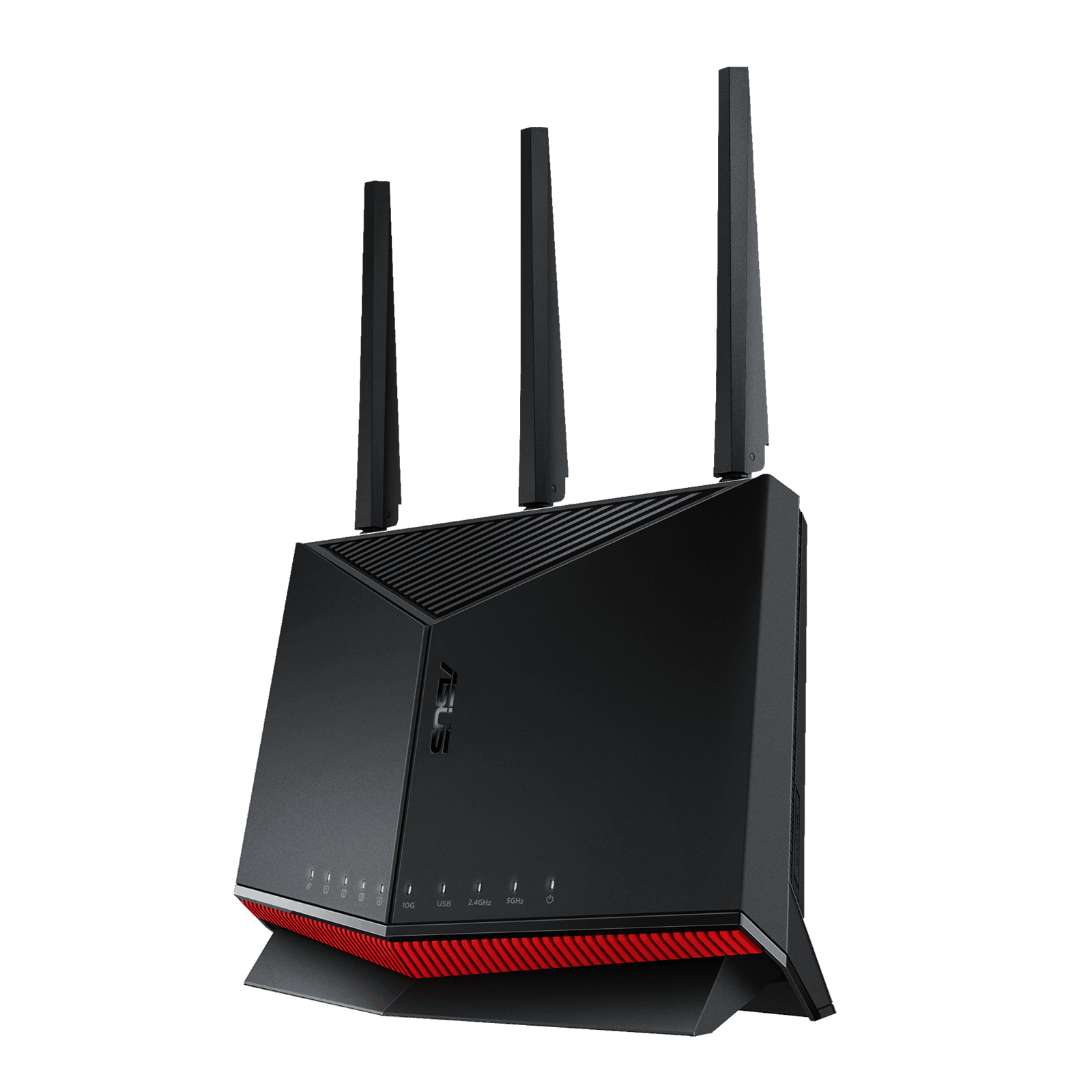
The RT-BE86U has the best mix of ports, coverage and value here. Its standout is a 10 Gbps WAN/LAN port alongside a 2.5G WAN/LAN port and three more 2.5G LAN ports, so it can handle gigabit internet today and a multi-gig plan later. ASUS also supports dual WAN and WAN aggregation.
It's dual-band Wi-Fi 7, with no 6 GHz band. ASUS rates the 5 GHz band at up to 5,764 Mbps with 4x4 radios, and covers up to 2,750 square feet. A 2.6 GHz quad-core processor and 1 GB of RAM keep things responsive.
The other big plus is security. ASUS includes AiProtection Pro, powered by Trend Micro, with malicious site blocking, two-way intrusion prevention and infected device blocking, and calls it subscription-free. Parental controls are free too. It works with ASUS AiMesh if you want to add nodes later.
Pros
- 0110G and four 2.5G ports
- 02Subscription-free AiProtection Pro
- 03Up to 2,750 sq ft
- 04AiMesh expandable
Cons
- 01No 6 GHz band
- 02Large footprint at 316 mm tall
| Wi-Fi | Wi-Fi 7 dual-band (5 GHz + 2.4 GHz) |
|---|---|
| Max rates | 5,764 Mbps (5 GHz), 1,032 Mbps (2.4 GHz) |
| WAN/LAN | 1× 10G, 1× 2.5G, 3× 2.5G LAN |
| USB | USB 3.2 Gen 1 + USB 2.0 |
| Processor | 2.6 GHz quad-core, 1 GB RAM |
| Coverage | Up to 2,750 sq ft |
| Security | AiProtection Pro, no subscription |
2. Best tri-band
NETGEAR Nighthawk RS300
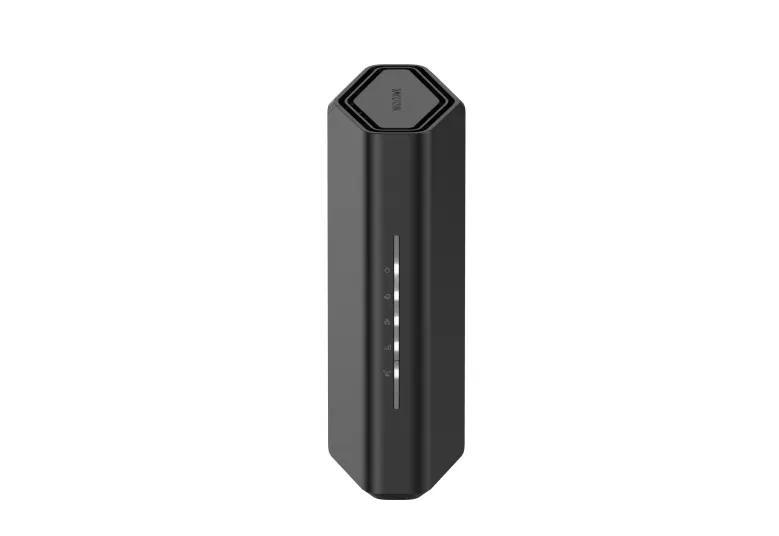
If you have newer phones and laptops that support 6 GHz, the RS300 gives you all three bands for about the price of the ASUS. NETGEAR rates it at up to 9.3 Gbps combined across 2.4, 5 and 6 GHz, with coverage up to 2,500 square feet and up to 100 connected devices.
Its 2.5 Gbps internet port handles gigabit and multi-gig cable or fiber, and you get two 2.5G and two 1G LAN ports plus USB 3.0. Inside is a quad-core 2.0 GHz processor. NETGEAR also lets you create separate main, IoT and guest networks, which is handy for keeping smart home gadgets apart.
NETGEAR lists it at $299.99, and it was on sale for $269.99 when I checked. One catch: advanced security is a subscription. NETGEAR Armor, powered by Bitdefender, has a 30-day free trial, then costs $59.98 for the first year and renews at $149.99 a year. You can decline it and still use the router normally.
Pros
- 01Tri-band with 6 GHz
- 022.5G internet and two 2.5G LAN ports
- 03Separate IoT network
- 04Up to 100 devices
Cons
- 01Armor security is a paid subscription
- 02Two of four LAN ports are only 1 Gbps
| Wi-Fi | Wi-Fi 7 tri-band (6, 5, 2.4 GHz) |
|---|---|
| Max rate | Up to 9.3 Gbps combined |
| WAN | 1× 2.5 Gbps internet port |
| LAN | 2× 2.5 Gbps + 2× 1 Gbps |
| USB | 1× USB 3.0 |
| Processor | Quad-core 2.0 GHz |
| Coverage | Up to 2,500 sq ft, 100 devices |
3. Best all-2.5G ports
TP-Link Archer BE550
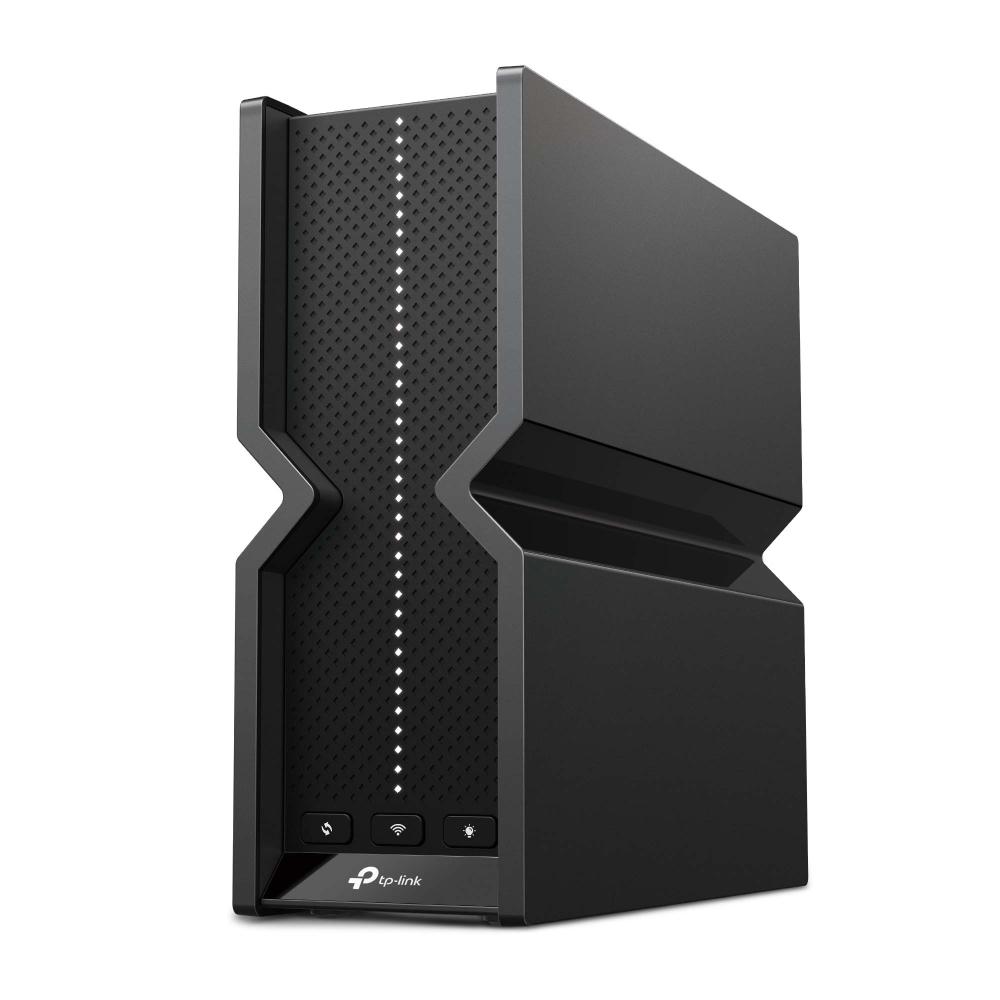
The BE550 is the pick if you have several wired devices, like a desktop, NAS or game console. Every Ethernet port is 2.5 Gbps: one WAN and four LAN, so no wired device is stuck at gigabit speeds.
It's tri-band Wi-Fi 7 with 320 MHz channels on 6 GHz, which TP-Link rates at up to 5,760 Mbps, plus 2,880 Mbps on 5 GHz and 574 Mbps on 2.4 GHz. It also supports Multi-Link Operation, a Wi-Fi 7 feature that lets devices use more than one band at once. TP-Link notes that these features need compatible devices, and that 320 MHz works only on the 6 GHz band.
Security comes from TP-Link's HomeShield, with a free Basic plan and a paid Pro plan. It also supports OpenVPN, PPTP and L2TP as both a server and client, and works with other EasyMesh devices. TP-Link's site doesn't list a price, so check the retailer.
Pros
- 01Four 2.5G LAN ports
- 02Tri-band with 320 MHz on 6 GHz
- 03EasyMesh compatible
- 04Built-in VPN server and client
Cons
- 01No price listed by TP-Link
- 02HomeShield Pro is a paid upgrade
| Wi-Fi | Wi-Fi 7 tri-band, 320 MHz channels |
|---|---|
| Max rates | 5,760 (6 GHz) / 2,880 (5 GHz) / 574 Mbps |
| WAN | 1× 2.5 Gbps |
| LAN | 4× 2.5 Gbps |
| USB | 1× USB 3.0 |
| Mesh | EasyMesh compatible |
| Security | HomeShield (Basic free, Pro paid) |
4. Easiest to expand
eero 7
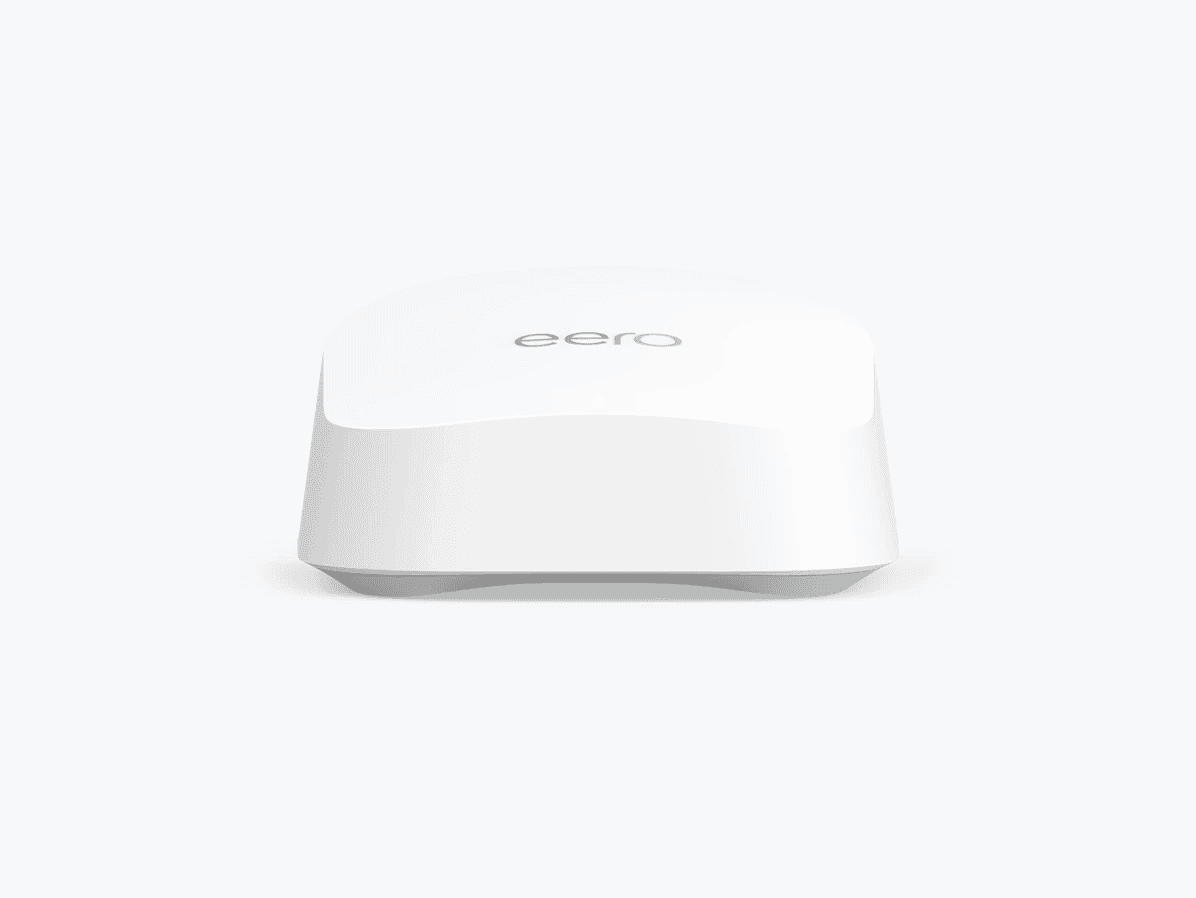
The eero 7 is the simplest way to cover a whole home with fast Wi-Fi. It's a compact mesh router: buy one for $169.99, or a two-pack for $284.99 and a three-pack for $399.99, and the units link together automatically using eero's TrueMesh. eero says each unit covers about 2,000 square feet.
It has two auto-sensing 2.5 GbE ports, and eero says it's ideal for internet plans up to 2.5 Gbps. Wireless speed tops out at 1.8 Gbps, which is the lowest here, but still enough for a 1 Gbps plan. It's dual-band, without 6 GHz. It also doubles as a smart home hub, with Thread, Zigbee and Matter support.
The app is easy to use and includes free parental controls. Advanced security, ad blocking and extras like Malwarebytes and a VPN come with eero Plus, which costs $9.99 a month or $99.99 a year. eero covers it with a three-year warranty. Want to know how mesh differs from a single router? See our mesh Wi-Fi explainer.
Pros
- 01Affordable multi-pack mesh
- 02Two 2.5 GbE ports per unit
- 03Thread, Zigbee and Matter hub
- 043-year warranty
Cons
- 011.8 Gbps max wireless rate
- 02Advanced security needs eero Plus
| Wi-Fi | Wi-Fi 7 dual-band |
|---|---|
| Max rate | Up to 1.8 Gbps wireless |
| Ports | 2× 2.5 GbE (auto-sensing) |
| Plans | Ideal for internet up to 2.5 Gbps |
| Coverage | 2,000 sq ft per unit, 120+ devices |
| Smart home | Thread, Zigbee, Matter controller |
| Warranty | 3 years |
5. Best for enthusiasts
Ubiquiti UniFi Dream Router 7
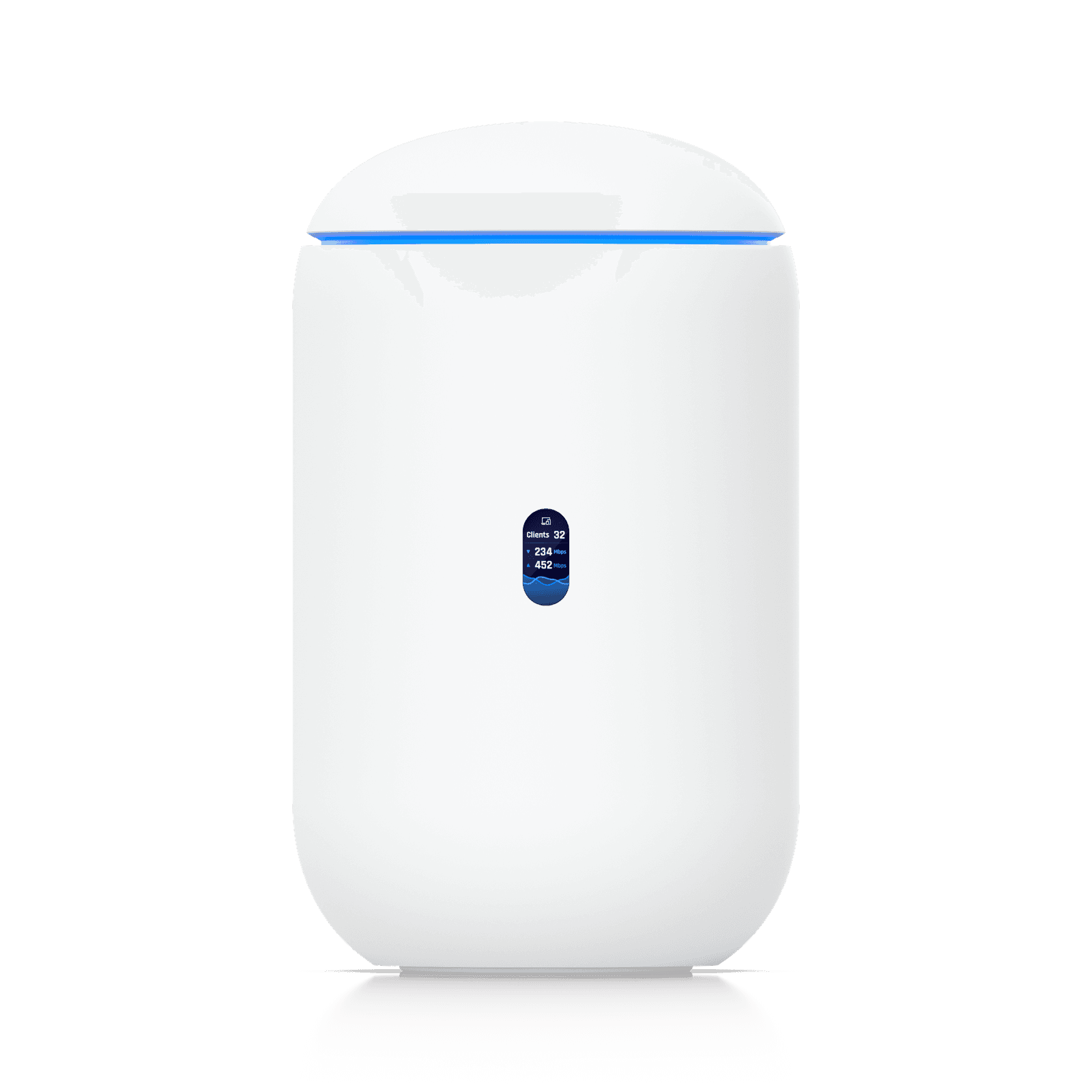
The UniFi Dream Router 7 is for people who like to tinker. It's a router, Wi-Fi 7 access point and network controller in one, managed through Ubiquiti's UniFi Network app, with a level of control the others don't offer: a zone-based firewall, intrusion detection and prevention, content filtering, ad blocking and WireGuard, OpenVPN and L2TP VPNs.
The hardware is strong. It has a 10G SFP+ port for fiber or a 10G module, plus four 2.5 GbE ports, one with PoE to power a camera or access point, and it can use up to four WAN connections. Ubiquiti rates its IDS/IPS throughput at 2.3 Gbps, so security inspection won't slow a gigabit plan. A preinstalled 64 GB microSD card even lets it record UniFi Protect security cameras.
It's tri-band Wi-Fi 7, though its 1,750 square foot coverage is the smallest here, so larger homes will want extra UniFi access points. Ubiquiti's store showed $279, with a higher price including a surcharge. Extra IPS signatures come with CyberSecure at $99 a year.
Pros
- 0110G SFP+ and four 2.5 GbE ports
- 02Advanced firewall and VPNs included
- 03PoE port and camera recording
- 042.3 Gbps IDS/IPS throughput
Cons
- 01Smallest coverage, 1,750 sq ft
- 02Steeper learning curve
- 03CyberSecure is $99/year
| Wi-Fi | Wi-Fi 7 tri-band |
|---|---|
| Max rates | 5.7 Gbps (6 GHz) / 4.3 Gbps (5 GHz) / 688 Mbps |
| Ports | 1× 10G SFP+, 4× 2.5 GbE (one PoE) |
| Processor | Quad-core 1.5 GHz, 3 GB RAM |
| IDS/IPS | Up to 2.3 Gbps |
| Coverage | 1,750 sq ft |
| Storage | 64 GB microSD for UniFi Protect |
Why gigabit internet needs a multi-gig port
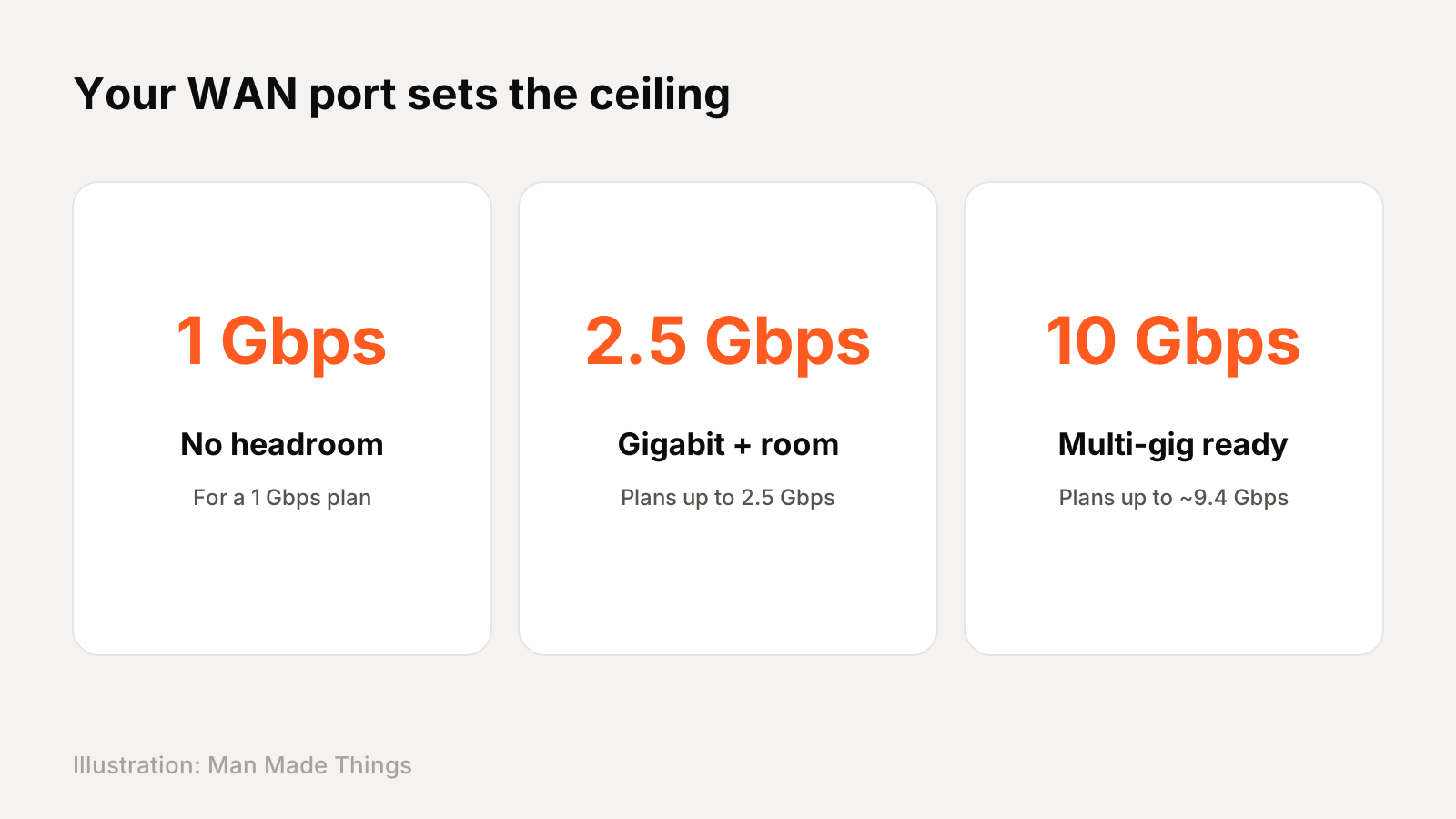
Your router's WAN port is the door your internet comes through, and its speed sets a hard limit.
- 1 Gbps port: TP-Link's own footnotes note that actual speed may be limited by the rate of the router's Ethernet WAN or LAN port, so a 1 Gbps port leaves no headroom for a 1 Gbps plan.
- 2.5 Gbps port: TP-Link says it gives up to 2.5 times the wired speed of a typical gigabit port. eero lists its eero 7, with two 2.5 GbE ports, as ideal for plans up to 2.5 Gbps.
- 10 Gbps port: found on the ASUS RT-BE86U and, as SFP+, on the UniFi Dream Router 7. eero lists its 10 GbE eero Max 7 for plans up to 9.4 Gbps.
The same applies inside your home: to get gigabit-plus speeds to a desktop or console, you need a fast LAN port and a good Ethernet cable. Check what your modem supports, too, since its port can be the bottleneck.
What Wi-Fi speed ratings really mean
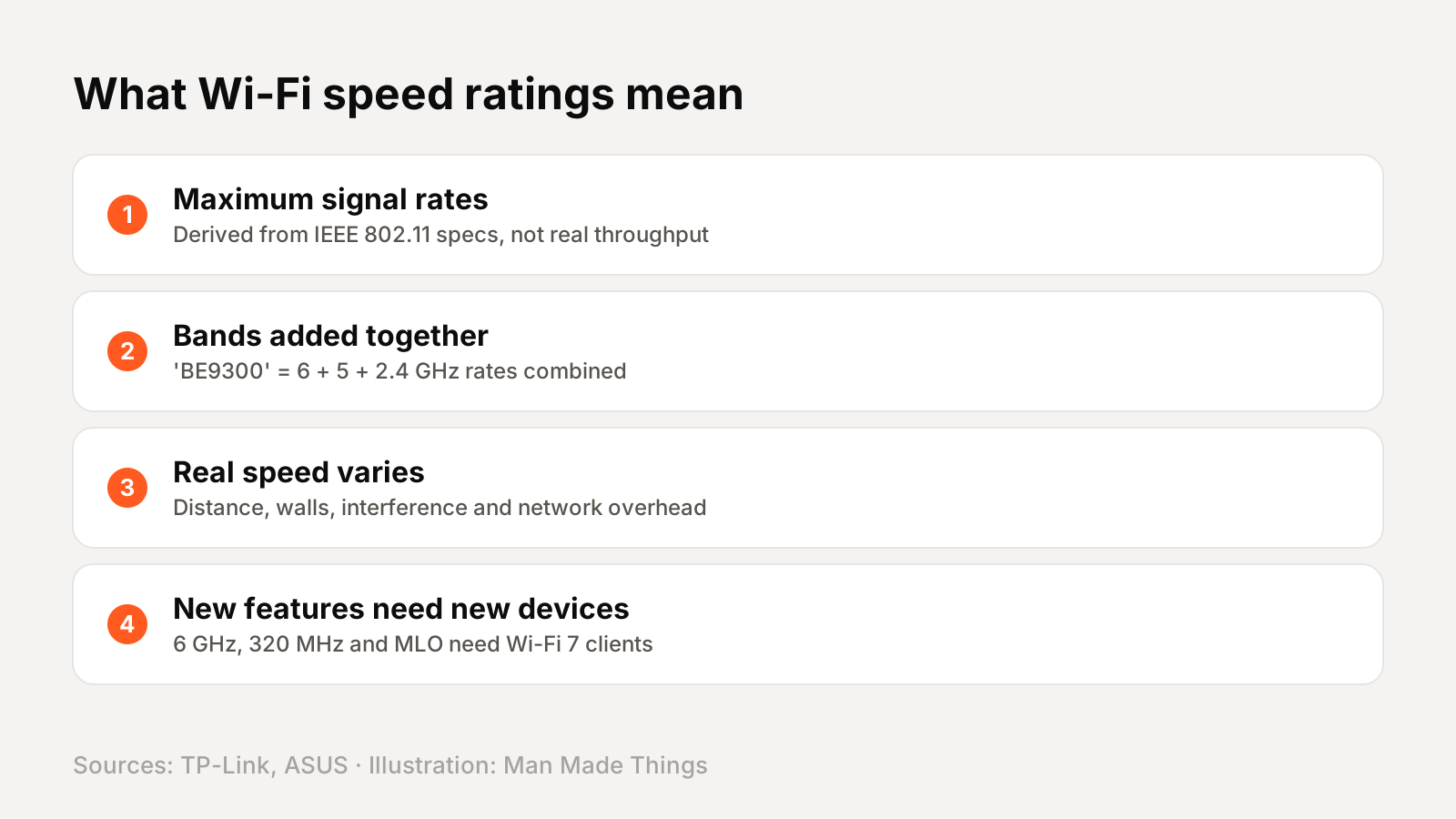
Router boxes are covered in big numbers: "9.3 Gbps," "BE9300," "BE6800." Those figures are not what you'll see on a speed test.
TP-Link explains that maximum wireless signal rates are physical rates derived from IEEE 802.11 specifications, and that actual throughput isn't guaranteed and will vary. ASUS says actual throughput and coverage vary with network traffic, building materials and network overhead.
The headline number is also usually the bands added together. The TP-Link BE550's "BE9300" rating, for example, is its 6 GHz, 5 GHz and 2.4 GHz rates combined. No single device gets that combined figure.
What to look at instead: the WAN port speed, how many devices you have, and whether those devices support 6 GHz or Wi-Fi 7. TP-Link notes that Wi-Fi 7 features need compatible client devices. If your phones and laptops are a few years old, a dual-band router like the ASUS or eero may serve you just as well.
Free vs paid security features
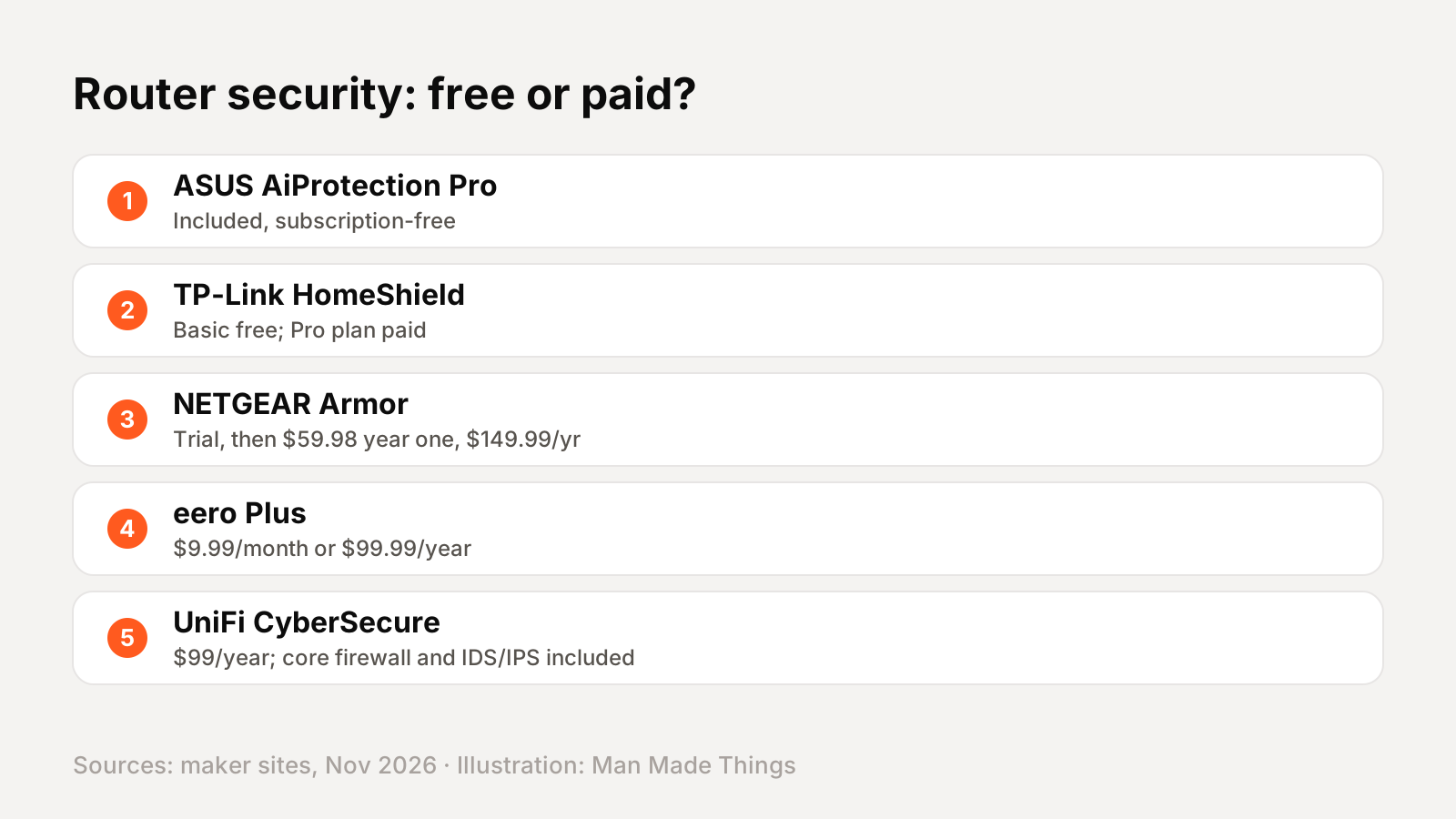
Many routers now include a security service, but not all are free. Here's what each maker says:
- ASUS: AiProtection Pro, powered by Trend Micro, is included and subscription-free, along with parental controls.
- TP-Link: HomeShield includes a free Basic plan; the Pro plan costs extra.
- NETGEAR: Armor, powered by Bitdefender, is optional. After a 30-day trial it's $59.98 for the first year, then $149.99 a year.
- eero: parental controls are free in the app; eero Plus, with advanced security, ad blocking and a VPN, is $9.99 a month or $99.99 a year.
- Ubiquiti: the firewall, IDS/IPS, content filtering and VPNs are included; CyberSecure adds over 20,000 IPS signatures for $99 a year.
Over a router's life, a subscription can cost more than the router itself. If you don't want ongoing fees, ASUS or UniFi's included features are the best value. Setting up smart home gear on your new network? See our Matter and Thread explained guide.
Frequently asked questions
Do I need a new router for gigabit internet?
+
If your router only has a 1 Gbps WAN port, it leaves no headroom for a gigabit plan. A router with a 2.5 Gbps or 10 Gbps WAN port, like every pick here, can deliver it.
Is Wi-Fi 7 necessary for 1 Gbps internet?
+
Not strictly, but every pick here is Wi-Fi 7. Its benefits, like 6 GHz and Multi-Link Operation, need Wi-Fi 7 devices.
What is the best router for gigabit internet?
+
For most homes, the ASUS RT-BE86U ($269.99): a 10G port, four 2.5G ports, 2,750 sq ft of coverage and subscription-free security.
Why don't I get my full internet speed over Wi-Fi?
+
Router ratings are maximum signal rates. TP-Link and ASUS say real throughput varies with distance, walls, interference, network overhead and your device.
Sources
Editor-in-Chief
Rahul has been writing about gadgets and software since 2013, first at Thetechhacker and now at Man Made Things. He edits every review on the site and signs off on every verdict.
More from Rahul →
