The Best Gaming Mice
The best wireless gaming mice from Logitech G, Razer, Corsair and SteelSeries, with official prices, weights, sensors, DPI, polling rates and battery life, plus what 8,000Hz polling really means and how to choose the right shape.
We may earn a commission when you buy through links on this page. Learn more
Quick answer
The best gaming mouse for most players is the Logitech G PRO X SUPERLIGHT 2 ($159.99): 60g, HERO 2 sensor, 8,000Hz polling and 95 hours of battery. The lightest is the Razer Viper V3 Pro (54g). The best ergonomic mouse is the Razer DeathAdder V3 Pro (63g). The best budget pick is the Logitech G305 ($59.99), and the Corsair M75 AIR and SteelSeries Aerox 3 Wireless add Bluetooth for longer battery life.
A good gaming mouse makes a real difference in fast games: a lighter body is easier to flick, a better sensor tracks more precisely, and a higher polling rate reports your movements to the PC more often.
I picked six wireless gaming mice for different hands and budgets, with every spec and price from the maker's official US website as of November 2026. Several Razer and Logitech prices were on sale when we checked, which I note. I haven't tested these mice myself, so this is a spec-based guide. Pair your mouse with one of our best gaming keyboards and a high-refresh gaming monitor.
All six are wireless. A few years ago, serious players stuck with cables to avoid lag, but low-latency 2.4GHz wireless like Logitech's LIGHTSPEED has made cables optional for most people.
Under each pick you'll find weight, sensor, polling rate and battery life straight from the maker, and below them a plain-English guide to what those specs mean for your games.
Our picks at a glance
1. Best overall
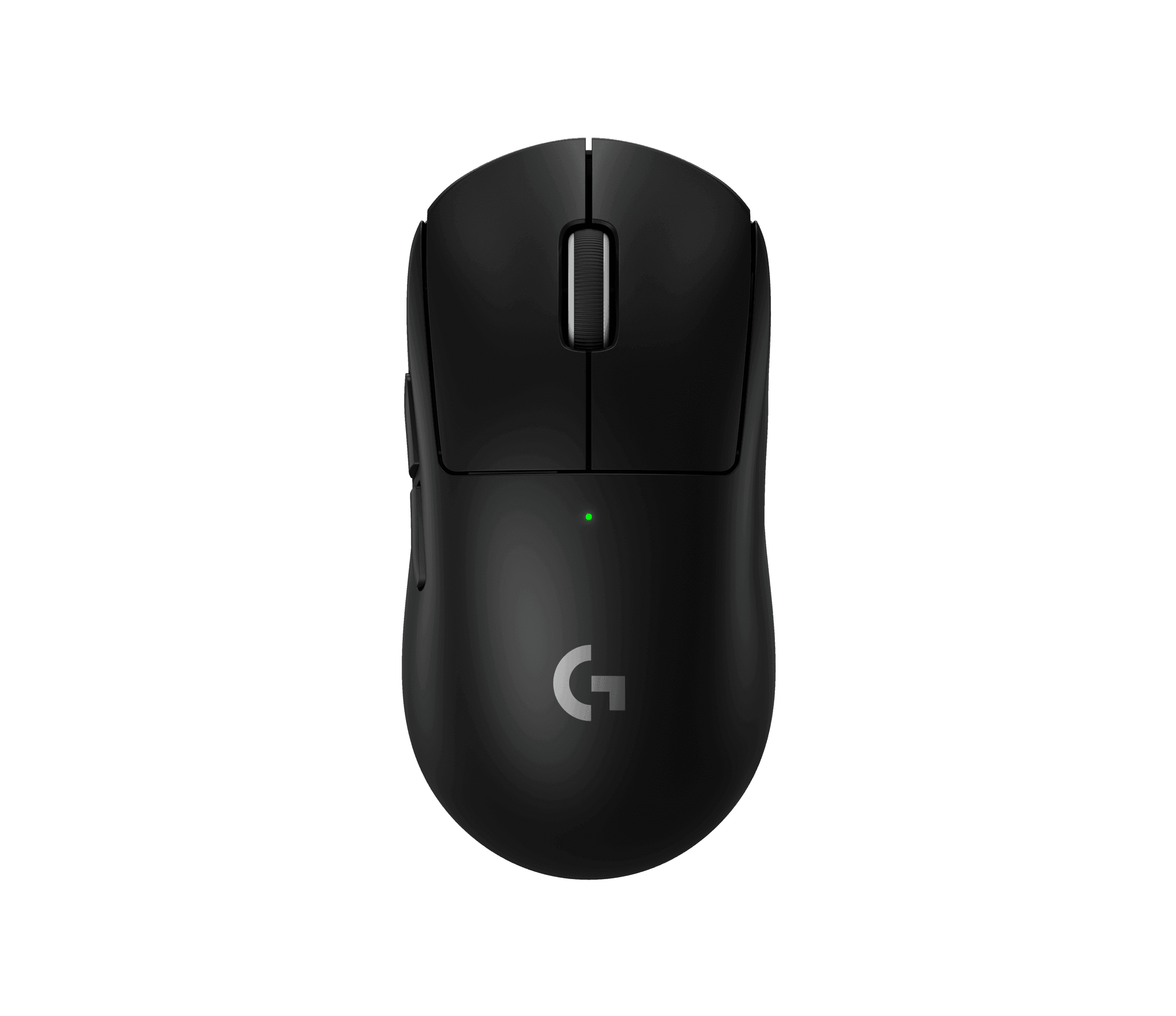
Logitech G PRO X SUPERLIGHT 2
The SUPERLIGHT 2 is a favorite of competitive players for good reason: it weighs just 60 grams, uses Logitech's HERO 2 sensor, supports 8,000Hz polling over LIGHTSPEED wireless and lasts up to 95 hours. LIGHTFORCE hybrid switches combine optical speed with a mechanical feel.
Logitech's spec table lists up to 32,000 DPI, while its feature text says up to 44,000 DPI; either is far more than you need.
Pros
- 01Very light at 60 g
- 028,000 Hz polling
- 03Long battery life
Cons
- 01Only 5 buttons
- 02No Bluetooth
| Weight | 60 g |
|---|---|
| Sensor | HERO 2 |
| DPI | 100–32,000 (spec table) |
| Polling | 8,000 Hz |
| Battery | 95 hours |
| Buttons | 5 |
2. Lightest
Razer Viper V3 Pro
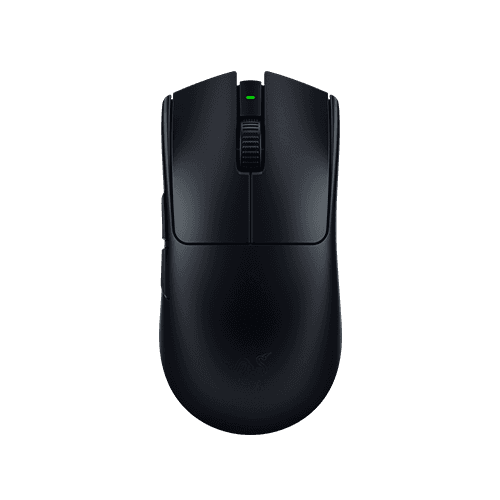
At 54 grams, the Viper V3 Pro is the lightest mouse here, with a symmetrical shape that suits claw and fingertip grips. Razer includes the dongle for 8,000Hz wireless polling, and it was $129.99 on sale when we checked.
Pros
- 01Lightest here
- 028K dongle included
- 0335K sensor
Cons
- 01Battery drops sharply at 8K
- 02Right-hand side buttons only
| Weight | 54 g |
|---|---|
| Sensor | Focus Pro 35K Gen-2 |
| DPI | 35,000 |
| Polling | Up to 8,000 Hz (dongle included) |
| Battery | 95 h at 1,000 Hz; 17 h at 8,000 Hz |
| Shape | Symmetrical |
3. Best ergonomic
Razer DeathAdder V3 Pro

If you palm your mouse, the DeathAdder's right-handed ergonomic shape is more comfortable for long sessions, and it still weighs only 63 grams. It reaches 8,000Hz with Razer's HyperPolling dongle (sold in a bundle). Razer's page showed it at $79.99 on sale, a big discount from its $149.99 list price, though prices on the page were inconsistent, so check before buying.
Pros
- 01Comfortable palm shape
- 02Light for an ergonomic mouse
- 03Deep sale when we checked
Cons
- 01Right-handed only
- 028K dongle extra
| Weight | 63 g (black) |
|---|---|
| Sensor | Focus Pro 30K |
| DPI | 30,000 |
| Polling | Up to 8,000 Hz with HyperPolling dongle |
| Battery | 90 h at 1,000 Hz; 17 h at 8,000 Hz |
| Shape | Right-handed ergonomic |
4. Best budget
Logitech G305 LIGHTSPEED
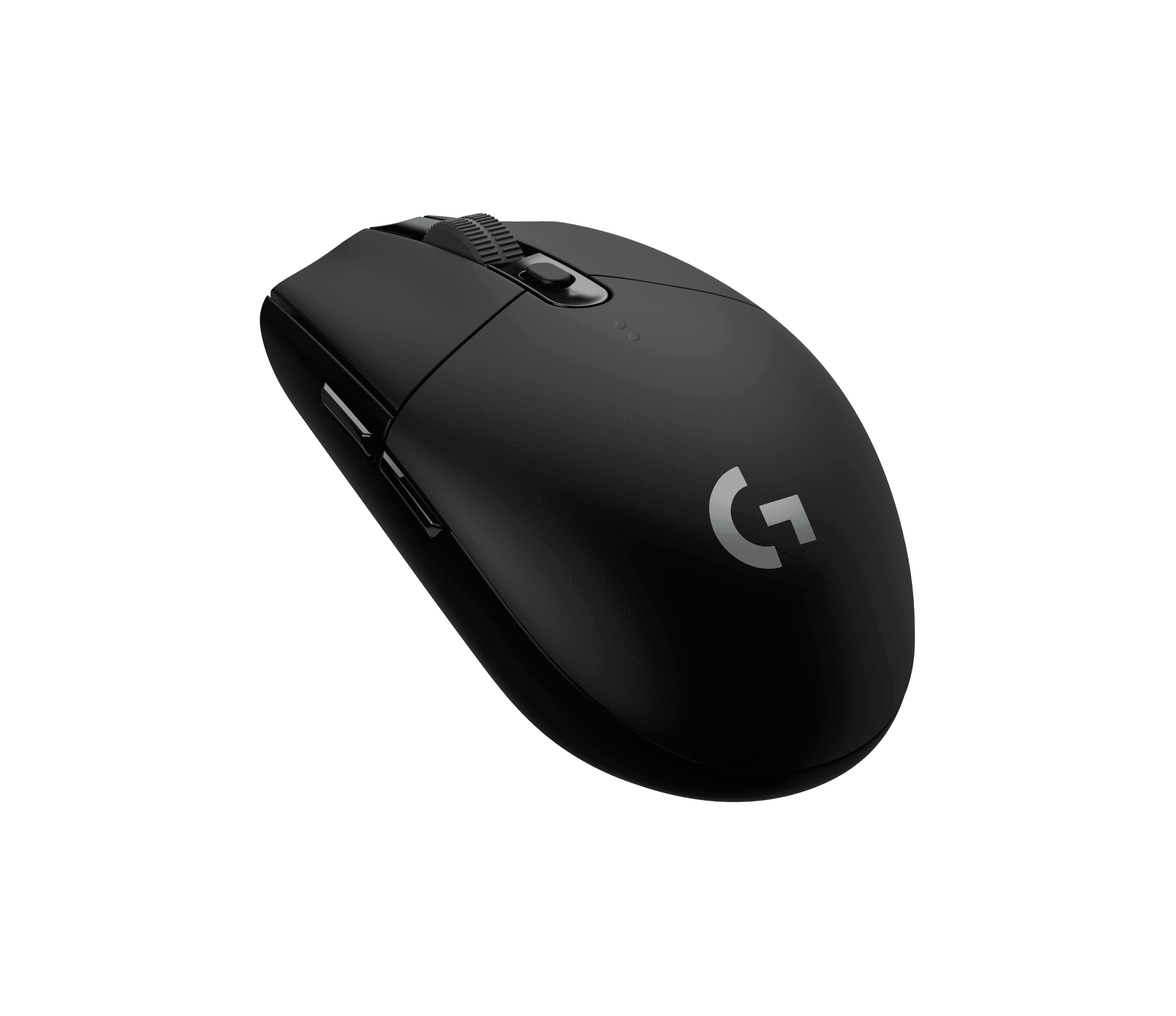
The G305 brings Logitech's LIGHTSPEED wireless and HERO sensor to $59.99. It's heavier at 99 grams because it runs on a single AA battery, but that battery lasts up to 250 hours. For casual and budget gaming, it's hard to beat.
Pros
- 01Affordable
- 02250-hour battery
- 03Same wireless tech as pricier models
Cons
- 01Heavier at 99 g
- 02Uses AA batteries
| Weight | 99 g |
|---|---|
| Sensor | HERO |
| DPI | 200–12,000 |
| Polling | 1,000 Hz |
| Battery | 250 h on one AA |
5. Best with Bluetooth
Corsair M75 AIR Wireless
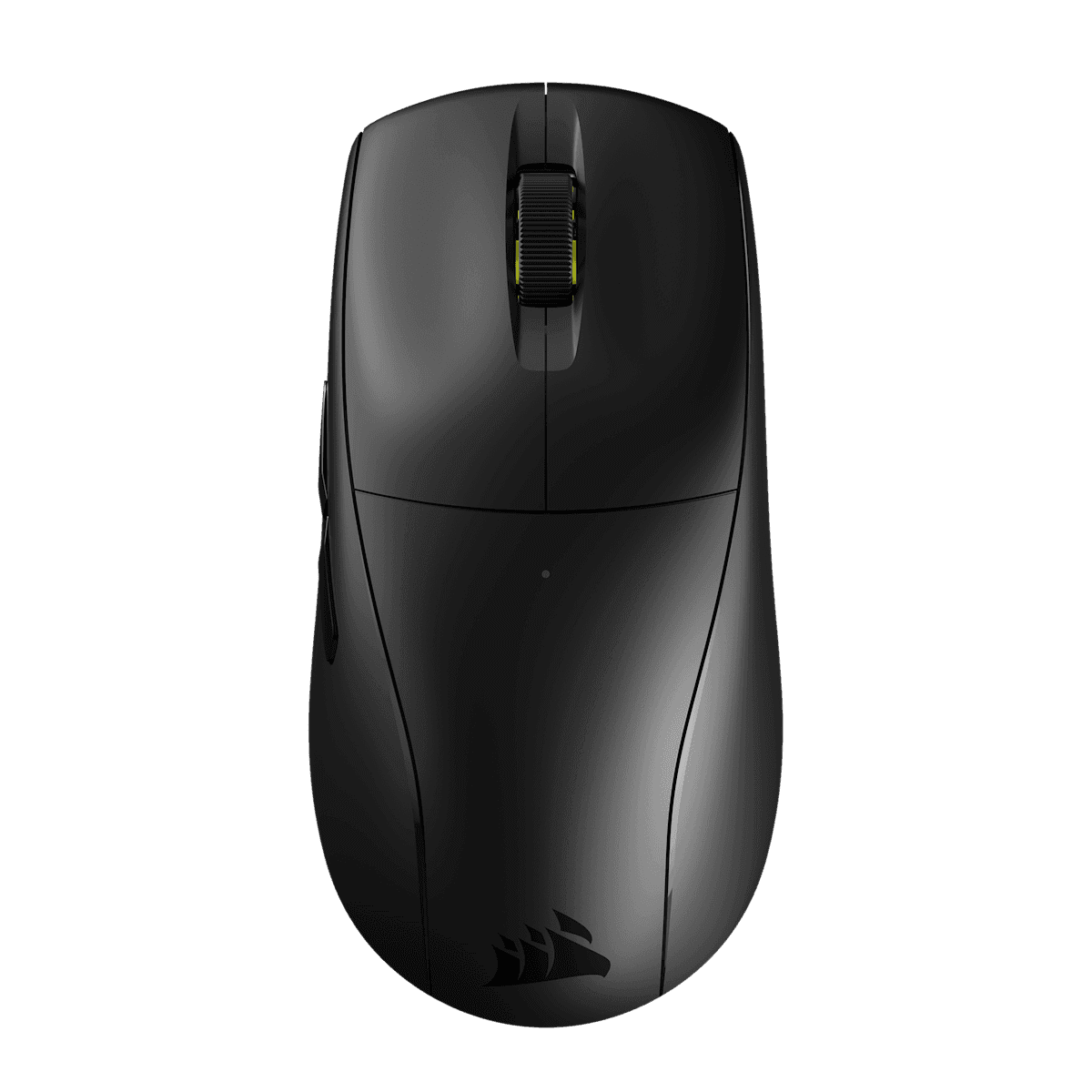
Corsair's M75 AIR matches the SUPERLIGHT 2's 60-gram weight for $60 less, and adds Bluetooth, so you can use it with a laptop without the dongle. Battery life is 34 hours on 2.4GHz, or 100 hours on Bluetooth.
Pros
- 0160 g for $99.99
- 02Bluetooth and 2.4 GHz
- 0326K sensor
Cons
- 01Shorter 2.4 GHz battery life
- 02Polling rate not listed
| Weight | 60 g |
|---|---|
| Sensor | MARKSMAN 26K |
| DPI | 26,000 |
| Battery | 34 h (2.4 GHz); 100 h (Bluetooth) |
| Shape | Symmetrical |
6. Best battery life
SteelSeries Aerox 3 Wireless
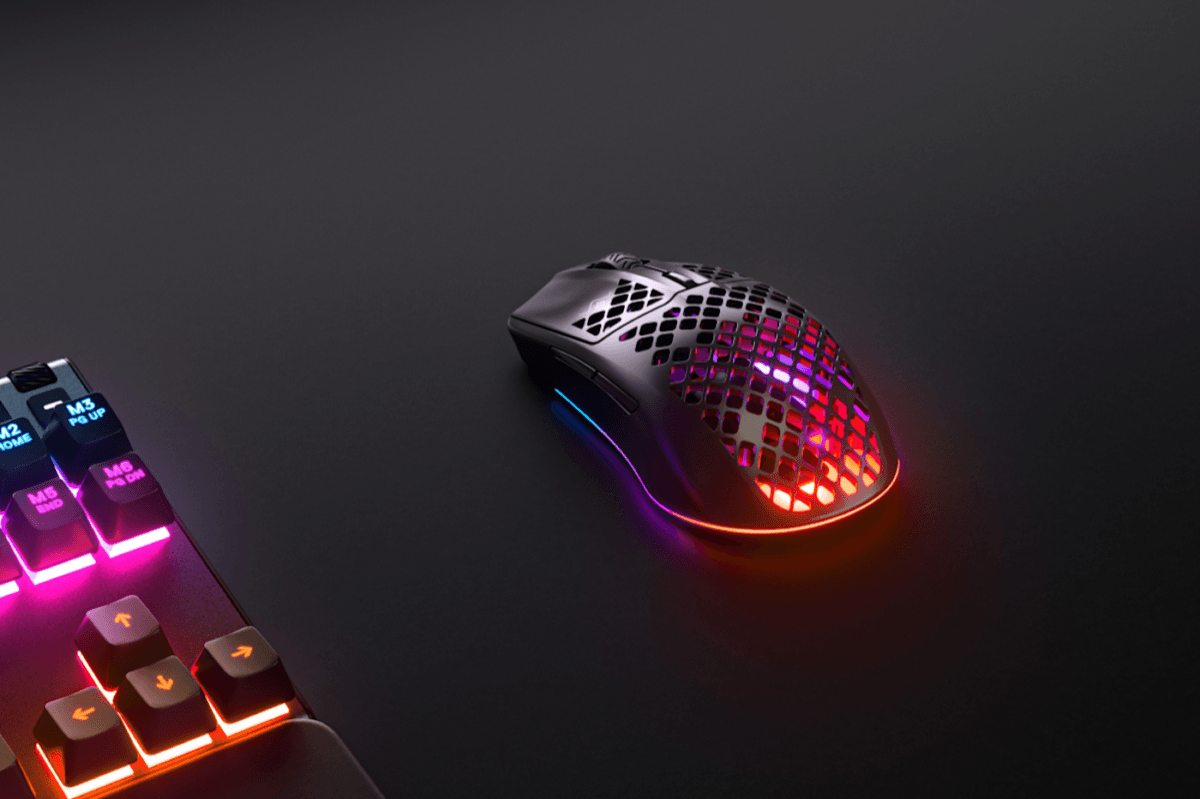
The Aerox 3 Wireless has the longest Bluetooth battery here, up to 200 hours, plus an IP54 rating against dust and splashes, unusual for a gaming mouse with a perforated shell. At 68 grams, it's still light.
Pros
- 01200-hour Bluetooth battery
- 02IP54 rated
- 03Light
Cons
- 011,000 Hz max
- 02Perforated shell isn't for everyone
| Weight | 68 g |
|---|---|
| Sensor | TrueMove Air, 100–18,000 CPI |
| Polling | 1,000 Hz |
| Battery | 80 h (2.4 GHz); 200 h (Bluetooth) |
| Durability | IP54 |
The mice compared
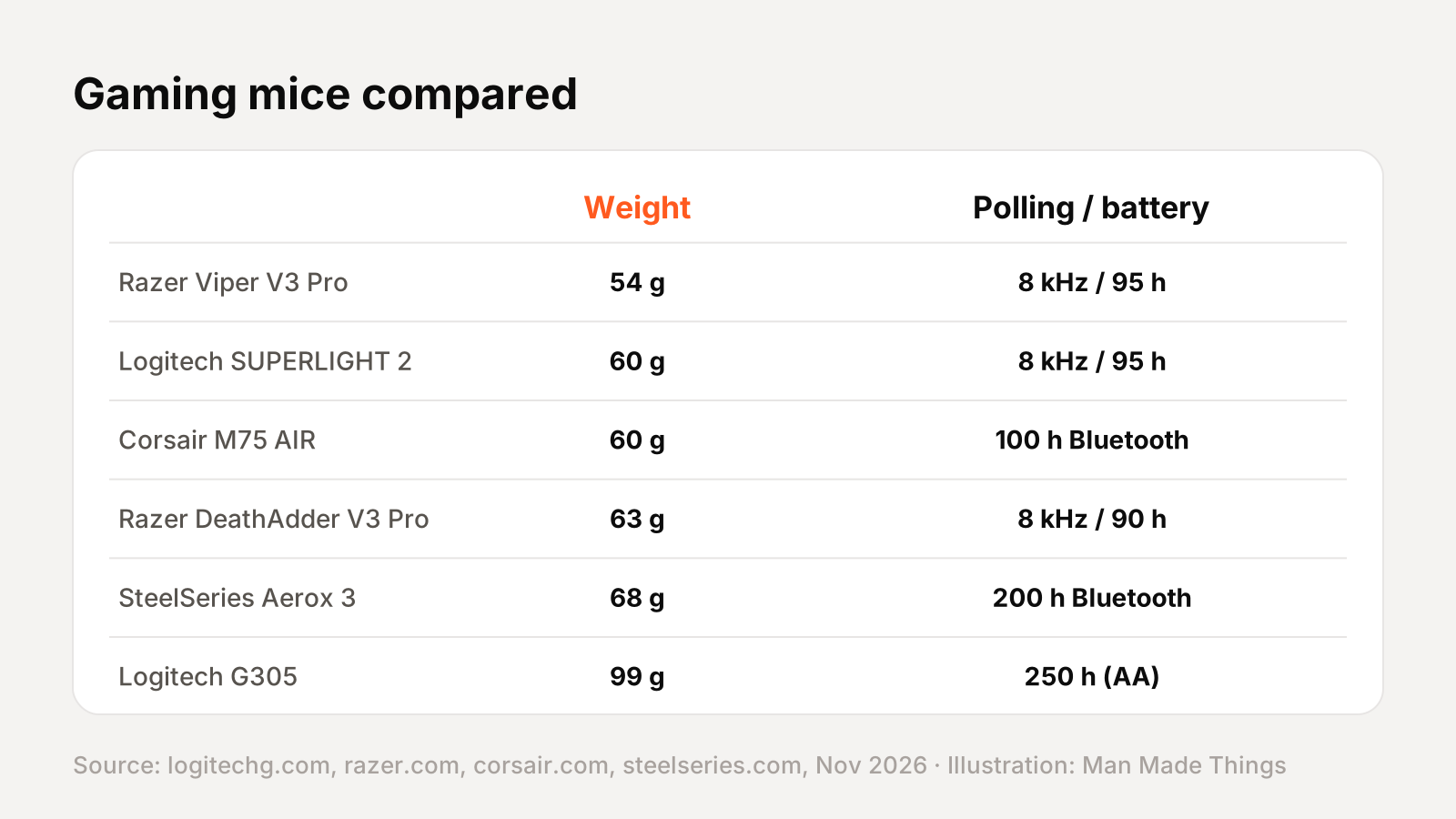
| Mouse | Price | Weight | Max polling | Battery |
|---|---|---|---|---|
| Razer Viper V3 Pro | $129.99 (sale) | 54 g | 8,000 Hz | 95 h at 1 kHz |
| Logitech SUPERLIGHT 2 | $159.99 | 60 g | 8,000 Hz | 95 h |
| Corsair M75 AIR | $99.99 | 60 g | Not listed | 34 h / 100 h BT |
| Razer DeathAdder V3 Pro | $79.99 (sale) | 63 g | 8,000 Hz (dongle) | 90 h at 1 kHz |
| SteelSeries Aerox 3 Wireless | $119.99 | 68 g | 1,000 Hz | 80 h / 200 h BT |
| Logitech G305 | $59.99 | 99 g | 1,000 Hz | 250 h (AA) |
Polling rate, DPI and weight explained
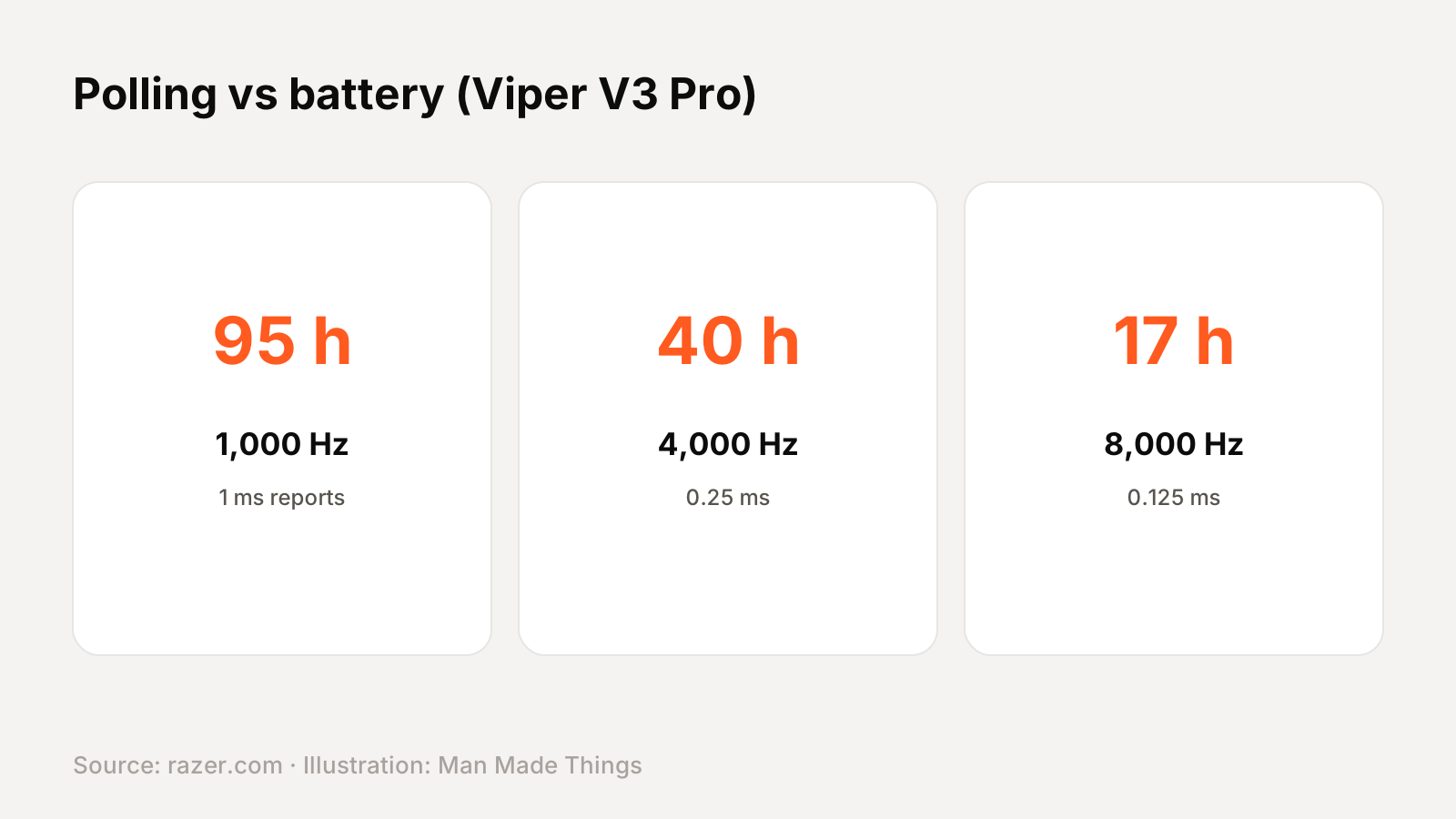
- Polling rate is how often the mouse reports its position to your PC. Logitech lists 8,000Hz as a report every 0.125 milliseconds, versus 1 millisecond at 1,000Hz. Higher polling can feel smoother on high-refresh monitors.
- The battery trade-off: Razer's own figures show how much faster polling costs. The Viper V3 Pro lasts 95 hours at 1,000Hz, 62 at 2,000Hz, 40 at 4,000Hz and just 17 hours at 8,000Hz.
- DPI is sensitivity. Every mouse here offers far more than most players use; sensor quality and tracking matter more than the maximum number.
- Weight: these mice range from 54g to 99g. Lighter mice are easier to move quickly, which helps in fast shooters.
- Bluetooth stretches battery life: the M75 AIR goes from 34 to 100 hours and the Aerox 3 from 80 to 200 hours on Bluetooth, at the cost of some latency.
How to choose
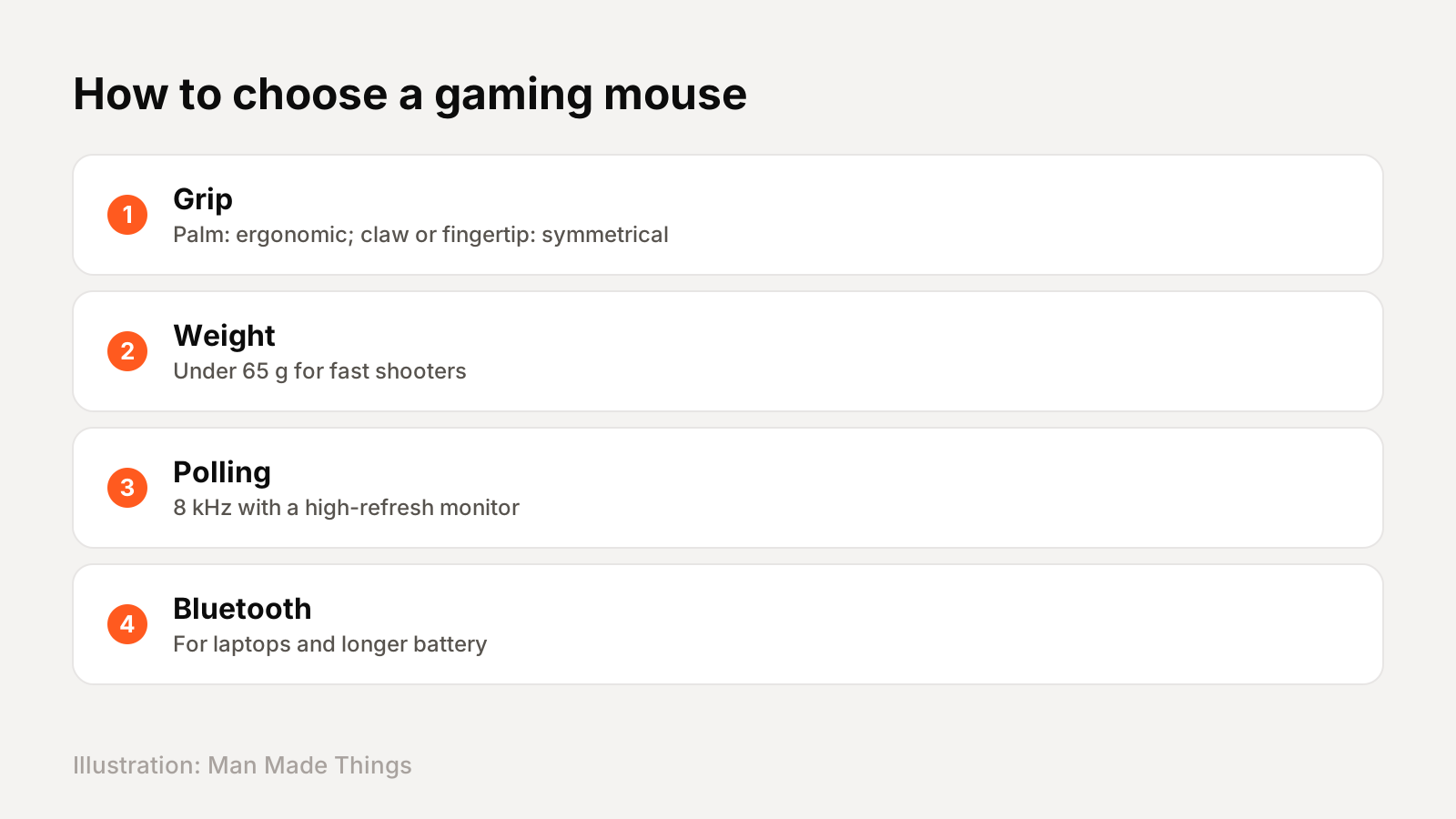
- Shape and grip first. If you rest your whole palm on the mouse, an ergonomic shape like the DeathAdder is more comfortable. If you grip with your fingertips or a claw, a symmetrical mouse like the Viper or M75 AIR suits you better.
- Weight for your games. Fast shooters benefit from a light mouse (under 65g). For strategy or general use, weight matters less.
- Polling rate if you need it. 8,000Hz makes most sense with a high-refresh monitor and a fast PC. Otherwise, 1,000Hz saves a lot of battery.
- Bluetooth for versatility. If you'll also use the mouse with a laptop, the Corsair and SteelSeries can connect without a dongle.
The bottom line: the SUPERLIGHT 2 is the best all-rounder, the Viper V3 Pro the lightest, the DeathAdder V3 Pro the most comfortable for palm grip, and the G305 the best value.
Frequently asked questions
What is the best gaming mouse?
+
The Logitech G PRO X SUPERLIGHT 2 ($159.99) for most players: 60 g, HERO 2 sensor, 8,000 Hz polling and 95 hours of battery.
Is 8,000 Hz polling worth it?
+
It reports every 0.125 ms instead of 1 ms, which can feel smoother on high-refresh monitors, but it cuts battery life sharply: from 95 to 17 hours on the Razer Viper V3 Pro.
What is the best budget gaming mouse?
+
The Logitech G305 LIGHTSPEED ($59.99), with a HERO sensor and up to 250 hours on one AA battery.
Sources
Editor-in-Chief
Rahul has been writing about gadgets and software since 2013, first at Thetechhacker and now at Man Made Things. He edits every review on the site and signs off on every verdict.
More from Rahul →
