The Best Gaming Keyboards
The best gaming keyboards from SteelSeries, Wooting, Logitech G, Corsair and Razer, with official prices, layouts, switch types, adjustable actuation, Rapid Trigger, polling rates and battery life, plus Hall-effect and layout sizes explained.
We may earn a commission when you buy through links on this page. Learn more
Quick answer
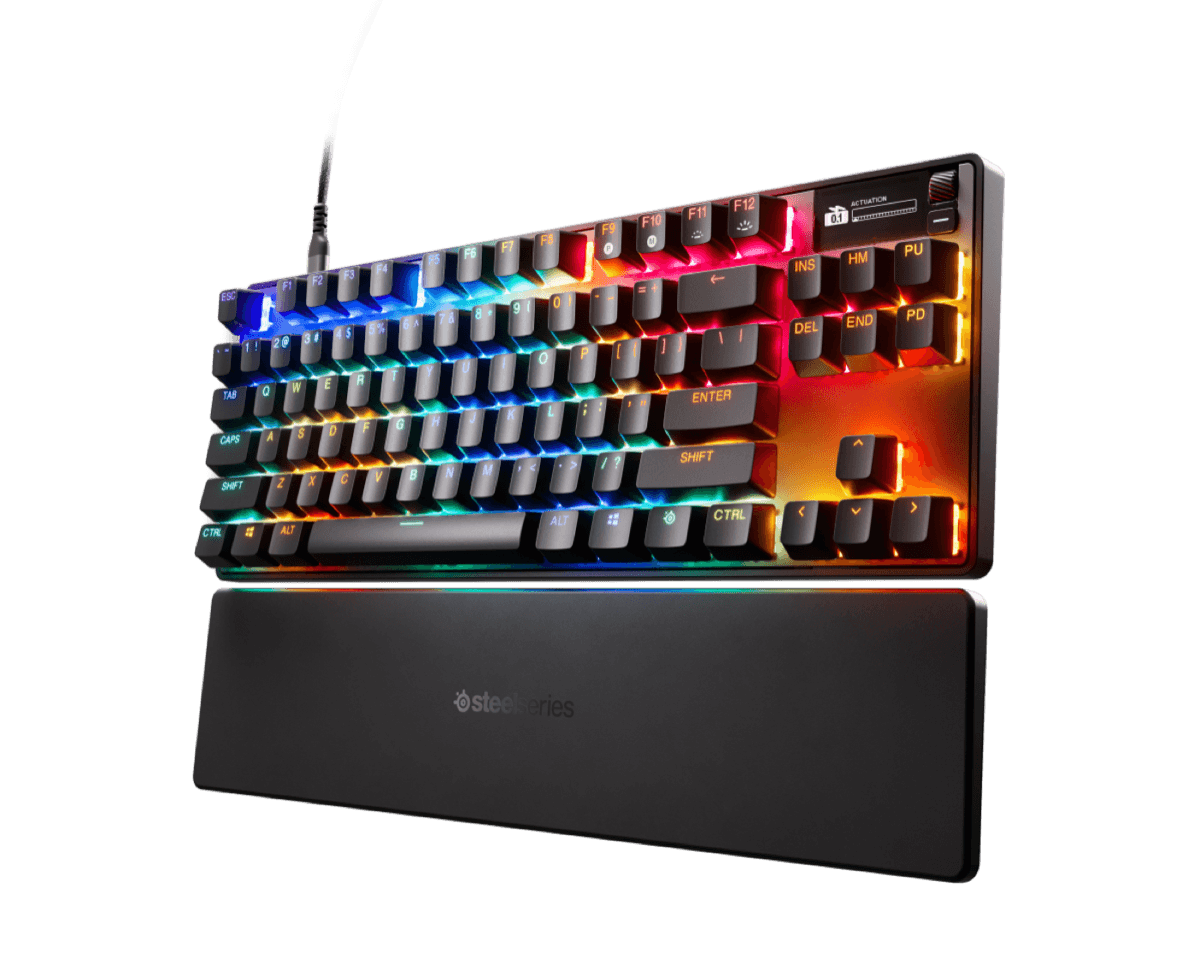
The best gaming keyboard for most players is the SteelSeries Apex Pro TKL Gen 3 ($204.99 wired): Hall-effect magnetic switches adjustable from 0.1 to 4.0mm, with Rapid Trigger. For competitive shooters, the Wooting 80HE+ adds true 8kHz polling. The best wireless pick is the Logitech G PRO X TKL LIGHTSPEED, the best 75% board is the Corsair K65 PLUS Wireless ($159.99), and the budget pick is the Corsair K55 CORE RGB ($49.99).
Gaming keyboards have changed a lot in the last few years. The biggest shift is analog switches, like Hall-effect magnetic and analog optical, which let you set exactly how far a key must travel before it registers, and reset it the instant you lift your finger.
I picked six keyboards for different players and budgets, with every spec and price from the maker's official US site as of November 2026. Several were on sale when we checked, and Wooting's price didn't load for us. This is a spec-based guide, not a hands-on test. For typing-focused boards, see our best mechanical keyboards, and pair your keyboard with one of our best gaming mice.
Our picks at a glance
1. Best overall
SteelSeries Apex Pro TKL Gen 3
The Apex Pro uses SteelSeries' OmniPoint 3.0 magnetic switches, which you can set to actuate anywhere from 0.1mm to 4.0mm. It adds Rapid Trigger (resets the moment you release a key), Rapid Tap (snaps to your latest key press) and a Protection Mode that reduces accidental presses on nearby keys.
The wired TKL is $204.99; the wireless TKL is $299.99 with 2.4GHz and Bluetooth, and a full-size wired version is $228.99.
Pros
- 01Adjustable magnetic switches
- 02Rapid Trigger and Rapid Tap
- 03Wireless and full-size versions
Cons
- 01Wireless version is expensive
- 02Polling rate not listed
| Layout | TKL |
|---|---|
| Switches | OmniPoint 3.0 Hall-effect magnetic |
| Actuation | 0.1–4.0 mm, 40 levels |
| Features | Rapid Trigger, Rapid Tap, Protection Mode |
| Connection | Wired ($299.99 wireless) |
| Weight | 974 g |
2. Best for competitive FPS
Wooting 80HE+
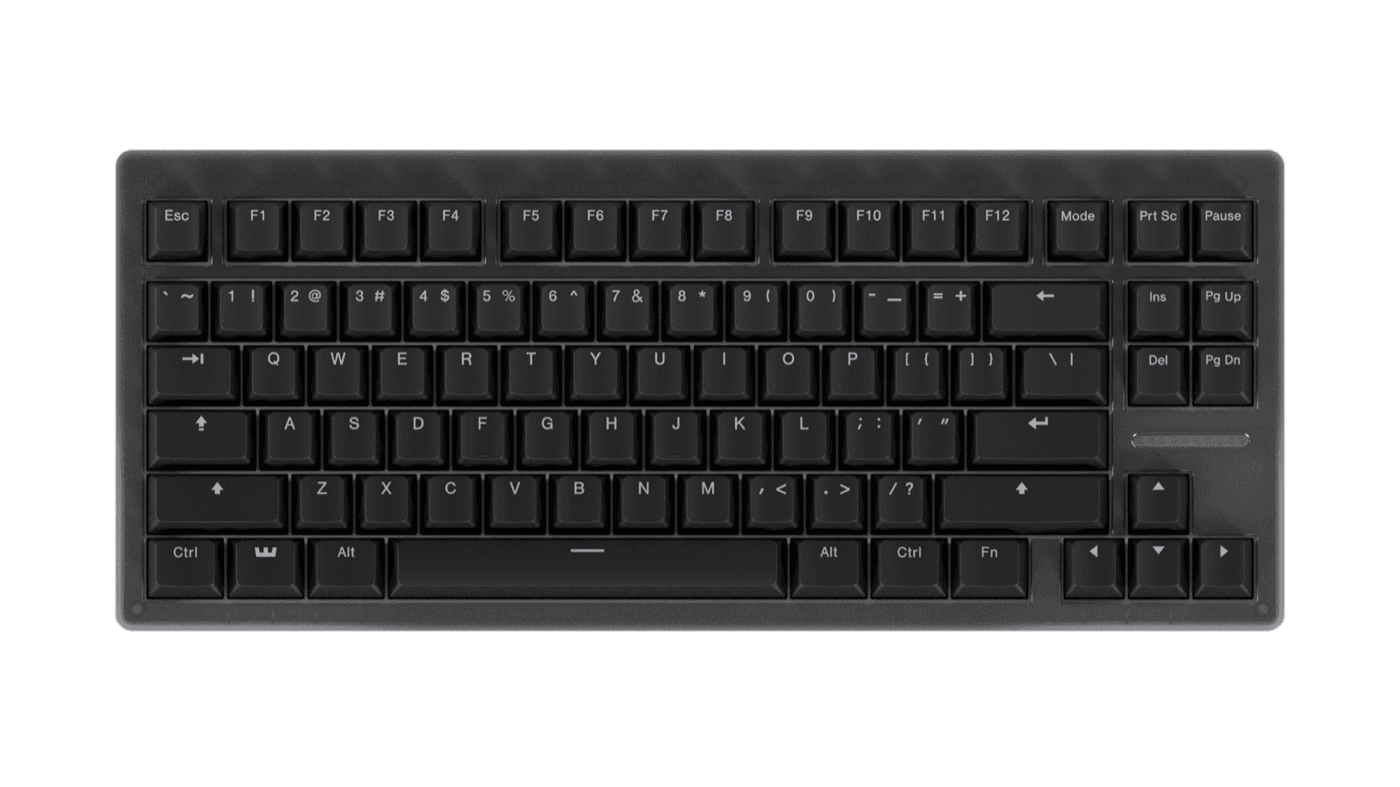
Wooting built its name on analog keyboards, and the 80HE+ is made for competitive shooters. Its Hall-effect switches track the whole key press, with actuation adjustable in 0.1mm steps, and Wooting says it delivers true 8kHz polling, a report every 0.125 milliseconds. Its 80% layout keeps the function row and arrow keys.
Pros
- 01True 8 kHz polling
- 02Fine 0.1 mm adjustment
- 03Compact 80% layout
Cons
- 01Wired only
- 02Price didn't load for us
| Layout | 80% (F-row and arrows) |
|---|---|
| Switches | Hall-effect analog (Lekker Tikken) |
| Actuation | 0.1–4.0 mm in 0.1 mm steps |
| Polling | True 8 kHz (0.125 ms) |
| Connection | Wired, detachable USB-C |
| Weight | 822 g |
3. Best wireless
Logitech G PRO X TKL LIGHTSPEED
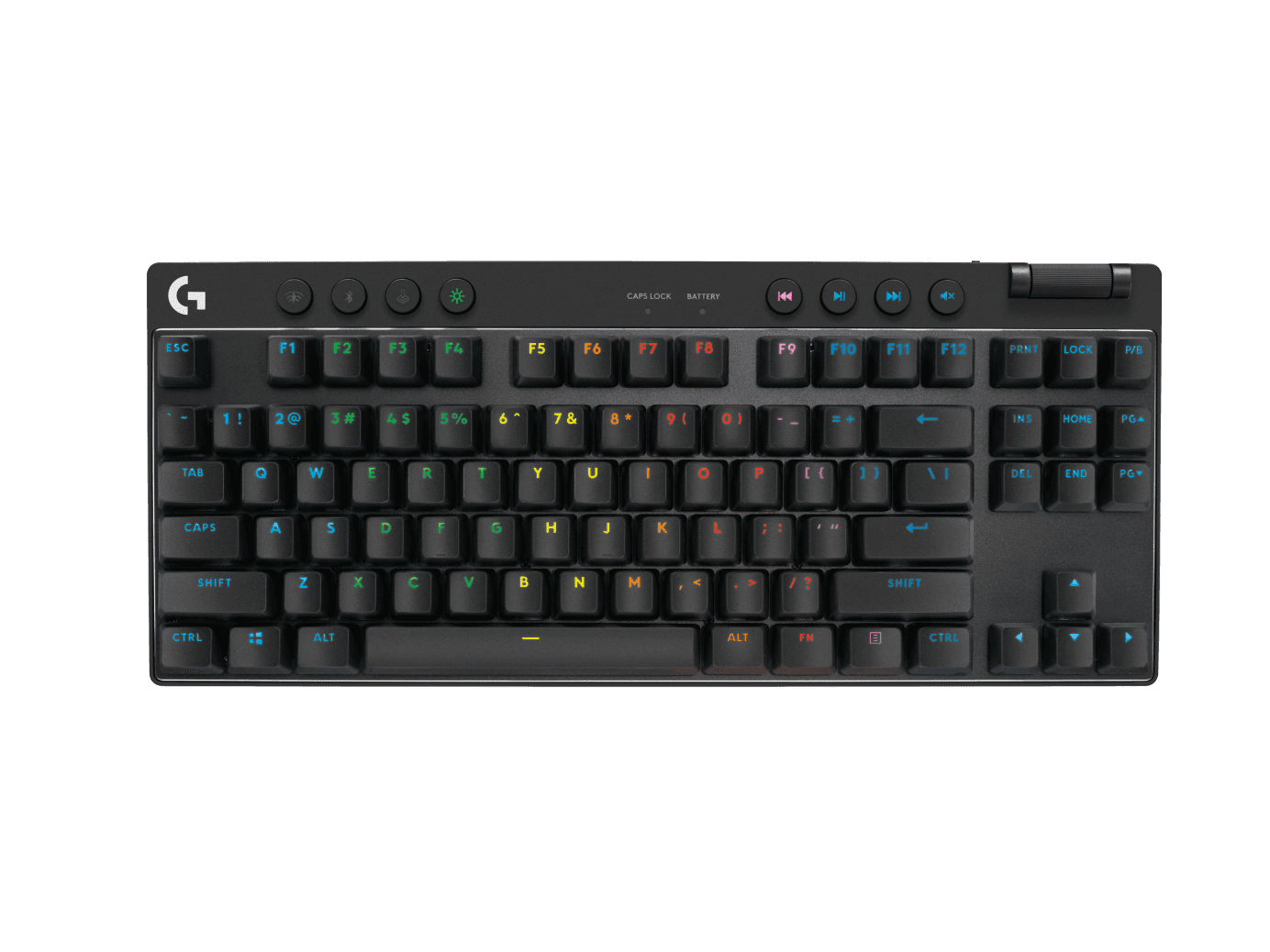
If you want a pro-level keyboard without a cable, Logitech's PRO X TKL uses the same LIGHTSPEED wireless as its mice, plus Bluetooth. It uses traditional mechanical switches (tactile or linear) rather than analog ones, and lasts up to 50 hours. It was $189.99 on sale when we checked.
Pros
- 01Proven LIGHTSPEED wireless
- 02Bluetooth too
- 03Choice of switches
Cons
- 01No adjustable actuation
- 0250-hour battery
| Layout | TKL |
|---|---|
| Switches | Mechanical (tactile or linear) |
| Report rate | 1 ms |
| Connection | LIGHTSPEED, Bluetooth, wired |
| Battery | Up to 50 hours |
4. Best 75%
Corsair K65 PLUS WIRELESS
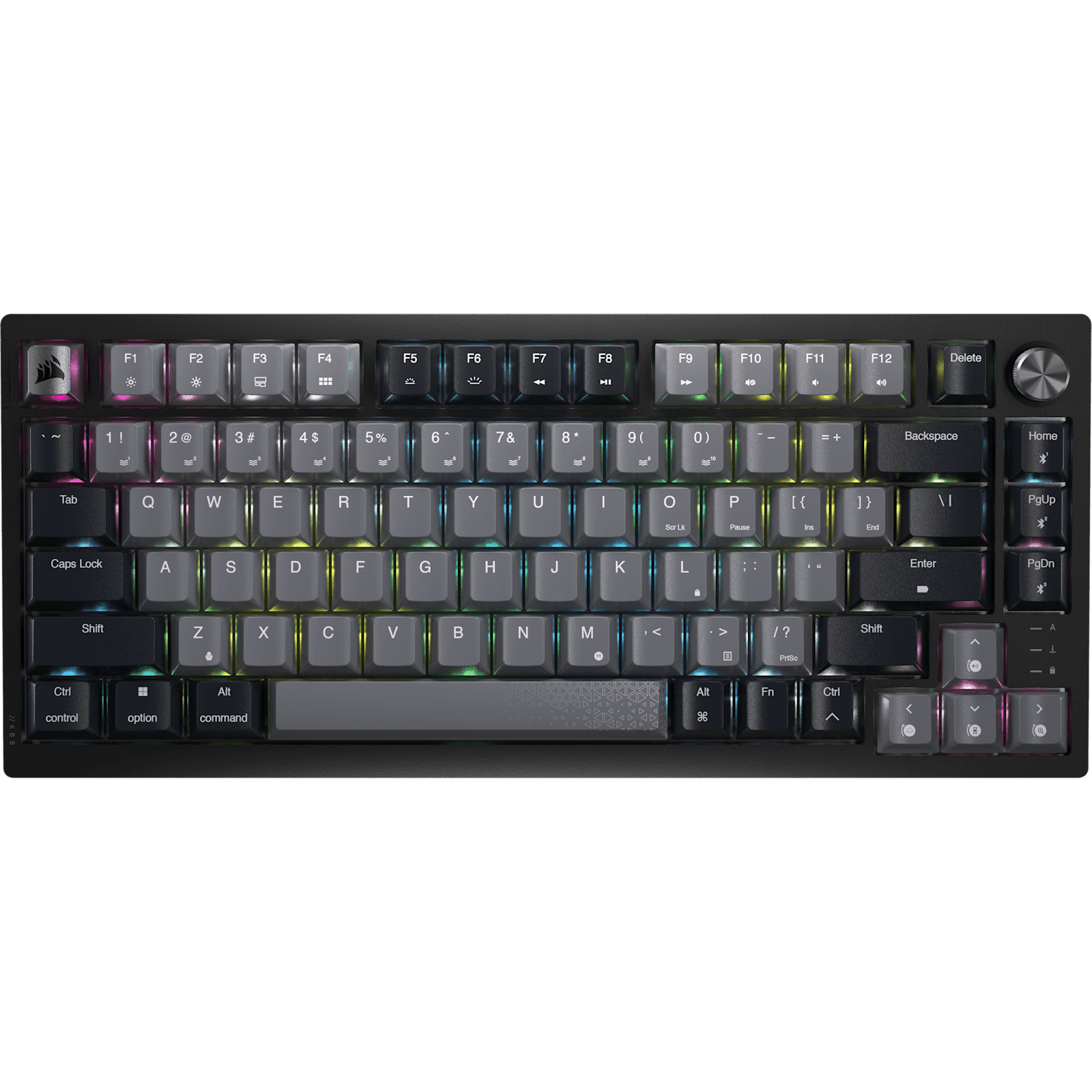
A 75% layout keeps the arrows and utility keys but saves space for your mouse, and Corsair's K65 PLUS adds hot-swappable switches, so you can change them later. Its battery lasts up to 266 hours with the lighting off, far longer than the others here.
Pros
- 01Huge battery life
- 02Hot-swappable
- 03Compact but keeps arrows
Cons
- 01Standard mechanical switches
- 021,000 Hz polling
| Layout | 75% |
|---|---|
| Switches | CORSAIR MLX Red, hot-swappable |
| Polling | 1,000 Hz |
| Connection | 2.4 GHz, Bluetooth, wired |
| Battery | Up to 266 h (LEDs off) |
5. Best analog deal
Razer Huntsman V3 Pro Tenkeyless
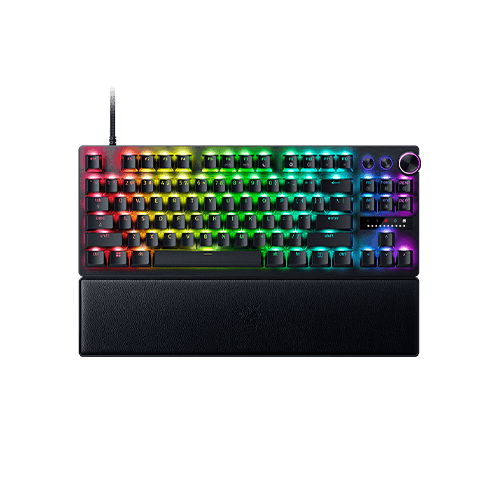
Razer's Huntsman V3 Pro uses analog optical switches instead of magnets, with adjustable actuation, Rapid Trigger and Snap Tap. On sale at $159.99, it's the cheapest way to get analog switches from a major brand in this guide.
Pros
- 01Analog switches for less
- 02Rapid Trigger and Snap Tap
- 03Big sale when we checked
Cons
- 01Wired only
- 021,000 Hz
| Layout | TKL |
|---|---|
| Switches | Razer Analog Optical Gen-2 |
| Features | Adjustable actuation, Rapid Trigger, Snap Tap |
| Polling | 1,000 Hz |
| Connection | Wired USB-C |
6. Best budget
Corsair K55 CORE RGB

For $49.99, the K55 CORE is a full-size keyboard with RGB lighting and six macro keys. Note that it uses rubber-dome switches, not mechanical ones, so it won't feel as crisp, but it's quiet and a fine starting point.
Pros
- 01Very affordable
- 02Full-size with macro keys
- 03Quiet
Cons
- 01Not mechanical
- 02Wired only
| Layout | Full-size, 110 keys |
|---|---|
| Switches | Rubber dome |
| Polling | 1,000 Hz |
| Extras | 6 macro keys, 12-key rollover |
Analog switches and Rapid Trigger, explained
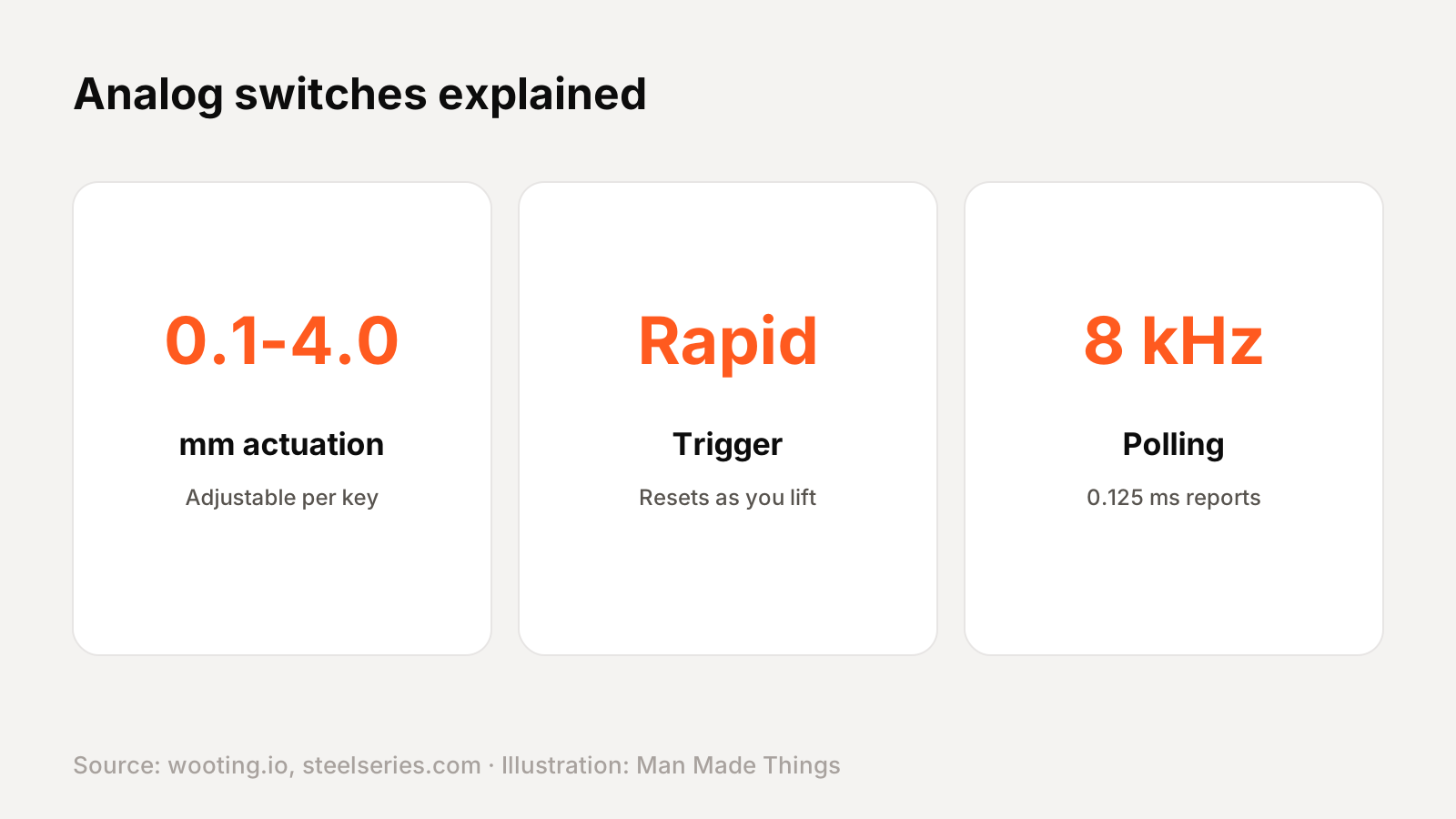
- Traditional mechanical switches register at one fixed point.
- Analog switches (Hall-effect magnetic or analog optical) measure how far the key is pressed. Wooting says this lets you set actuation per key from 0.1 to 4.0mm in 0.1mm steps.
- Rapid Trigger: Wooting says it "resets and activates keys the instant you move." In shooters, that means faster strafing and stops.
- Rapid Tap / Snap Tap: when you press two opposite keys (like A and D), the keyboard prioritizes the latest press.
- Polling: Wooting's true 8kHz means a report every 0.125 milliseconds, versus 1 millisecond at 1,000Hz.
Note that some tournaments have rules about features like Snap Tap, so check if you play competitively.
Layouts: full-size, TKL, 80% and 75%
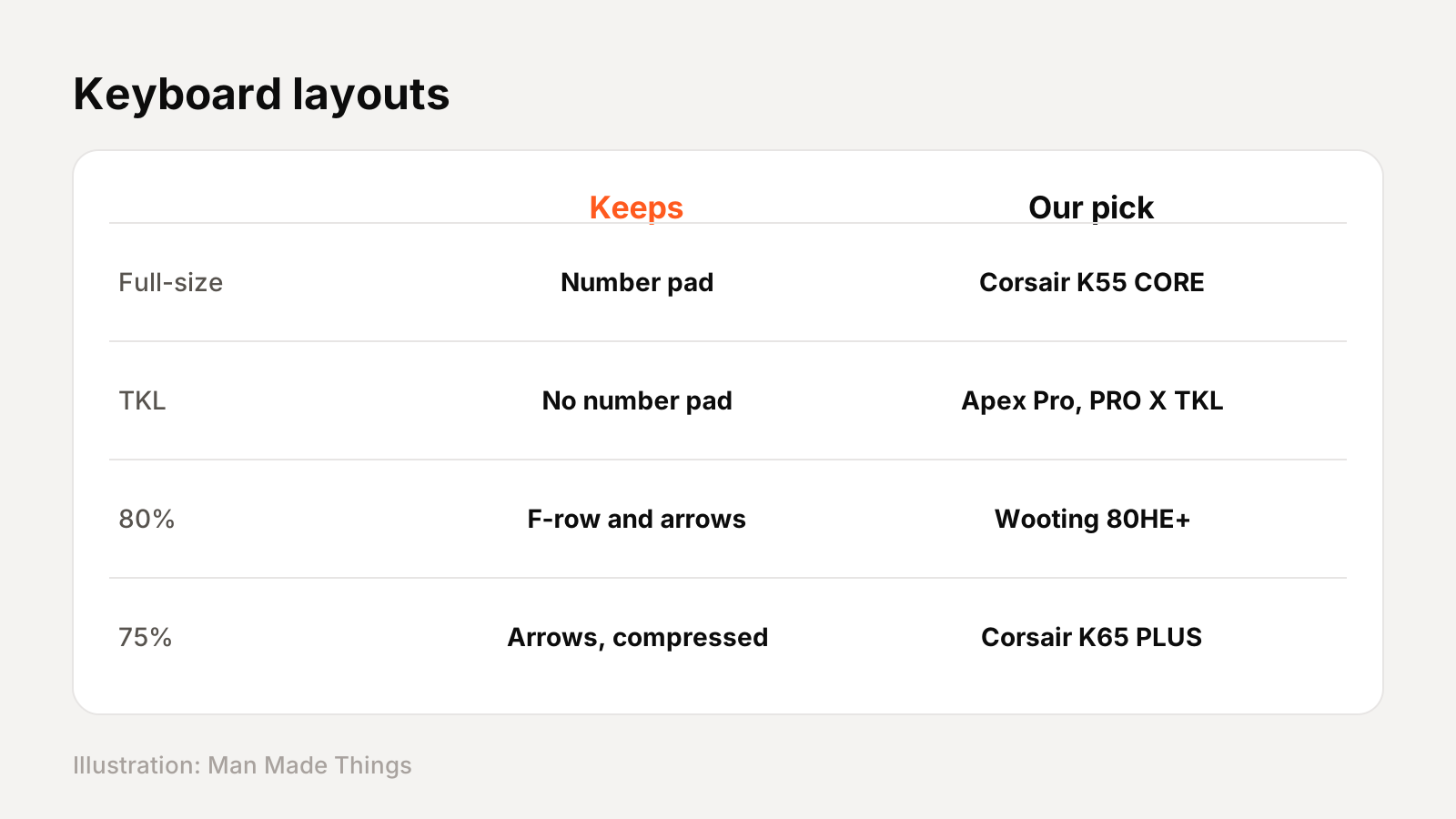
| Layout | What you keep | Our pick |
|---|---|---|
| Full-size | Everything, including the number pad | Corsair K55 CORE |
| TKL (tenkeyless) | Drops the number pad | Apex Pro, Logitech PRO X, Huntsman V3 Pro |
| 80% | Function row and arrows | Wooting 80HE+ |
| 75% | Arrows and utility keys, compressed | Corsair K65 PLUS |
Why smaller? A smaller keyboard leaves more room for big mouse movements, which matters in low-sensitivity shooters. Corsair notes its 75% layout keeps the arrows and utility keys while saving that space.
How to choose
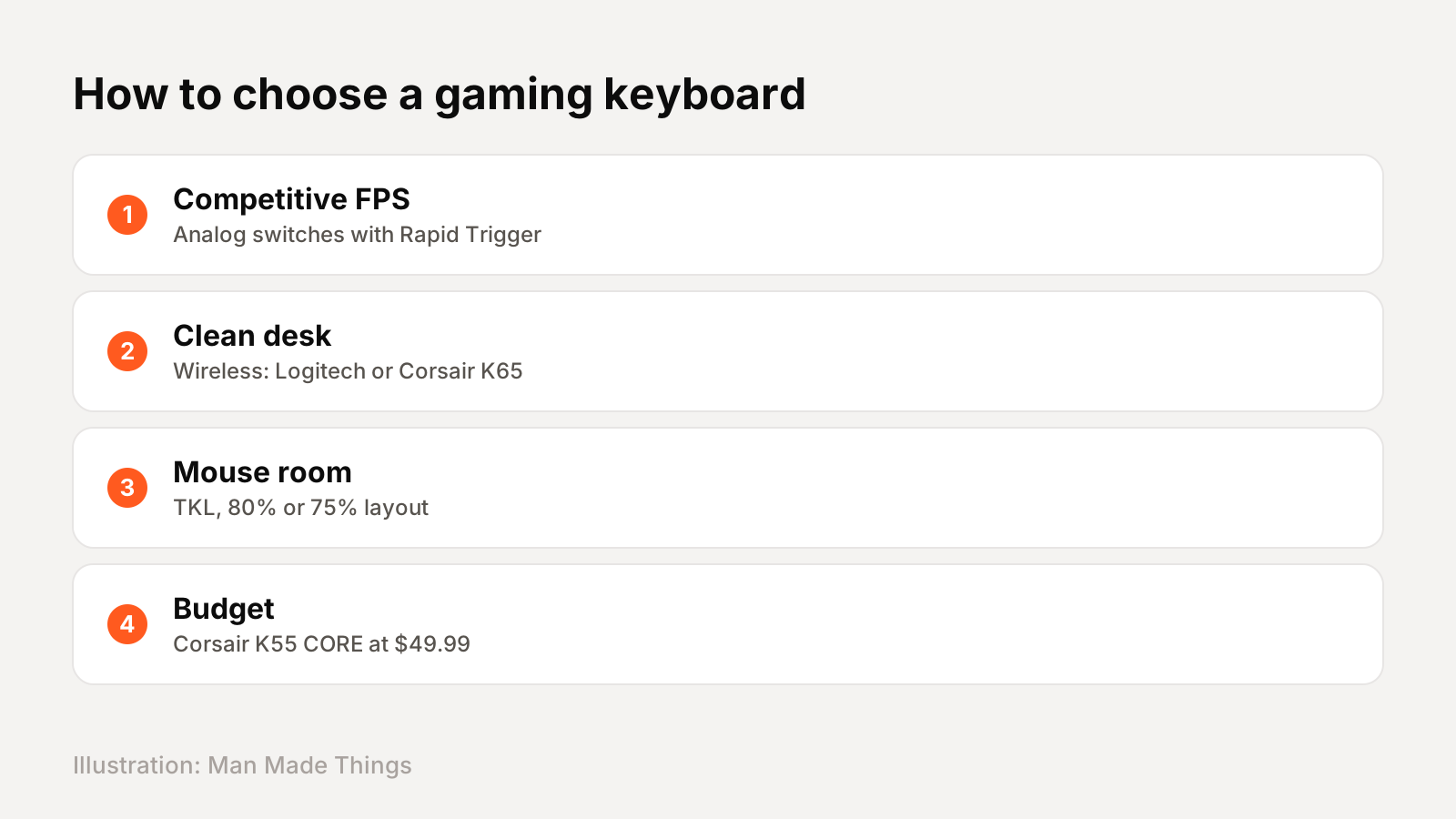
- Competitive shooters: choose analog switches with Rapid Trigger: the Apex Pro, Wooting 80HE+ or Huntsman V3 Pro.
- Clean, wireless setup: the Logitech PRO X TKL or Corsair K65 PLUS (which lasts up to 266 hours).
- Space for your mouse: a TKL, 80% or 75% layout.
- On a budget: the Corsair K55 CORE at $49.99.
The bottom line: the Apex Pro TKL Gen 3 is the best all-rounder; the Wooting 80HE+ is the enthusiast's pick for shooters; and the Huntsman V3 Pro is the best value in analog switches while it's on sale.
Wired vs wireless
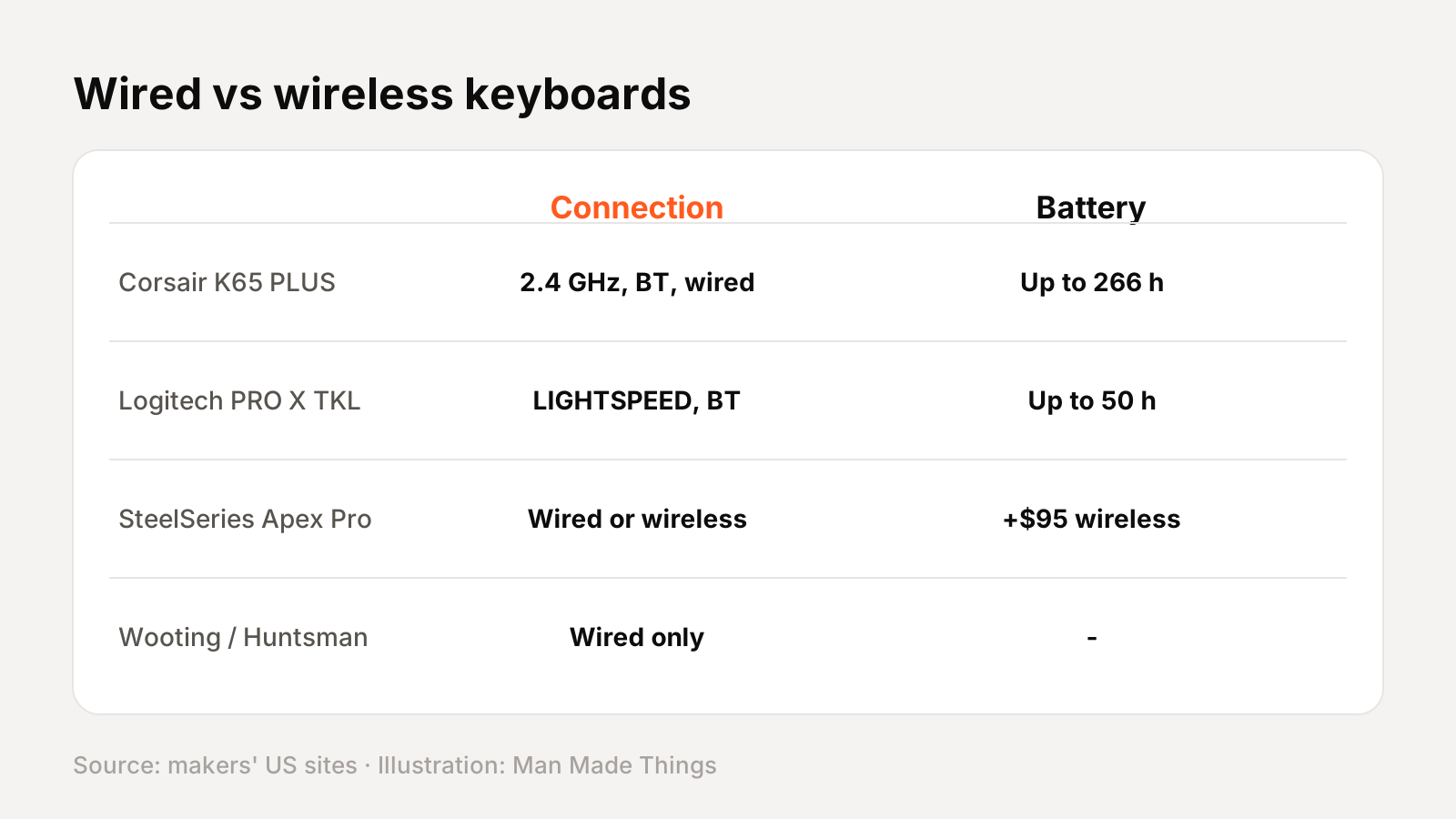
| Keyboard | Connection | Battery |
|---|---|---|
| Corsair K65 PLUS | 2.4 GHz, Bluetooth, wired | Up to 266 h (LEDs off) |
| Logitech PRO X TKL | LIGHTSPEED, Bluetooth, wired | Up to 50 h |
| SteelSeries Apex Pro TKL Gen 3 | Wired ($204.99) or wireless ($299.99) | Wireless version listed |
| Wooting 80HE+ | Wired (USB-C) | — |
| Razer Huntsman V3 Pro TKL | Wired (USB-C) | — |
Wired keyboards never need charging and tend to cost less, which is why the most competitive analog boards here, the Wooting and Huntsman, are wired only. Wireless keeps your desk tidy and lets you use the keyboard with a laptop or tablet over Bluetooth. With the SteelSeries Apex Pro, going wireless costs $95 more.
Battery life varies hugely: RGB lighting is the biggest drain, which is why Corsair quotes its 266-hour figure with the LEDs off.
Frequently asked questions
What is the best gaming keyboard?
+
The SteelSeries Apex Pro TKL Gen 3 ($204.99 wired) for most players, with adjustable Hall-effect switches and Rapid Trigger.
What is Rapid Trigger?
+
A feature of analog keyboards that resets a key the moment you start to lift it, rather than at a fixed point, for faster repeated inputs.
What is a Hall-effect keyboard?
+
A keyboard with magnetic switches that measure how far each key is pressed, so you can adjust the actuation point, often from 0.1 to 4.0 mm.
Sources
Editor-in-Chief
Rahul has been writing about gadgets and software since 2013, first at Thetechhacker and now at Man Made Things. He edits every review on the site and signs off on every verdict.
More from Rahul →
