How to Make Your Phone Battery Last Longer (Today and for Years)
Official tips from Apple, Google and Samsung to make your phone battery last all day, plus how to protect its long-term health with charge limits, cooler temperatures and smart charging.
We may earn a commission when you buy through links on this page. Learn more
Quick answer
For longer daily battery life, turn on auto-brightness, use Low Power Mode or Battery Saver, and limit background activity and location access. For long-term battery health, avoid heat (Apple says above 95°F can permanently reduce capacity), use Optimized or Adaptive Charging or an 80% charge limit, and avoid keeping your phone at 100% for long periods.
Phone battery advice comes in two flavors, and people often mix them up. One is about getting through today: making a charge last until bedtime. The other is about the long run: keeping your battery healthy so it still holds a decent charge in two or three years.
The two need different habits. Lowering your brightness helps today. Keeping your phone cool and not sitting at 100 percent helps for years.
Every tip below comes from Apple, Google or Samsung's own support pages, and I've included the menu paths so you can change the settings right away. Phones vary by model and software version, so your menus may look slightly different. Need more power on the go? See our best power banks guide.
Quick wins for all-day battery life
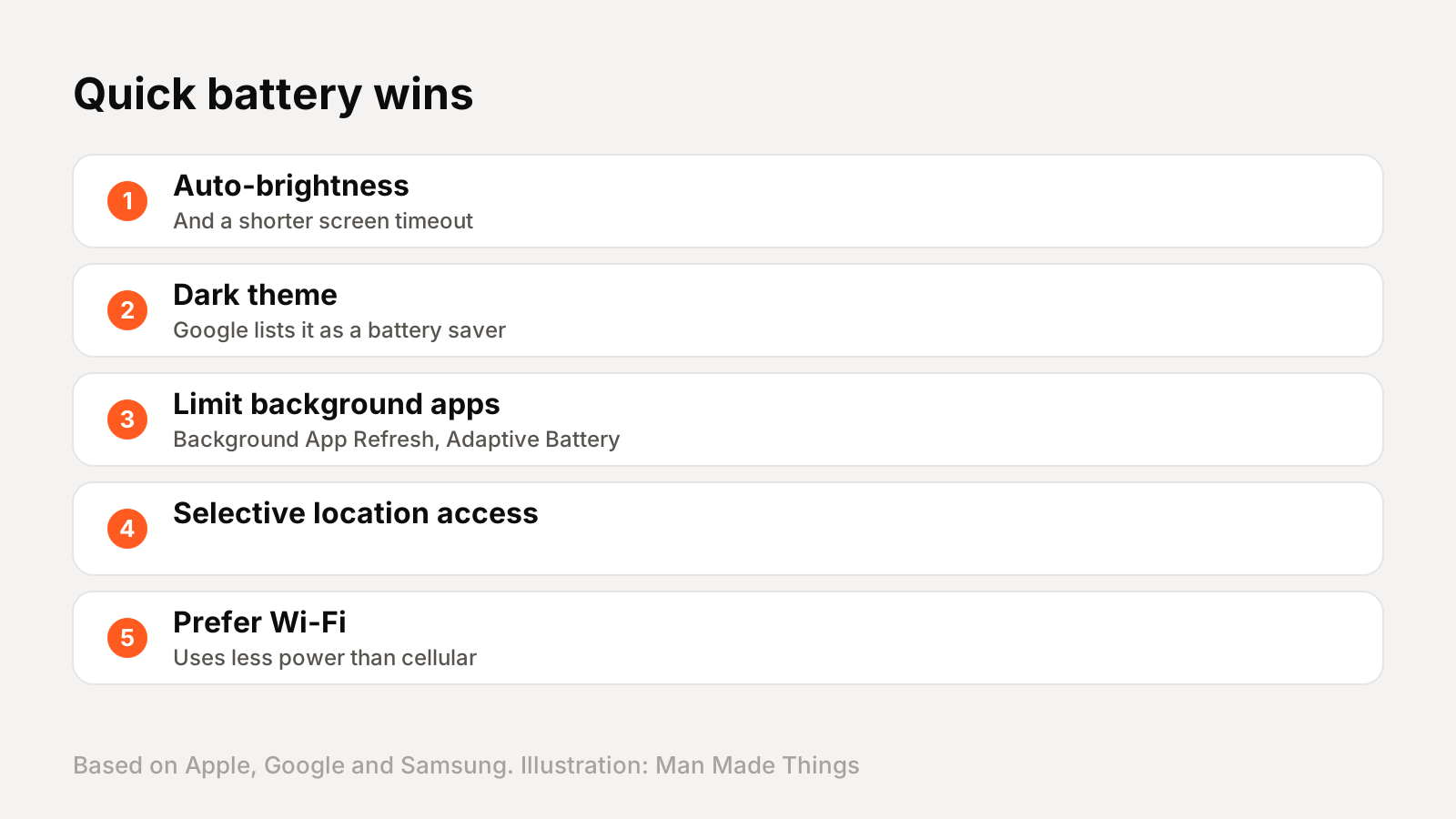
Screen. The display is one of the biggest power users. Apple says to dim the screen or turn on Auto-Brightness, and its battery settings may flag high brightness as a drain. Google suggests reducing brightness and turning off live wallpapers and the always-on display. Samsung says choosing a 15-second screen timeout saves the most battery; its default is 30 seconds.
Dark theme. Google lists turning on Dark theme as a setting that uses less battery on Pixel phones.
Background apps. On iPhone, Apple suggests turning off Background App Refresh in Settings, General. On Pixel, Adaptive Battery lets apps you rarely use run less in the background. Samsung's Background usage limits can put unused apps to sleep.
Location. Apple suggests turning off Location Services for apps that don't need it. Google notes many apps won't work without location, so be selective.
Signal. Apple says Wi-Fi uses less power than cellular, and a weak signal drains more. Its 5G Auto setting switches to LTE when 5G doesn't help.
Low Power Mode and Battery Saver
Every phone has a mode that trades a little performance for a lot of battery life.
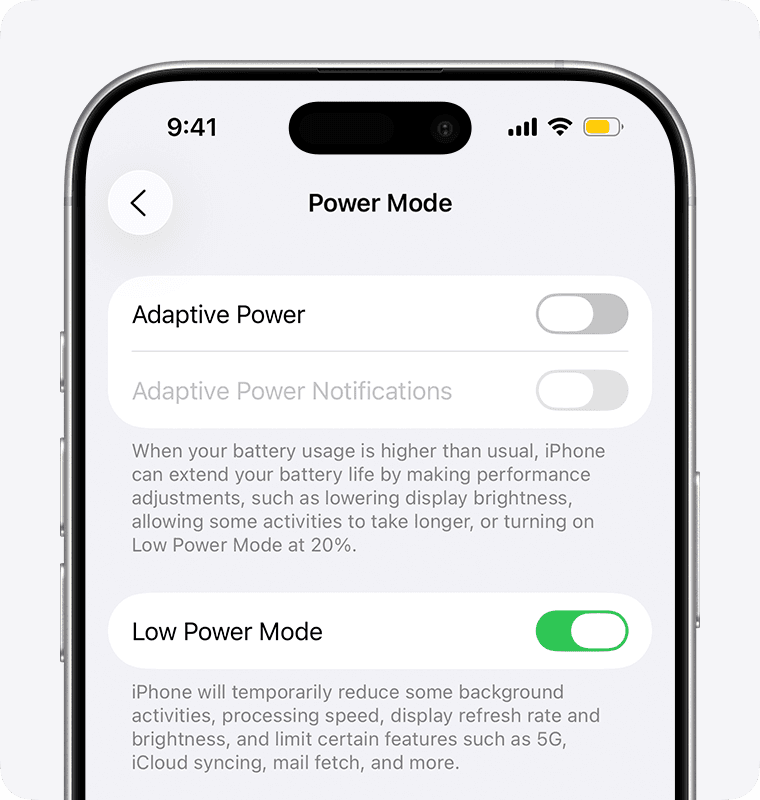
iPhone Low Power Mode: on iPhone 15 and later, go to Settings, Battery, Power Mode. Apple says it lowers brightness, sets Auto-Lock to 30 seconds, pauses iCloud Photos, turns off email fetch and Background App Refresh, and reduces some visual effects. The battery icon turns yellow, and it switches off when you charge past 80 percent. On supported newer iPhones, Apple's Adaptive Power can even turn it on automatically at 20 percent.
Pixel Battery Saver: Settings, Battery, Battery Saver. Google says it limits background refresh, stops location when the screen is off, turns on Dark theme and may use 4G instead of 5G. You can schedule it to turn on at a certain battery level, and Extreme Battery Saver pauses most apps.
Samsung Power saving: Settings, Battery, Power saving. Samsung notes it can affect performance, and also offers a Light performance profile that prioritizes battery life.
Heat is the battery's biggest enemy
If you remember one thing about long-term battery health, make it this: keep your phone cool.
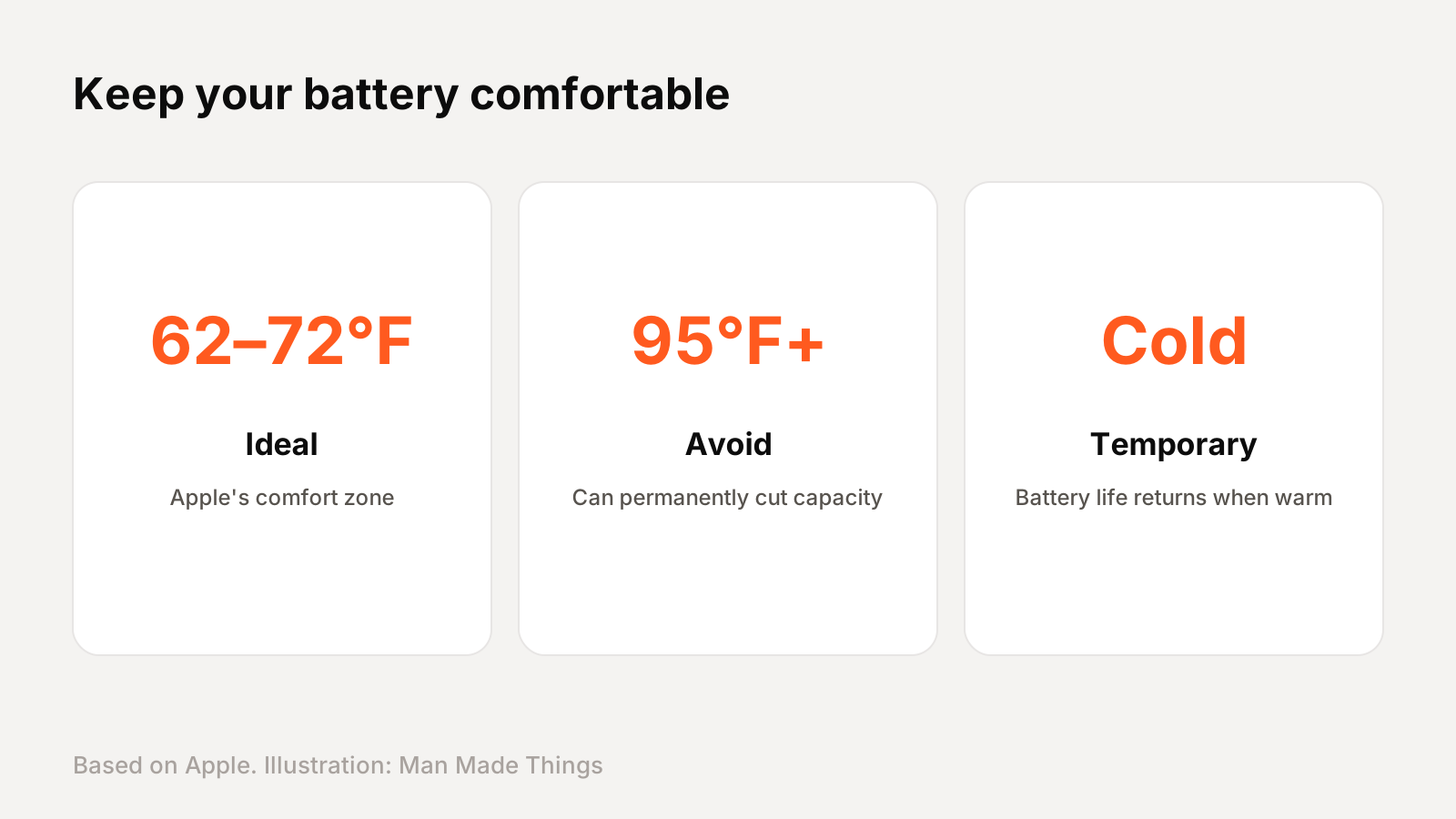
Apple says the ideal comfort zone is 62° to 72°F (16° to 22°C), and that it's especially important to avoid ambient temperatures above 95°F (35°C), which can permanently damage battery capacity. Charging in high heat can damage it further. Google says to charge Pixel phones in a cool place, around 25°C, and warns that a hot battery drains faster in a way that can damage it.
A few practical habits:
- Don't leave your phone in a hot car or in direct sun.
- Take it out of its case while charging if it gets hot. Apple says some cases trap heat during charging.
- Avoid heavy gaming or navigation while fast charging on a hot day.
Cold is less of a worry. Apple says cold reduces battery life only temporarily, and it returns once the phone warms up.
Smart charging and charge limits
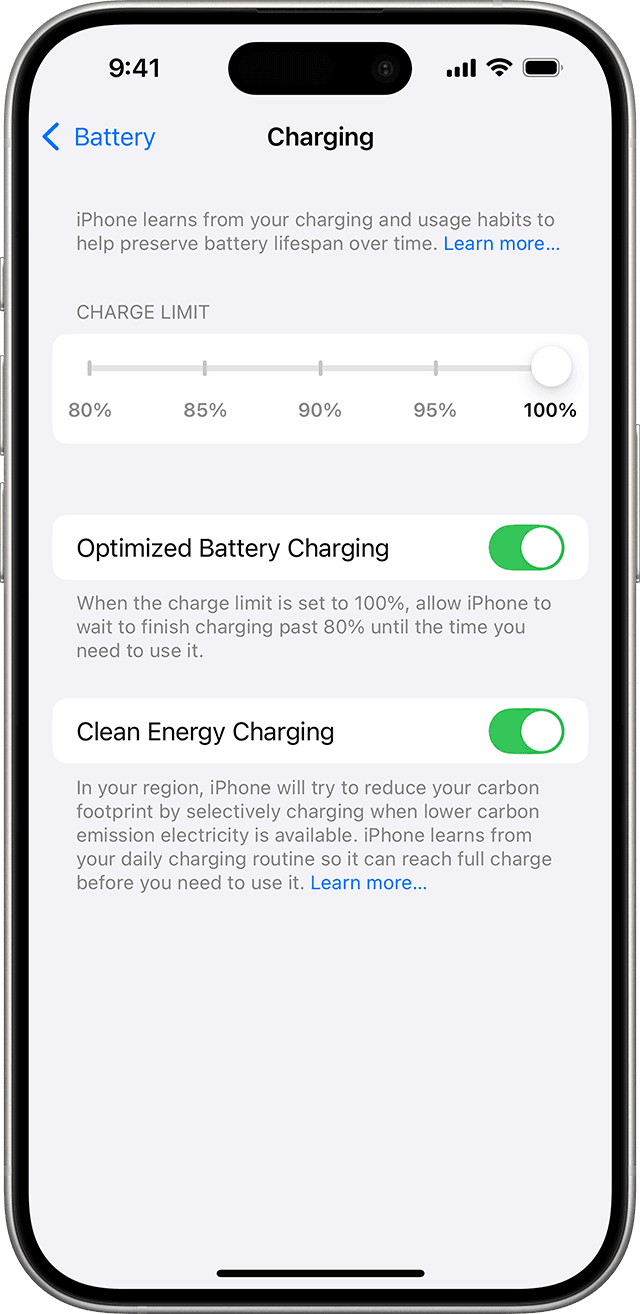
Lithium-ion batteries wear faster when they sit at 100 percent for long periods. All three brands now have features to avoid that.
iPhone: Optimized Battery Charging is on by default. Apple says it delays charging past 80 percent in certain situations, learning your routine over at least 14 days. On iPhone 15 and later, Settings, Battery, Charging lets you set a charge limit from 80 to 100 percent in 5 percent steps. Apple also says it's safe to charge overnight.
Pixel: Settings, Battery, Battery health, Charging optimization. Adaptive Charging finishes charging just before you usually unplug, and Limit to 80% is available on Pixel 6a and later.
Samsung: Settings, Battery, Battery protection. Adaptive stops at 80 percent and finishes before you wake up, while Maximum stops at the level you choose.
Also, you don't need to drain your battery to zero. Apple says there's no need to let it discharge fully before recharging.
How to check your battery health
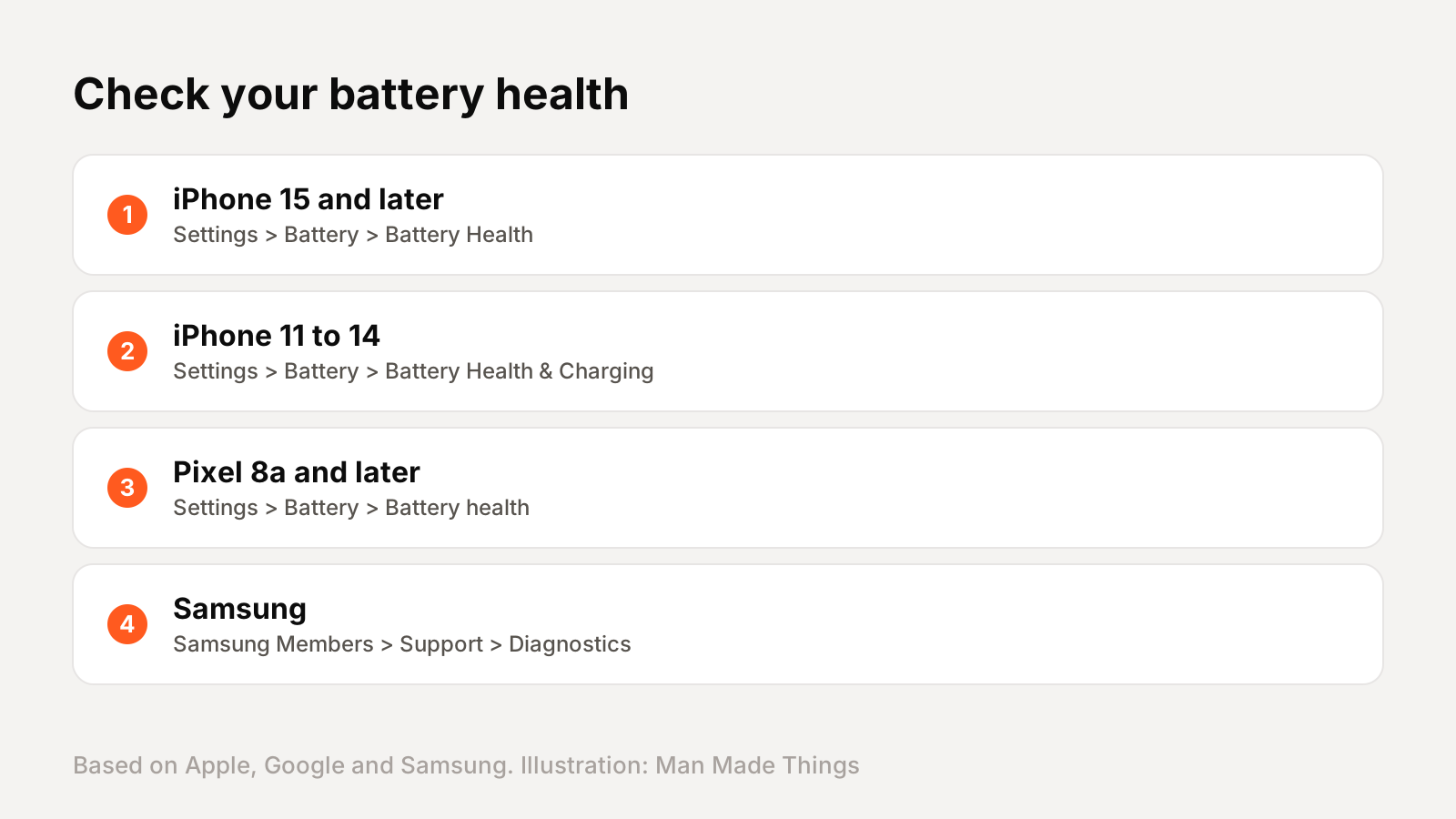
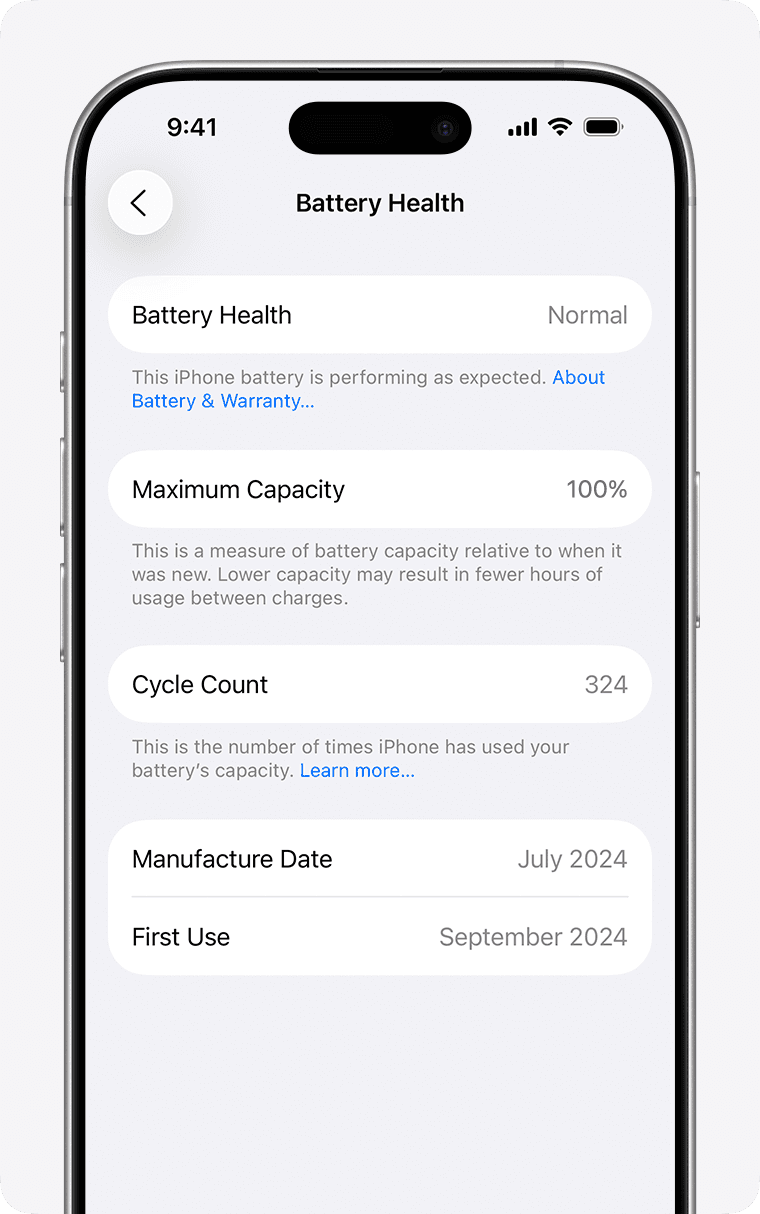
iPhone: on iPhone 15 and later, go to Settings, Battery, Battery Health to see maximum capacity, cycle count and more. On iPhone 11 to 14, it's Settings, Battery, Battery Health & Charging. Apple says if you see "Service" next to Battery Health, consider a replacement.
Pixel: on Pixel 8a and later, Settings, Battery, Battery health shows Normal or Reduced, and Settings, About phone, Battery information shows the cycle count.
Samsung: use the Samsung Members app, Support, then run diagnostics and check Battery status.
What's normal? Apple says iPhone 15 models and later are designed to retain 80 percent of their original capacity at 1,000 complete charge cycles, while iPhone 14 and earlier are rated at 500 cycles. Google says Pixel 8a and later should keep up to 80 percent for about 1,000 cycles.
Storing a phone? Apple says charge it to about 50 percent and power it off.
Frequently asked questions
Is it bad to charge my phone overnight?
+
No. Apple says it's safe to leave an iPhone charging overnight, and Optimized Battery Charging delays charging past 80 percent to reduce wear.
Should I limit charging to 80 percent?
+
It can help long-term health. iPhone 15 and later, Pixel 6a and later, and Samsung phones all offer 80 percent limits.
Does heat damage phone batteries?
+
Yes. Apple says temperatures above 95°F can permanently damage battery capacity, especially while charging.
How many charge cycles does an iPhone battery last?
+
Apple says iPhone 15 and later retain 80 percent capacity at 1,000 cycles; iPhone 14 and earlier at 500 cycles.
Sources
- Apple: Maximizing battery performance
- Apple: Why lithium-ion
- Apple: Charge Limit and Optimized Battery Charging
- Apple: Battery and performance, iPhone 11 and later
- Apple: Charge and maintain your iPhone battery
- Apple: Use Low Power Mode
- Google: Get the most life from your Pixel battery
- Google: Understand your Pixel battery
- Google: Use Battery Saver on Pixel
- Samsung: Get the most out of your Galaxy battery
- Samsung: When your Galaxy battery needs replacing
Editor-in-Chief
Rahul has been writing about gadgets and software since 2013, first at Thetechhacker and now at Man Made Things. He edits every review on the site and signs off on every verdict.
More from Rahul →
