The Best MagSafe Accessories for iPhone: Belkin and Apple
Three MagSafe accessories worth buying: a Qi2 25W 3-in-1 charging dock, Apple's FineWoven wallet with Find My, and a 25W magnetic car vent mount.
RVRahul VithalaEditor-in-ChiefPublished · 5 min read
We may earn a commission when you buy through links on this page. Learn more
Image: Belkin
Quick answer
The Belkin UltraCharge Pro 3-in-1 Dock ($129.99) is the best MagSafe charging stand, charging an iPhone at up to 25W plus an Apple Watch and AirPods, with the power adapter included. Apple's FineWoven Wallet with MagSafe ($59) holds three cards and works with Find My. The Belkin UltraCharge car vent mount ($79.99) charges at up to 25W and includes a car adapter.
MagSafe turned the back of the iPhone into a mounting point. Magnets line up a charger perfectly every time, hold a wallet in place and snap your phone onto a car mount with one hand. Once you get used to it, plugging in a cable feels old-fashioned.
The accessory market is crowded, though, and many cheap "magnetic" chargers are slow and loosely aligned. The thing to look for now is Qi2 certification, the open wireless charging standard that brings MagSafe-style magnets and faster charging to certified accessories.
I picked three accessories that cover the most common needs: a nightstand charger, a wallet and a car mount. Every spec and price comes from the brand's own US site. We've already covered magnetic power banks in our power bank guide, so they're not repeated here. These are research-based picks with no star scores.
A quick word on compatibility. Most iPhones since the iPhone 12 have MagSafe built in, but some budget models, like the iPhone SE and iPhone 16e, skip it, so check Apple's tech specs for your model. If you use a case, make sure it's MagSafe-compatible, or the magnets won't hold and charging can stop. Thin cases with a magnet ring built in work fine. Thick rugged cases, wallet folios and cases with a metal plate usually don't.
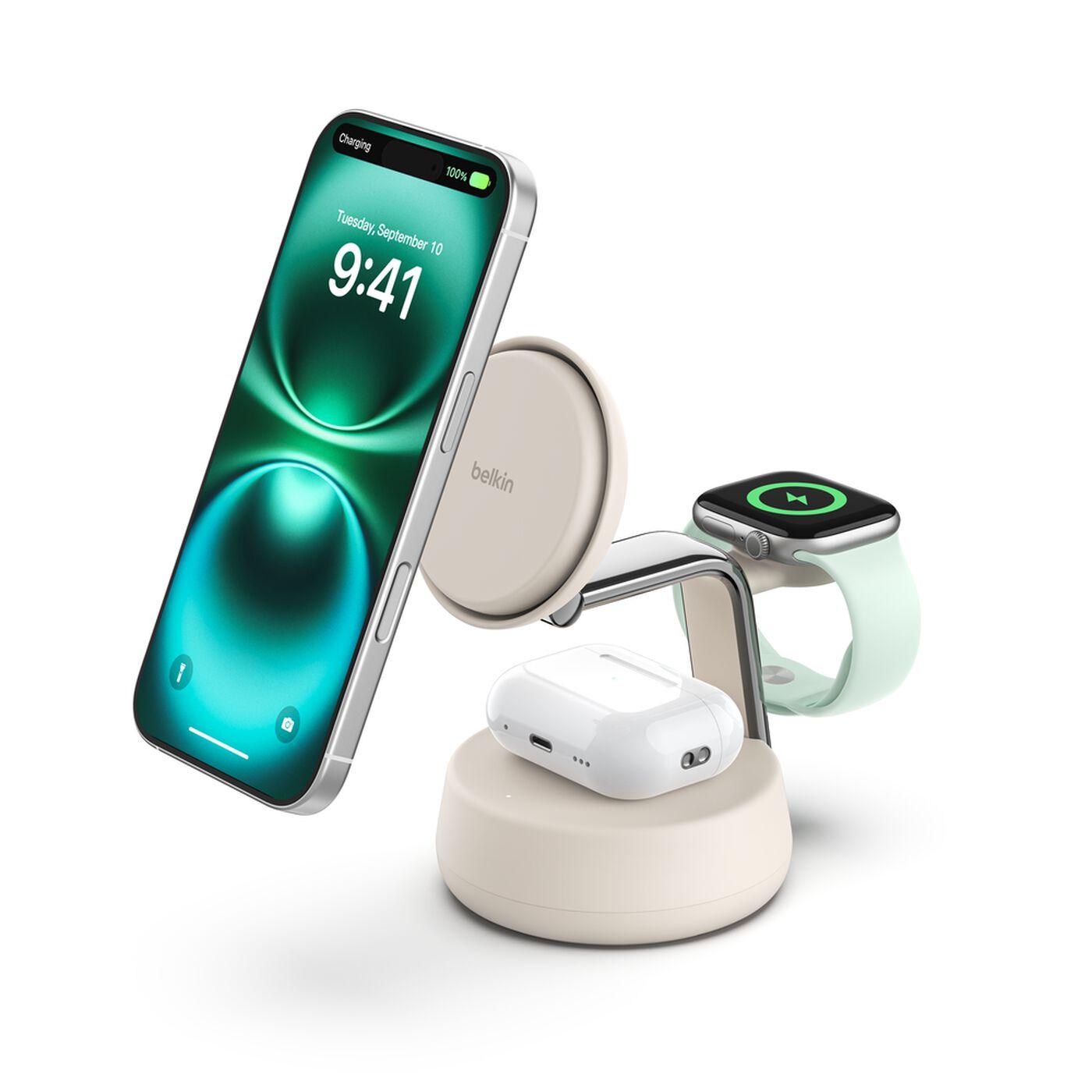
Belkin UltraCharge Pro 3-in-1 Magnetic Charging Dock with Qi2 25W
Image: Belkin
If you charge your iPhone, Apple Watch and AirPods every night, a 3-in-1 dock turns three cables into one tidy stand. Belkin's UltraCharge Pro is Qi2.2 certified and charges a compatible iPhone at up to 25W, the fastest wireless speed currently available. Belkin claims an iPhone 16 goes from empty to 50% in 25 minutes in its testing.
There's a small fan inside, which Belkin calls ChillBoost, to keep the phone cool. Heat is what slows wireless charging down, so this helps it hold that top speed. The Apple Watch puck is a fast charger, and the AirPods pad delivers up to 5W.
Unlike many chargers, the 45W power adapter is in the box, so you don't need to buy one separately. Belkin backs it with a 2-year warranty plus coverage for connected devices. If you'd rather have something you can fold up for travel, Belkin's UltraCharge 3-in-1 Foldable is $119.99.
Pros
01Up to 25W for compatible iPhones
02Charges iPhone, Watch and AirPods at once
03Power adapter included
04Cooling fan helps sustain speed
Cons
01Fan adds a little noise
02Bulkier than a single-device charger
03Belkin doesn't list which iPhones get the full 25W
Certification
Qi2.2 25W certified
iPhone
Up to 25W (Qi2 25W devices); other Qi2 devices up to 15W
AirPods
Up to 5W
Apple Watch
Fast charging (Belkin claims 0–80% in 30 min on Series 10)
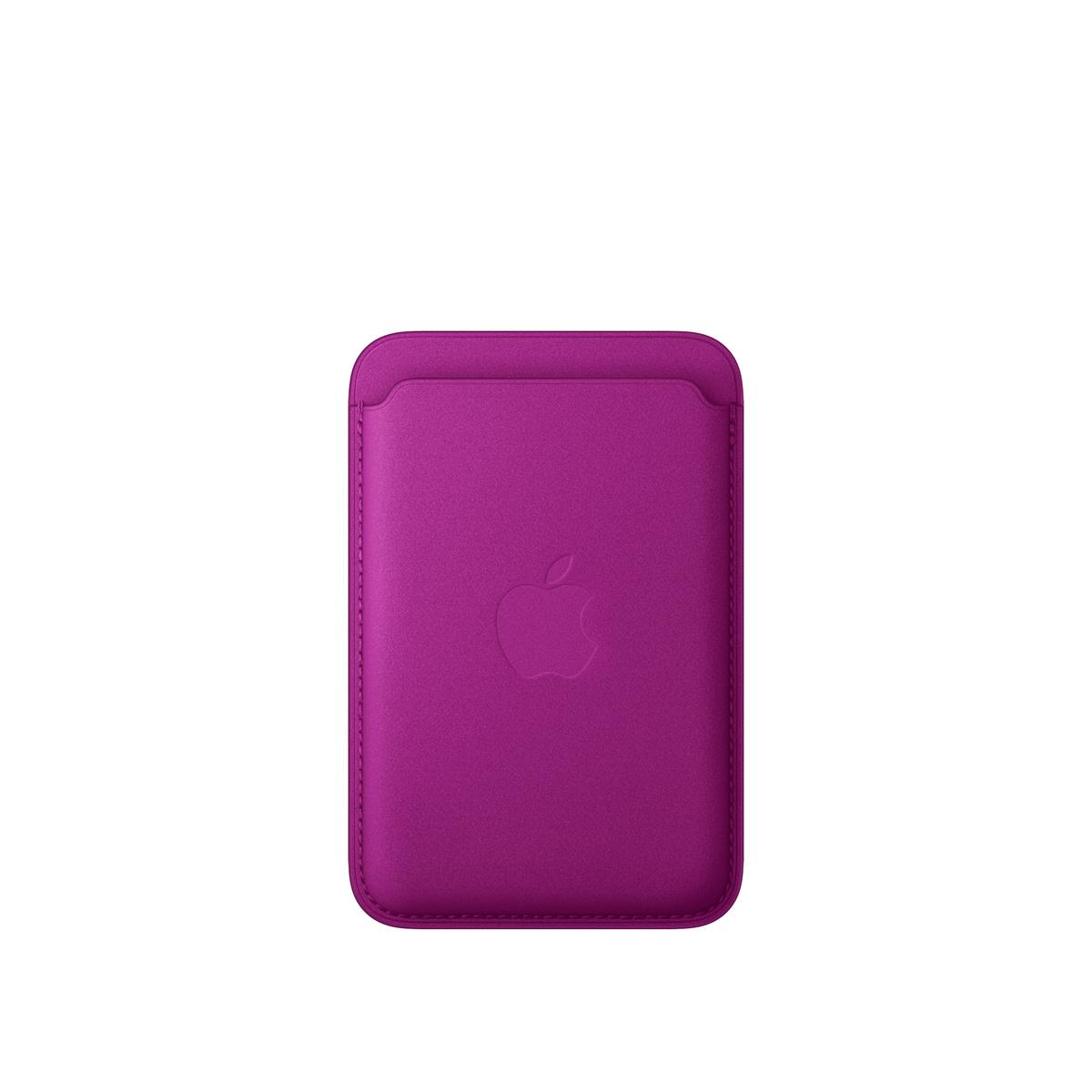
A MagSafe wallet lets you leave your regular wallet at home and carry just your ID and a couple of cards on the back of your phone. Apple's own FineWoven wallet is the one I'd pick, mainly for one feature: Find My.
If the wallet gets knocked off your phone, Find My notifies you of its last known location, so you can go back for it. That needs an iPhone 12 or later on iOS 27 or later, with Find My turned on. The wallet holds up to three cards and is shielded so it's safe for credit cards, and it stacks on top of a MagSafe case.
The obvious catch with any MagSafe wallet is that you have to take it off to charge wirelessly. Three cards is also a hard limit, so it's for minimalists. Apple's page doesn't state a warranty for the wallet.
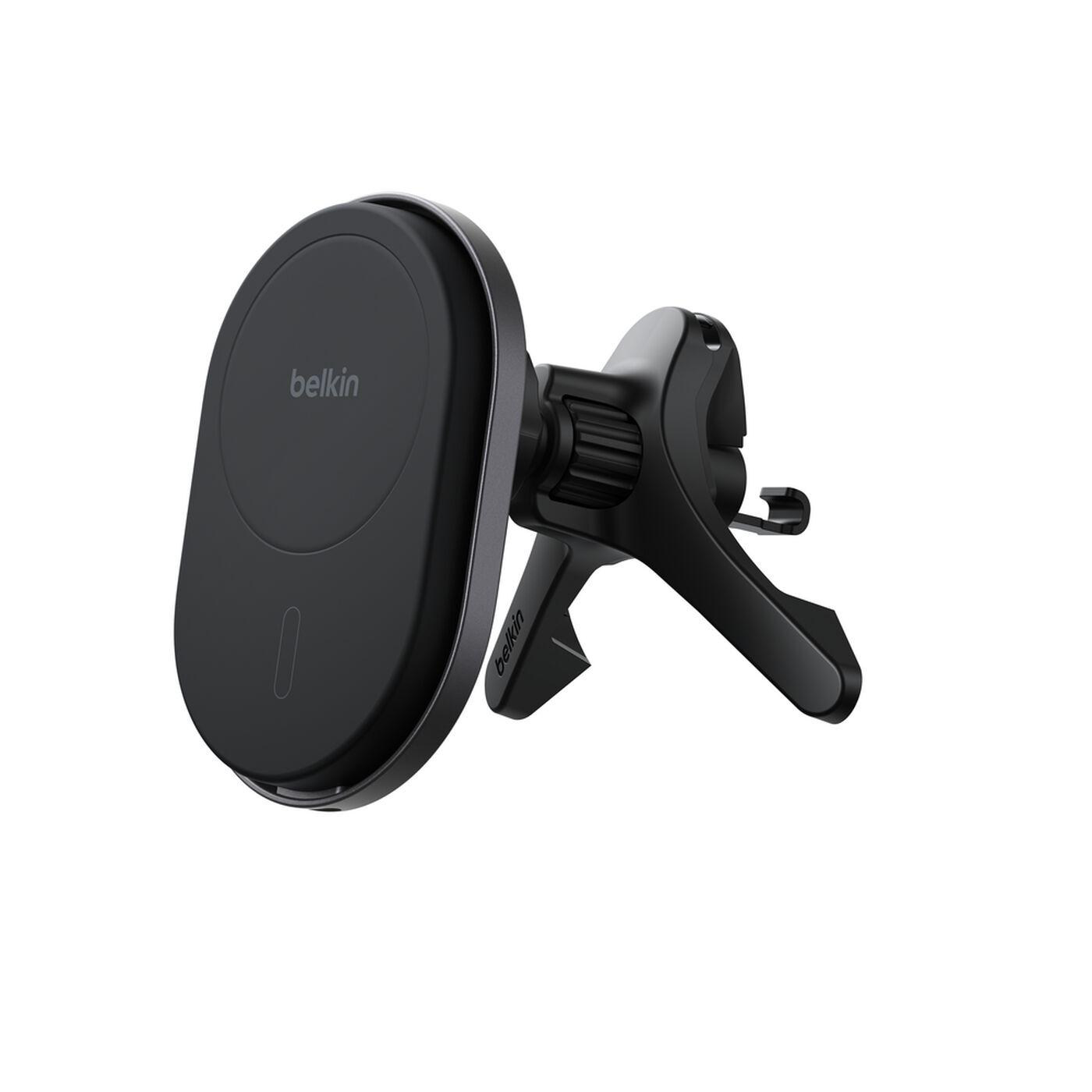
Belkin UltraCharge Magnetic Wireless Car Charger Vent Mount with Qi2.2 25W
Image: Belkin
A MagSafe car mount is one of those upgrades you don't think about until you have one. The phone snaps into place, charges while you navigate and comes off with one hand when you park.
Belkin's UltraCharge vent mount is Qi2.2 certified and charges at up to 25W, so your phone gains battery even with Maps and music running. It rotates for portrait or landscape and works through magnetic cases up to 3mm thick. Belkin includes a 36W car power adapter and cable, which many mounts sell separately.
Vent mounts depend on your car's vents, so check that yours have sturdy horizontal slats. Belkin also makes a dashboard version if your vents won't work. One note: Belkin's compatibility list doesn't include the iPhone 17e.
Pros
01Up to 25W Qi2.2 charging
02Car adapter and cable included
03Rotates portrait or landscape
04Works through MagSafe cases
Cons
01Depends on your car's vent design
02iPhone 17e not listed as compatible
03Cable needs routing to the outlet
Certification
Qi2.2 certified, up to 25W
Mount
Air vent, rotates portrait or landscape
Cases
Works through magnetic cases up to 3 mm
In the box
36W car power adapter and 4.9 ft cable
Compatibility
iPhone 12 through iPhone 18 models (iPhone 17e not listed)
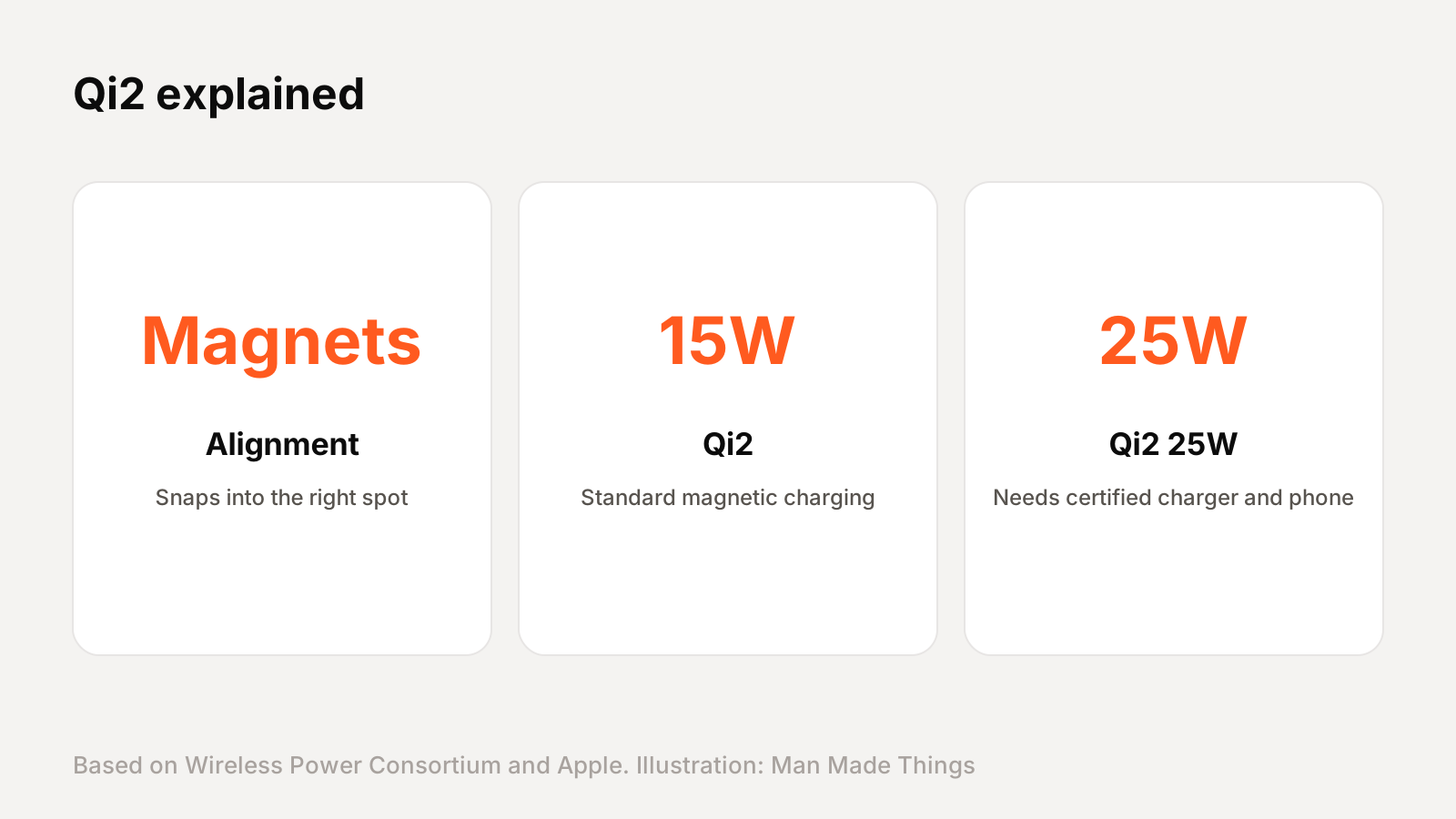
Qi2 is the latest wireless charging standard from the Wireless Power Consortium, an open standards group with over 300 members. It adds magnetic alignment, like MagSafe, so the phone and charger always line up correctly.
The first Qi2 standard brought faster 15W charging. The newer version, branded Qi2 25W, launched in July 2025 and delivers what the WPC calls nearly 70% more power, enough to charge a compatible phone from 0 to 50% in about 30 minutes.
The important part for buyers: only products tested in independent labs can carry the Qi or Qi2 logo. A cheap charger that just says "magnetic wireless charger" may charge much slower and run hotter. Look for the Qi2 or Qi2 25W certification on the box.
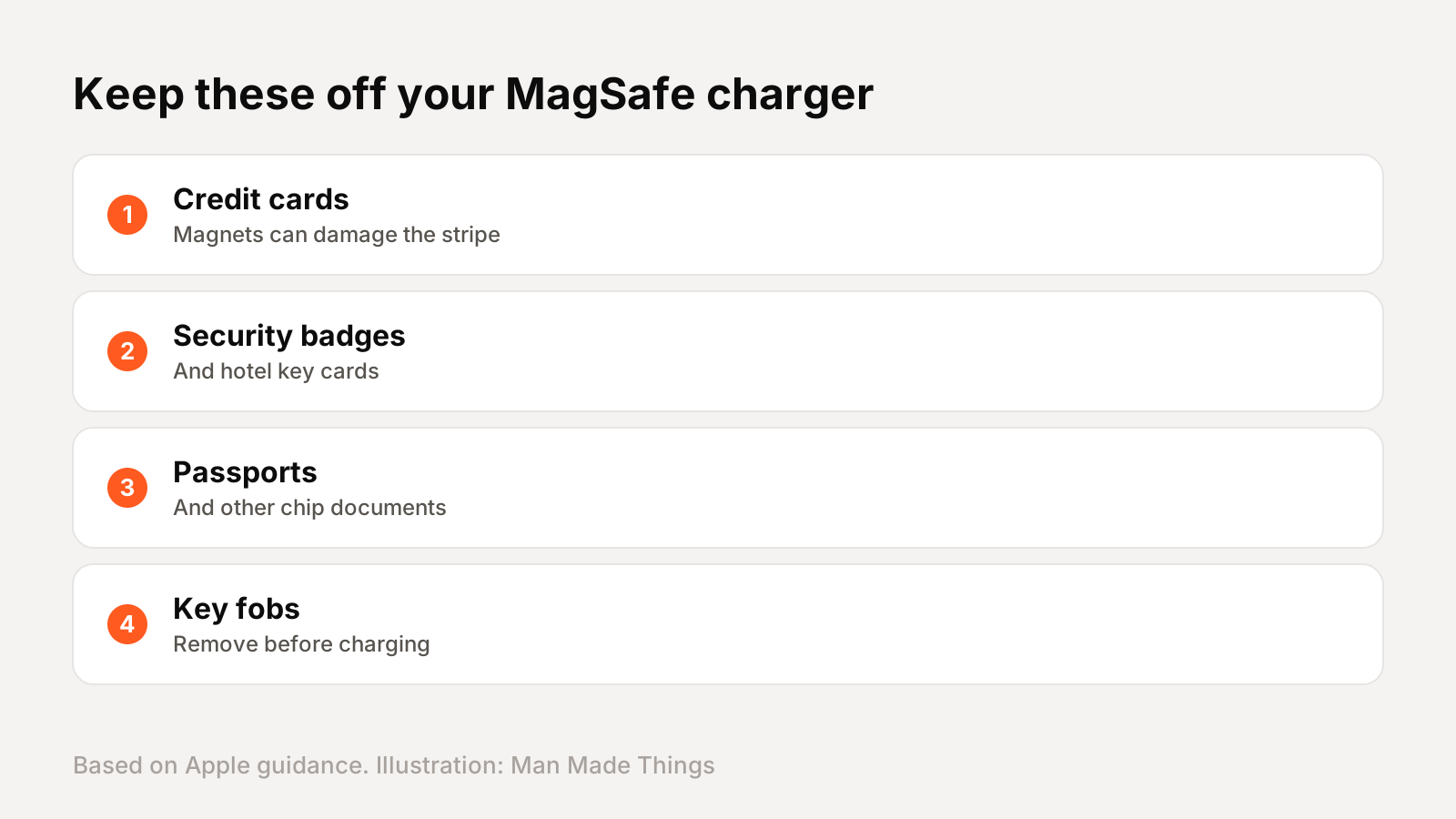
Keep cards away from your charger
Image: Man Made Things
Apple's support guidance is clear: don't put credit cards, security badges, passports or key fobs between your iPhone and a MagSafe charger. Apple says this might damage magnetic strips or RFID chips.
In practice, that means:
Take your MagSafe wallet off before charging. The wallet itself is shielded, but it shouldn't sit between the phone and a charger.
If you use a wallet case, remove the cards before putting the phone on a wireless charger.
Car mounts and stands are fine, as long as nothing is sandwiched in between.
Also note that charging speeds depend on your iPhone model. Apple lists different peak speeds for different iPhones on its own MagSafe Charger, so not every iPhone will hit the top 25W, even on a 25W accessory.
Frequently asked questions
What is the best MagSafe charging stand?
+
The Belkin UltraCharge Pro 3-in-1 Dock with Qi2 25W. It charges an iPhone at up to 25W plus an Apple Watch and AirPods, and includes a 45W power adapter.
What is Qi2?
+
Qi2 is the Wireless Power Consortium's charging standard with magnetic alignment. Qi2 25W, launched in July 2025, charges compatible phones faster than the original 15W Qi2.
Can a MagSafe wallet damage credit cards?
+
Apple's MagSafe wallets are shielded and safe for cards, but Apple says not to place cards between your iPhone and a MagSafe charger, so remove the wallet before charging.
Does the Apple FineWoven Wallet work with Find My?
+
Yes. It shows the wallet's last known location if it's separated from your iPhone, on iPhone 12 or later with iOS 27 or later.
Rahul has been writing about gadgets and software since 2013, first at Thetechhacker and now at Man Made Things. He edits every review on the site and signs off on every verdict.
 Check price ↗