The Best Laptop Stands for a Better Desk Setup: Three Kensington Picks
Three laptop stands that raise your screen toward eye level: the tall Kensington SmartFit EQ, the slim aluminum Adjustable Stand and the $34 Collapsible Riser, plus how to set up your desk.
We may earn a commission when you buy through links on this page. Learn more
Quick answer
The Kensington SmartFit EQ ($44.99) is the best laptop stand for most people: it lifts your screen up to 14.87 inches, has six preset heights and folds for storage. The Kensington Adjustable Aluminum Laptop Stand ($49.99) is the best portable pick, a slim aluminum stand that fits 10- to 17-inch laptops. The Kensington Collapsible Aluminum Riser ($34.29) is the best budget pick at just half a pound.
Working on a laptop all day is a recipe for a sore neck. The screen sits low on the desk, so you spend hours looking down. A laptop stand fixes that by raising the screen closer to eye level, and it takes about ten seconds to set up.
There's one catch worth knowing up front. Once your laptop is raised, its keyboard is too high to type on comfortably, so you'll want an external keyboard and mouse. That combination is what makes a laptop work like a proper desktop.
I tried to verify Twelve South, Rain Design, Satechi, Nexstand, Roost, Moft and Grovemade, but their US product pages were blocked or rate-limited when I checked. Kensington's pages had full specs and prices, so all three picks are Kensington. For a bigger screen, see our best monitors for MacBook guide. These are research-based picks with no star scores. Let's get into it.
Our picks at a glance
1. Best overall
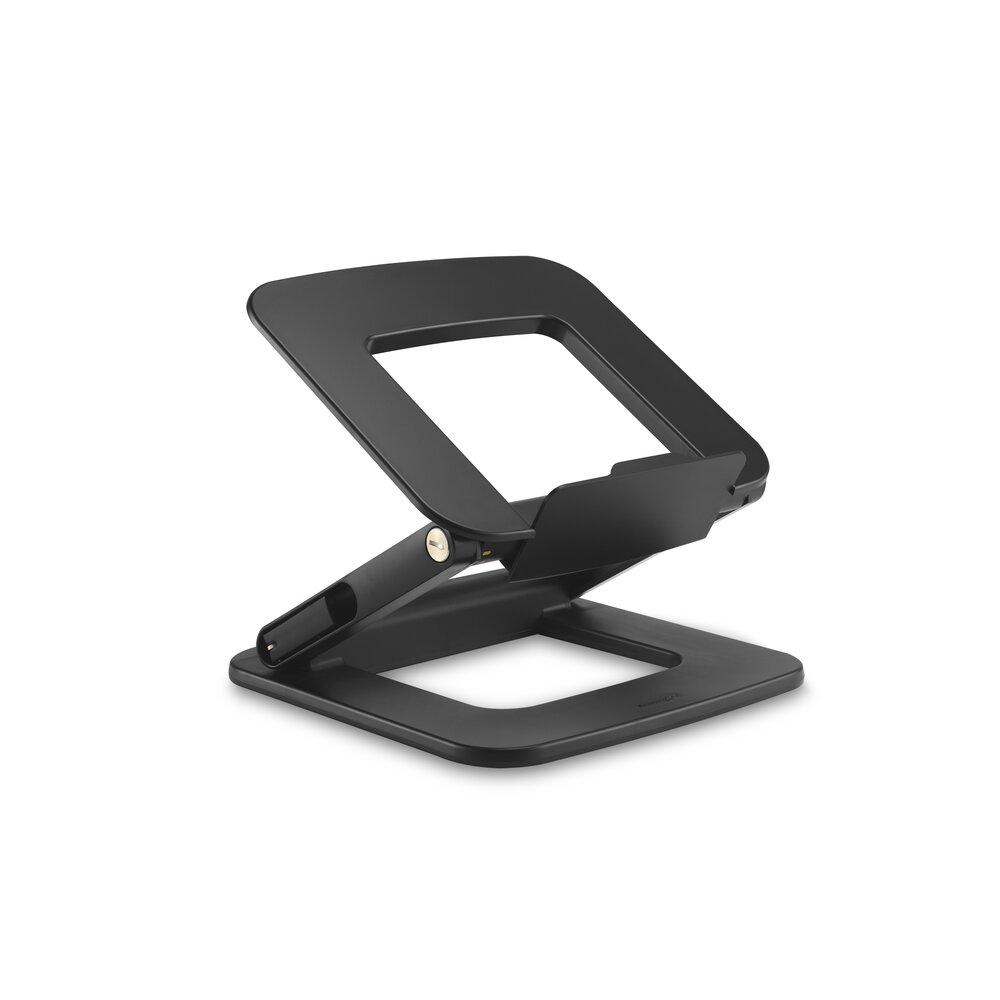
Kensington SmartFit EQ Adjustable Multi-Angle Laptop Stand
The SmartFit EQ's big advantage is height. It lifts your laptop up to 14.87 inches, much higher than most stands, which makes it easier to get the top of the screen close to eye level when you're sitting at a normal desk.
You choose from six preset height and angle combinations using two levers, and Kensington's color-coded SmartFit chart helps you pick the right setting for your height. It has anti-slip rubber feet and locking latches to keep it steady, a small 10-by-10-inch footprint, and it folds flat when you need the desk space back. Kensington says it's ergonomist-approved by Germany's IGR Institute.
It's made of plastic rather than aluminum, though 70 percent of it is recycled. It fits only 13- to 16-inch laptops, the settings are fixed rather than continuous, and Kensington doesn't list its weight.
Pros
- 01Tallest lift, up to 14.87 in
- 02Six presets with a fitting chart
- 03Small footprint, folds flat
- 04Ergonomist approved
Cons
- 01Plastic rather than aluminum
- 02Fits only 13–16 in laptops
- 03Fixed preset heights
| Height | Up to 14.87 in, six preset height and angle settings |
|---|---|
| Fits | 13–16 in laptops |
| Capacity | 6.6 lb |
| Footprint | 10 × 10.2 in |
| Material | Plastic, 70% post-consumer recycled |
| Storage | Folds flat, no assembly |
| Warranty | 2 years |
2. Best portable
Kensington Adjustable Aluminum Laptop Stand
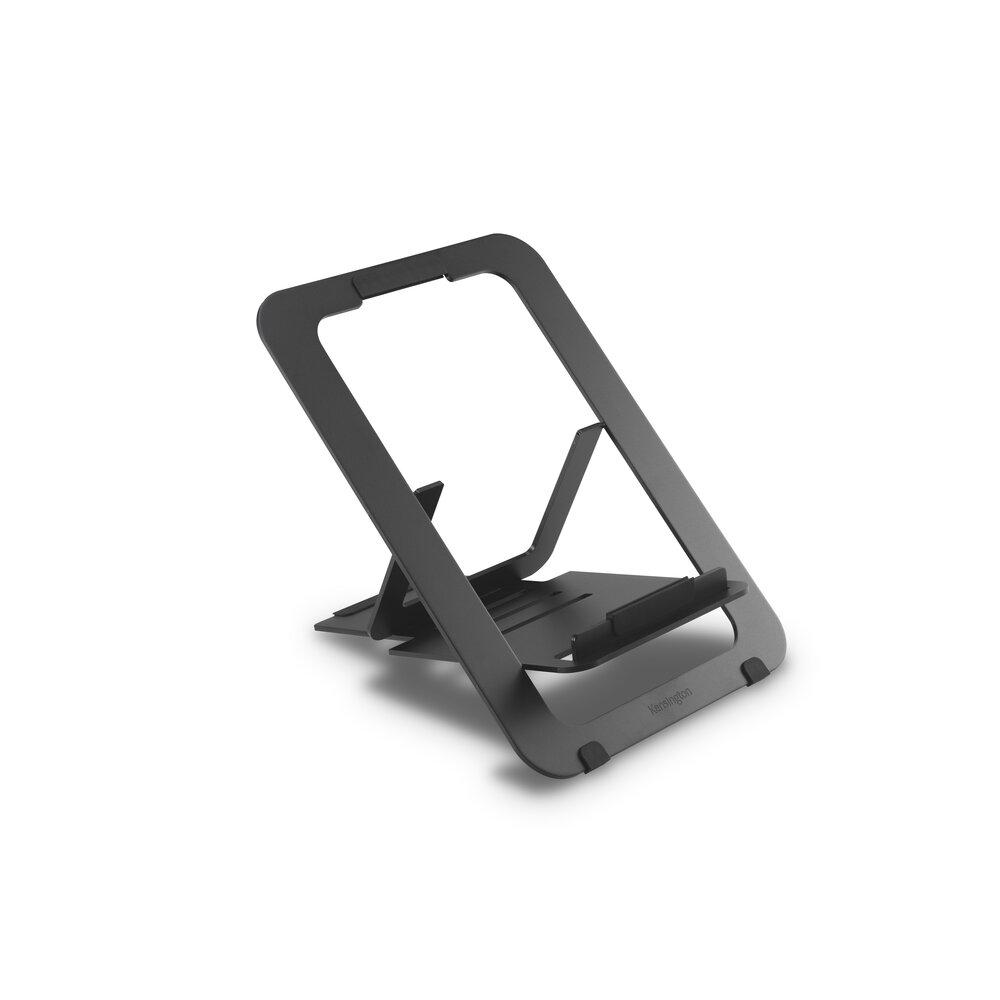
If you work from coffee shops, hotels or a hot desk, you want a stand that disappears into your bag. This one folds down to just 0.2 inches thick and comes with a cotton pouch, and at under a pound, you won't notice it.
Despite that, it's sturdy. It's made from 6mm-thick aluminum, has five preset heights up to 9.92 inches, and fits laptops from 10 to 17 inches, the widest range of these three. Raising your laptop also leaves space underneath for air to flow, which helps keep it cool.
It doesn't go as high as the SmartFit EQ, so on a standard desk, the screen will still sit a little below eye level for many people. The heights are fixed presets, and capacity is 6.6 pounds, fine for any laptop but not for heavy gear.
Pros
- 01Folds to 0.2 in thin, pouch included
- 02Sturdy 6 mm aluminum
- 03Fits 10–17 in laptops
- 04Light at 0.93 lb
Cons
- 01Max height 9.92 in
- 02Five fixed presets
- 03Costs more than the EQ
| Height | Five presets, up to 9.92 in |
|---|---|
| Fits | 10–17 in laptops |
| Capacity | 6.6 lb |
| Material | 6 mm aluminum |
| Weight | 0.93 lb |
| Folded size | 7.87 × 11.02 × 0.2 in, cotton pouch included |
| Warranty | 2 years |
3. Best budget
Kensington Collapsible Aluminum Laptop Riser
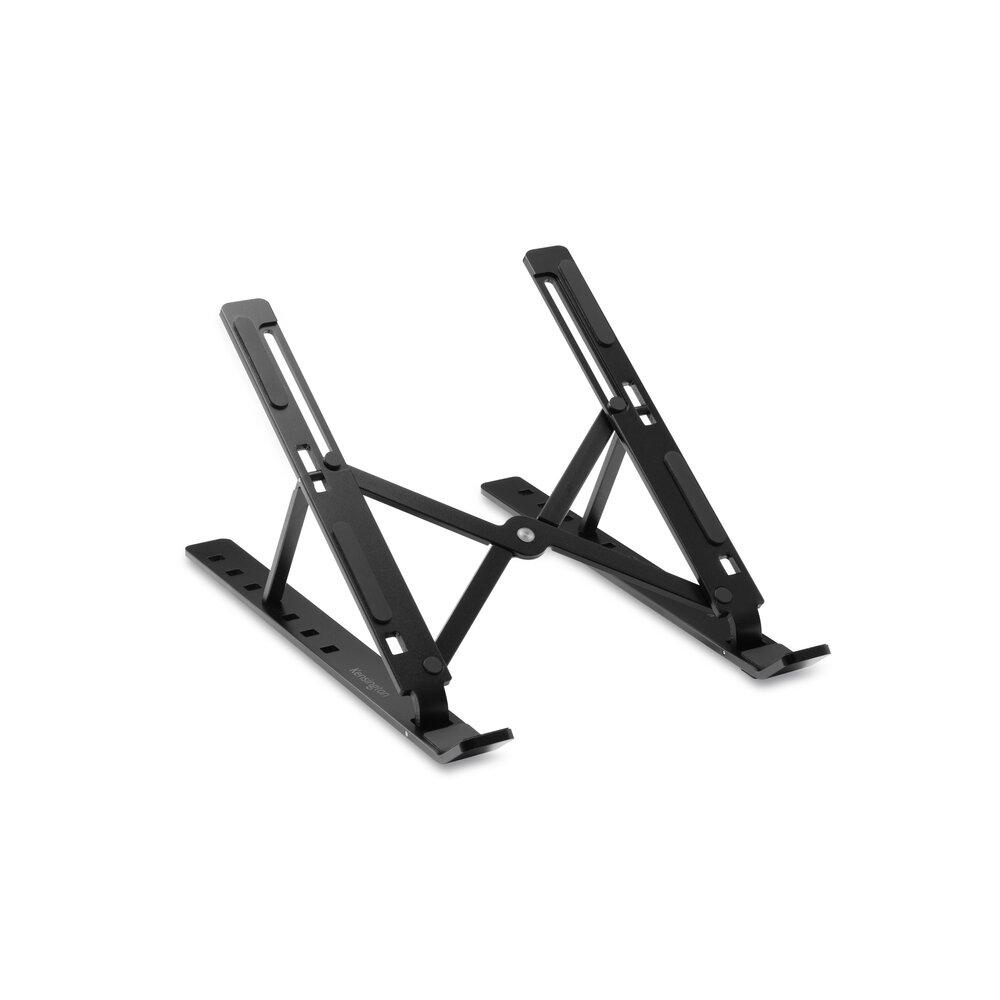
The Collapsible Riser is the simplest and cheapest way to tilt your laptop up. At just over half a pound, it's the lightest pick, folds flat to slip into a laptop bag, and costs $34.29.
It has seven levels, from 2.24 to 5.83 inches high, with angles from 12 to 44 degrees. Anti-slip silicone pads keep your laptop from sliding, a small ledge stops it at the front, and the open frame lets air reach the bottom of your laptop. It holds up to 11 pounds, which is surprisingly high for something this light.
The trade-off is height. At under 6 inches, it angles the screen more than it raises it, so it won't bring your screen to eye level on its own. It's best for a better typing angle, or paired with books or a monitor riser underneath.
Pros
- 01Cheapest at $34.29
- 02Lightest at 0.53 lb
- 03Folds flat for travel
- 04Holds up to 11 lb
Cons
- 01Max height only 5.83 in
- 02Won't reach eye level alone
- 03Seven fixed levels
| Height | 2.24–5.83 in, seven levels |
|---|---|
| Angle | 12–44 degrees |
| Fits | Up to 16 in |
| Capacity | 11 lb |
| Material | Recyclable aluminum |
| Weight | 0.53 lb |
| Warranty | 2 years |
How to set up a laptop at the right height
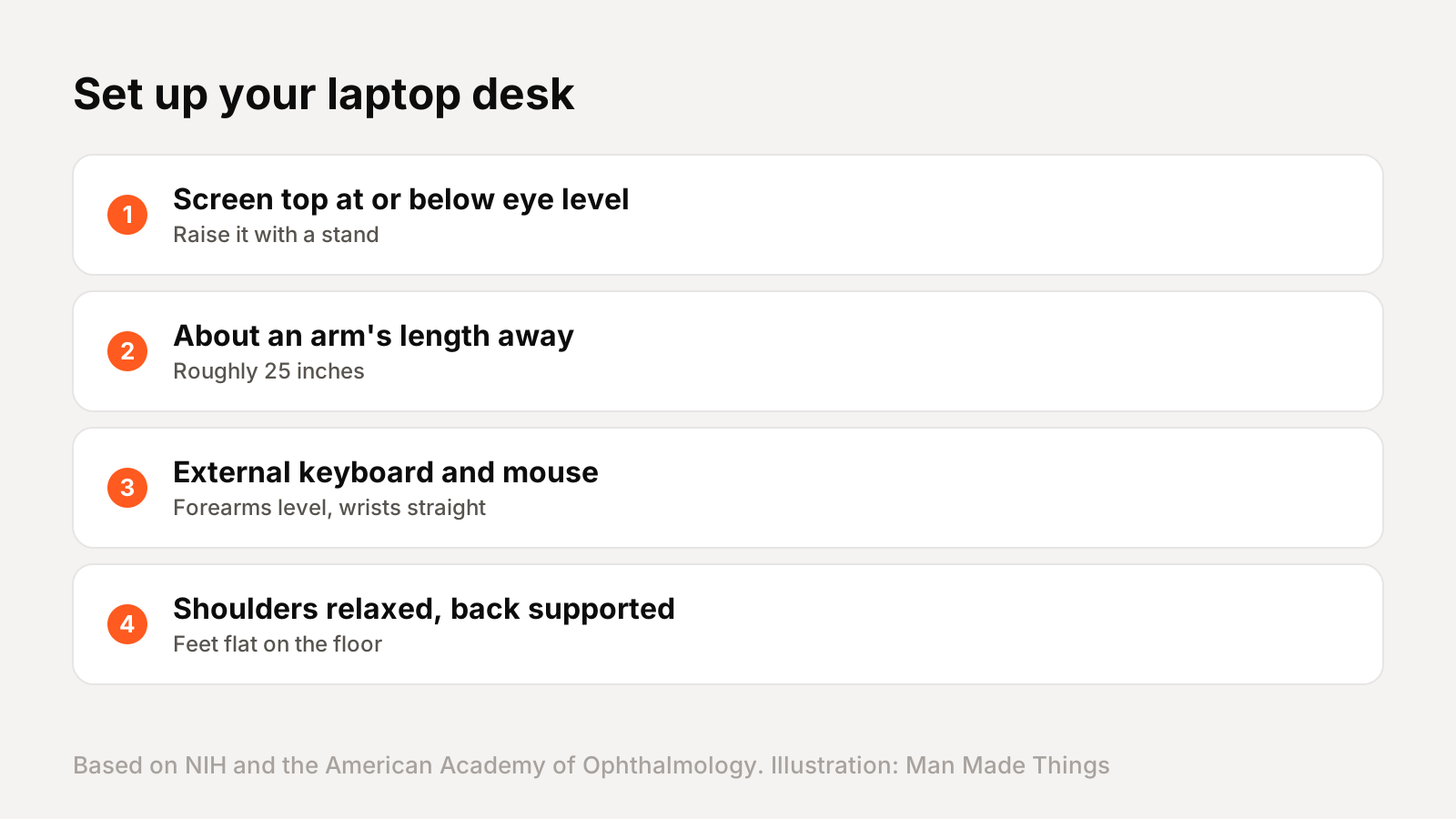
The NIH's Division of Occupational Health and Safety publishes a simple computer workstation guide. Its key points:
- Top of the screen at or slightly below eye level.
- Screen about an arm's length away.
- Forearms and hands in a straight line, with shoulders relaxed.
- Lower back supported, thighs parallel to the floor and feet flat or on a footrest.
The American Academy of Ophthalmology adds that you should sit about 25 inches from the screen, roughly arm's length, with your eyes looking slightly downward rather than straight ahead or up.
That's why a stand works best with an external keyboard and mouse. Raise the laptop so the screen is in the right place, then type and point on the desk, where your forearms can stay level. A cheap Bluetooth keyboard and mouse is all you need. If you work at a laptop most of the day, it's also worth checking your chair height first. Set the chair so your feet are flat and your thighs are level, then adjust the stand to match your eye level from that seated position.
Give your eyes a break
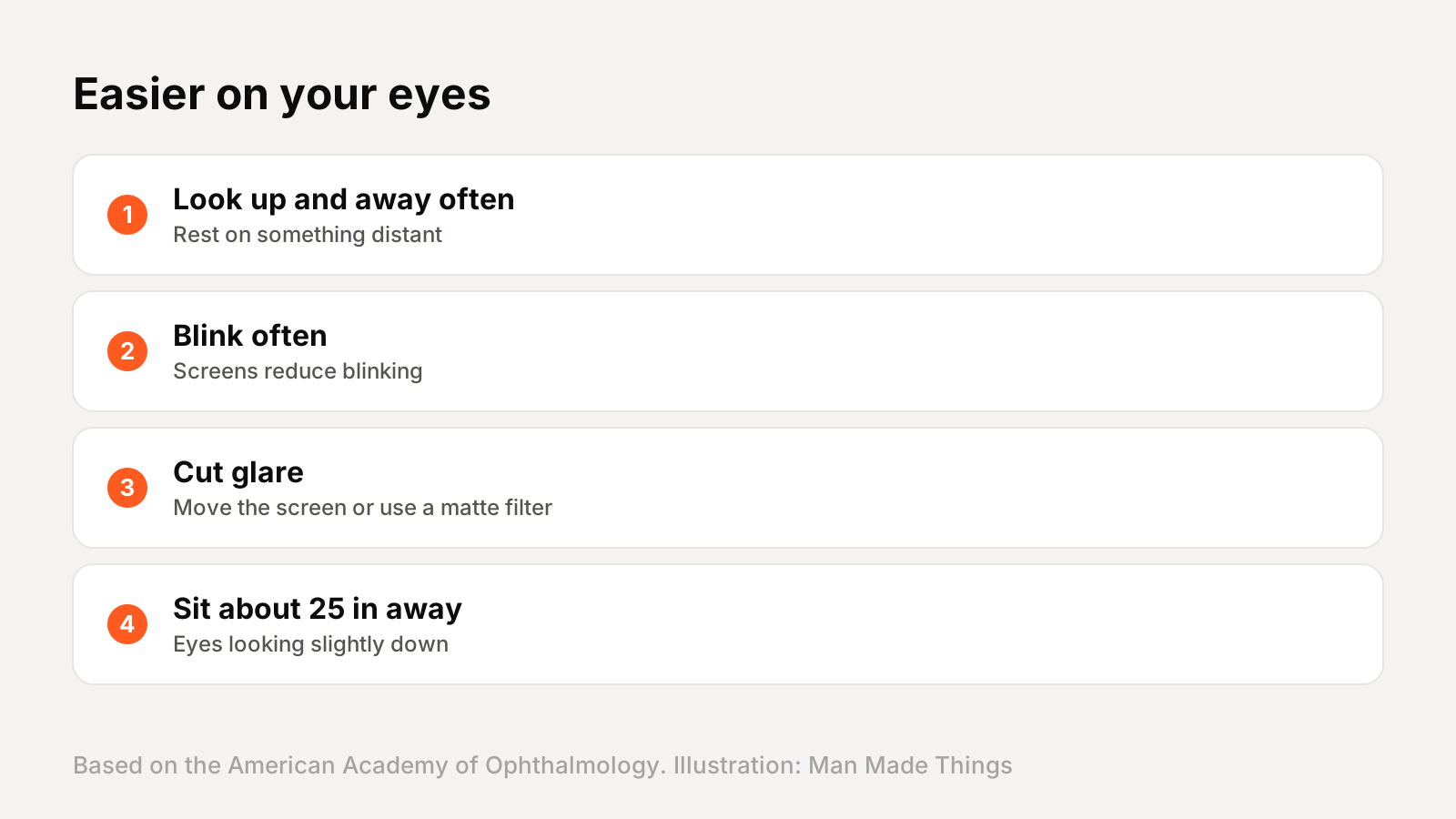
A good setup helps your neck and back, but long screen sessions also tire your eyes. The American Academy of Ophthalmology suggests a few simple habits:
- Look up and away. Regularly look at something in the distance to rest your eyes.
- Blink often. People blink less while looking at screens, which can dry out the eyes. Artificial tears can help if your eyes feel dry.
- Reduce glare. Position your screen to avoid reflections from windows and lights, or use a matte screen filter.
- Keep your distance. About 25 inches from the screen, slightly below eye level.
The AAO also notes that blue light from screens hasn't been shown to damage eyes, so you don't need special glasses for that. Comfort comes down to distance, breaks and blinking.
Frequently asked questions
What is the best laptop stand?
+
The Kensington SmartFit EQ. It raises your laptop up to 14.87 inches with six preset heights and folds flat for storage.
How high should a laptop stand be?
+
High enough that the top of the screen is at or slightly below eye level, according to the NIH's workstation guide.
Do I need a keyboard with a laptop stand?
+
Yes, for comfort. Once the screen is raised, the built-in keyboard is too high, so use an external keyboard and mouse.
How far should a laptop screen be from my eyes?
+
About 25 inches, roughly arm's length, according to the American Academy of Ophthalmology.
Sources
Editor-in-Chief
Rahul has been writing about gadgets and software since 2013, first at Thetechhacker and now at Man Made Things. He edits every review on the site and signs off on every verdict.
More from Rahul →
