How to Set and Use a GMT Watch (and Track Three Time Zones)
What a GMT watch does, the two types of GMT movement, step-by-step setting from the Seiko 4R34 and Rolex manuals, and how to use the 24-hour bezel to track a third time zone.
We may earn a commission when you buy through links on this page. Learn more
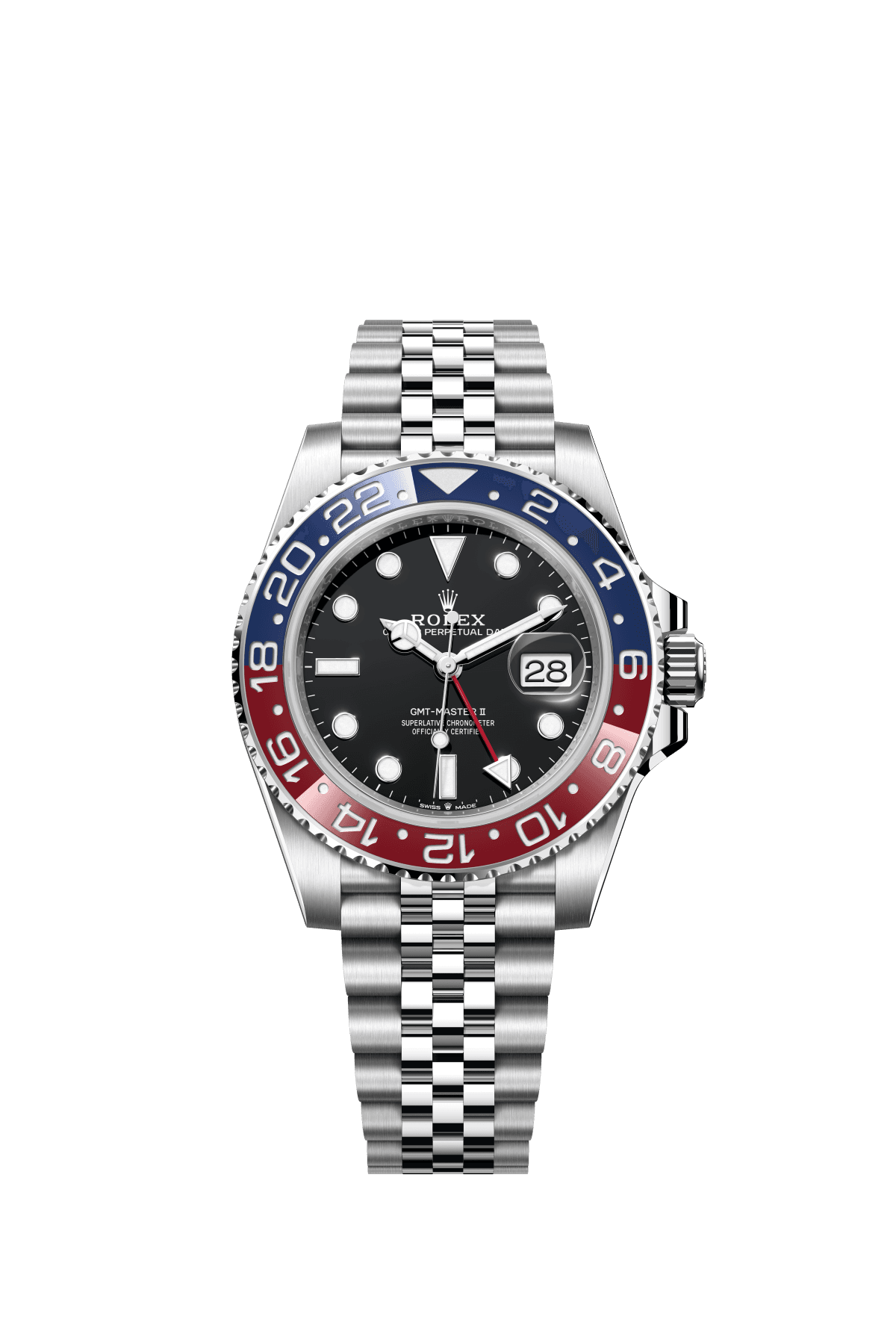
Quick answer
A GMT watch shows a second time zone using an extra 24-hour hand read against a 24-hour scale. Set your local time with the normal hands, then set the 24-hour hand to your second time zone (or the reverse on 'flyer' watches like Rolex). Turn the 24-hour bezel by the hour difference to read a third time zone.
The GMT is one of the most useful complications you can own, especially if you travel or work across time zones. One glance tells you the time at home and wherever you are, or the time where your family, your team or your clients are.
It looks complicated, with an extra hand and a bezel numbered to 24, but it's simple once you know what each part does. There are also two different ways GMT watches work, and knowing which one you have makes setting it much easier.
Below, I walk through it using the official instruction manuals from Seiko, Rolex, Tudor and Tissot. Shopping for one? See our best affordable GMT watches guide.
What a GMT watch does
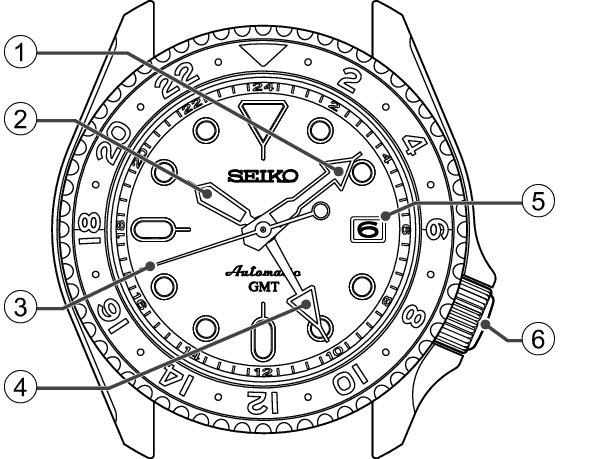
Tissot's manual explains that "GMT" is used when a watch's dial has a second time zone display. The name comes from Greenwich Mean Time, which was replaced as the world's time standard by UTC in 1972.
Rolex describes its GMT-Master II as designed to let you read the time in two different time zones at once. It adds a 24-hour hand and a 24-hour bezel. The 24-hour hand goes around the dial once a day instead of twice, so it can show a full day without confusing morning and evening.
Seiko's manual for its 4R34 GMT movement, used in the Seiko 5 Sports GMT, says the 24-hour hand can do two jobs: show whether it's AM or PM, or indicate the time in a second region as a dual time indicator.
So a GMT watch shows your local time with the normal hands, and a second time with the 24-hour hand. Add the rotating bezel and you can read a third.
The two types: 'flyer' and 'caller' GMTs
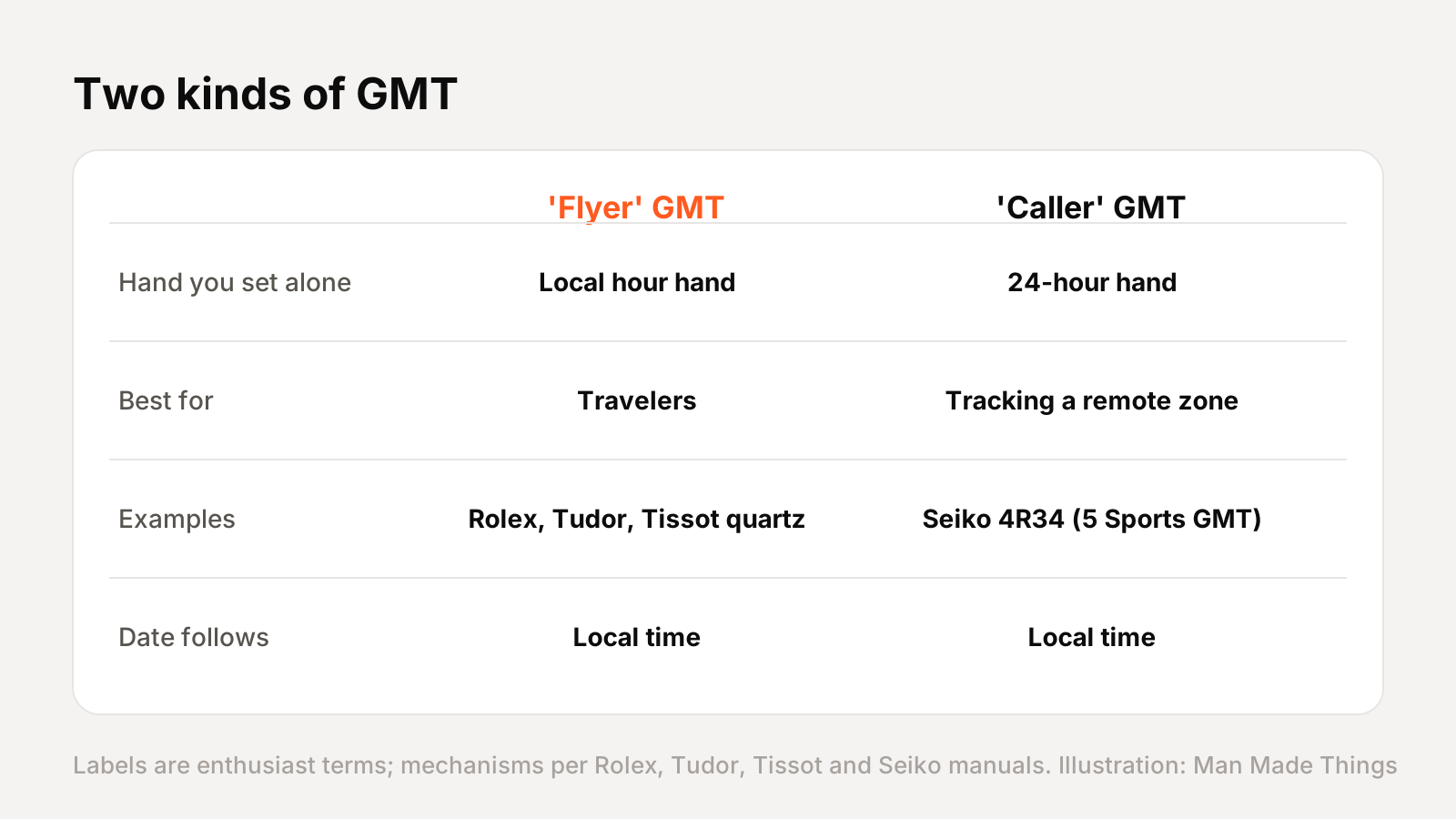
Watch enthusiasts sort GMTs into two types. These nicknames aren't used in the brands' manuals, but the mechanisms are.
- "Flyer" GMT: the local hour hand jumps in one-hour steps on its own, without stopping the watch. Rolex says local time can be adjusted quickly by jumps of the hour hand without affecting the 24-hour or minute hands, and the date follows local time. Tudor's Black Bay GMT and Tissot's quartz Seastar GMT work the same way. It's ideal for travelers: land in a new city and just jump the hour hand.
- "Caller" or "office" GMT: the 24-hour hand is the one you set independently. On the Seiko 4R34, you turn the crown at the first click to adjust the 24-hour hand. It's ideal for keeping an eye on a fixed time zone, like a colleague's office overseas.
Both show two time zones. The difference is which hand you move when your time zone changes.
How to set a Seiko GMT (step by step)
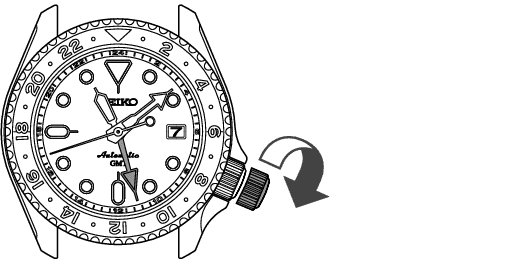
Seiko's 4R34 manual gives clear steps. The crown has three positions: normal, the first click (date and 24-hour hand) and the second click (time).
- Make sure the watch is running. If it's a screw-down crown, unscrew it first.
- Set the date: pull the crown to the first click and turn it counterclockwise until the previous day's date appears.
- Set the time: pull the crown to the second click when the seconds hand is at 12, which stops it. Advance the hands until the date changes, which puts you in the morning, then set the correct time.
- Push the crown in to start the watch.
- Set the 24-hour hand: pull the crown to the first click again and turn it clockwise to set the 24-hour hand to your second time zone.
- Push the crown back in, and screw it down if needed.
Seiko adds an important caution: don't set the date between 9 p.m. and 3 a.m., when the date mechanism is working.
How to set a Rolex-style 'flyer' GMT
On a flyer GMT, you work the other way around. Rolex's GMT-Master II guide says the reference time must be set before the local time.
- Set the reference time: unscrew the crown and pull it out to the second notch. With the bezel in its neutral position (triangle at 12), set your reference or home time using the 24-hour hand and the minute hand.
- Set the local time and date: pull the crown to the first notch. Turning it moves the hour hand in one-hour jumps, which also changes the date. Set the date, then set your local hour.
- Push in and screw down the crown.
Tudor's guide for the Black Bay GMT uses almost identical steps. Tissot's Seastar quartz GMT does too, with the second time zone and minute hand set together at crown position three, and the date and local hour at position two.
When you travel, you only repeat step two: jump the hour hand to your new local time, and your home time stays put on the 24-hour hand.
Using the bezel to track a third time zone
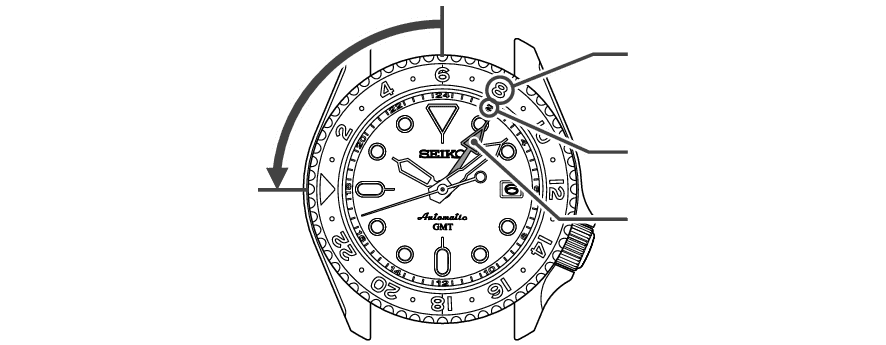
The rotating 24-hour bezel adds one more time zone. Seiko says that by turning the bezel, another time can be read at the 24-hour hand, so three time zones can be read at once.
The method is simple: work out the hour difference between the time on the 24-hour hand and the time zone you want, then turn the bezel that many hours.
- Rolex: if the third time zone is ahead (east), turn the bezel counterclockwise that many hours; if it's behind (west), turn it clockwise. Rolex's example: to show Tokyo, eight hours ahead of Geneva, turn the bezel eight notches counterclockwise.
- Seiko: its manual works it out with a simple formula and a time-difference table, with an example of reading Bangkok time from Paris.
Then read the 24-hour hand against the bezel. Rolex notes that once you turn the bezel, your reference time is no longer shown on it, and Seiko says to return the bezel's 24 marker to 12 o'clock when you're done.
Frequently asked questions
What is a GMT watch?
+
A watch with a second time zone display, usually an extra 24-hour hand read against a 24-hour bezel or dial.
What is the difference between a flyer and caller GMT?
+
On a flyer, the local hour hand jumps independently (Rolex, Tudor). On a caller, the 24-hour hand sets independently (Seiko 4R34).
How do I track three time zones on a GMT watch?
+
Use the normal hands for local time, the 24-hour hand for a second zone, then turn the 24-hour bezel by the hour difference to read a third.
When should I not set the date on a GMT watch?
+
Seiko says not to set the date between 9 p.m. and 3 a.m., when the date change mechanism is engaged.
Sources

Watches & Coffee Writer
Aditya is a passionate coffee lover who loves watches. He covers watches and coffee for Man Made Things.
More from Aditya →
