How to Set Up a Turntable: Tracking Force, Anti-Skate and Placement
A step-by-step turntable setup guide from the Fluance, Pro-Ject and Rega manuals: leveling, fitting the belt, balancing the tonearm, setting tracking force and anti-skate, connecting a preamp and where to place it.
We may earn a commission when you buy through links on this page. Learn more
Quick answer
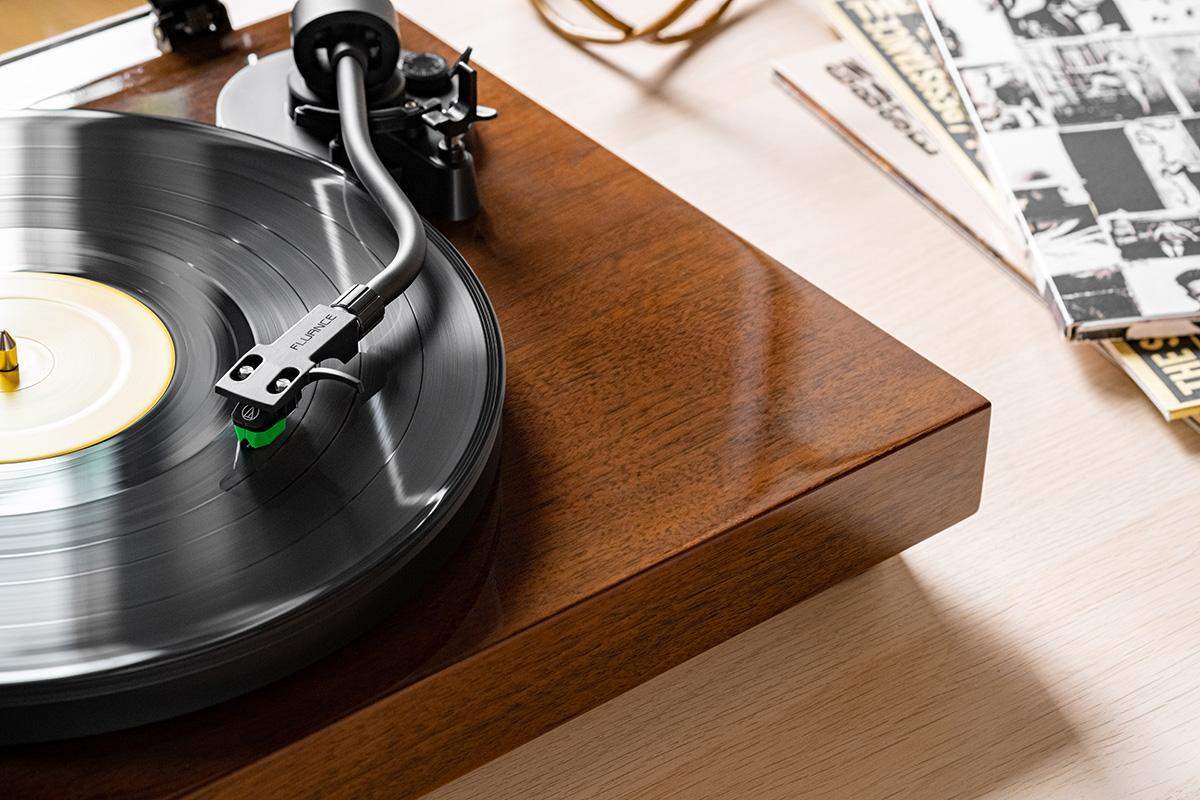
Place the turntable on a level, stable surface away from your speakers. Fit the platter and belt, then balance the tonearm: with anti-skate at zero, turn the counterweight until the arm floats level, set the dial to zero, then turn the whole weight to your cartridge's recommended tracking force (2.0 g for the Fluance RT81+). Set anti-skate to match, and connect to a phono input or turn on the built-in preamp.
A new turntable can feel intimidating out of the box: a loose belt, a counterweight with numbers on it and a mysterious anti-skate dial. But setting one up properly takes about 15 minutes, and it makes a real difference to both sound and the life of your records and stylus.
The most important step is balancing the tonearm and setting the tracking force, the downward pressure on the stylus. Too light and it skips and distorts; too heavy and it wears your records. Fluance's manual is blunt about it: incorrect tonearm balancing can cause damage to the stylus.
The steps below come from the official manuals of Fluance, Pro-Ject, Rega and U-Turn, with cartridge specs from Ortofon. Shopping for one? See our best turntables for beginners.
Step 1: Unpack, level and fit the belt
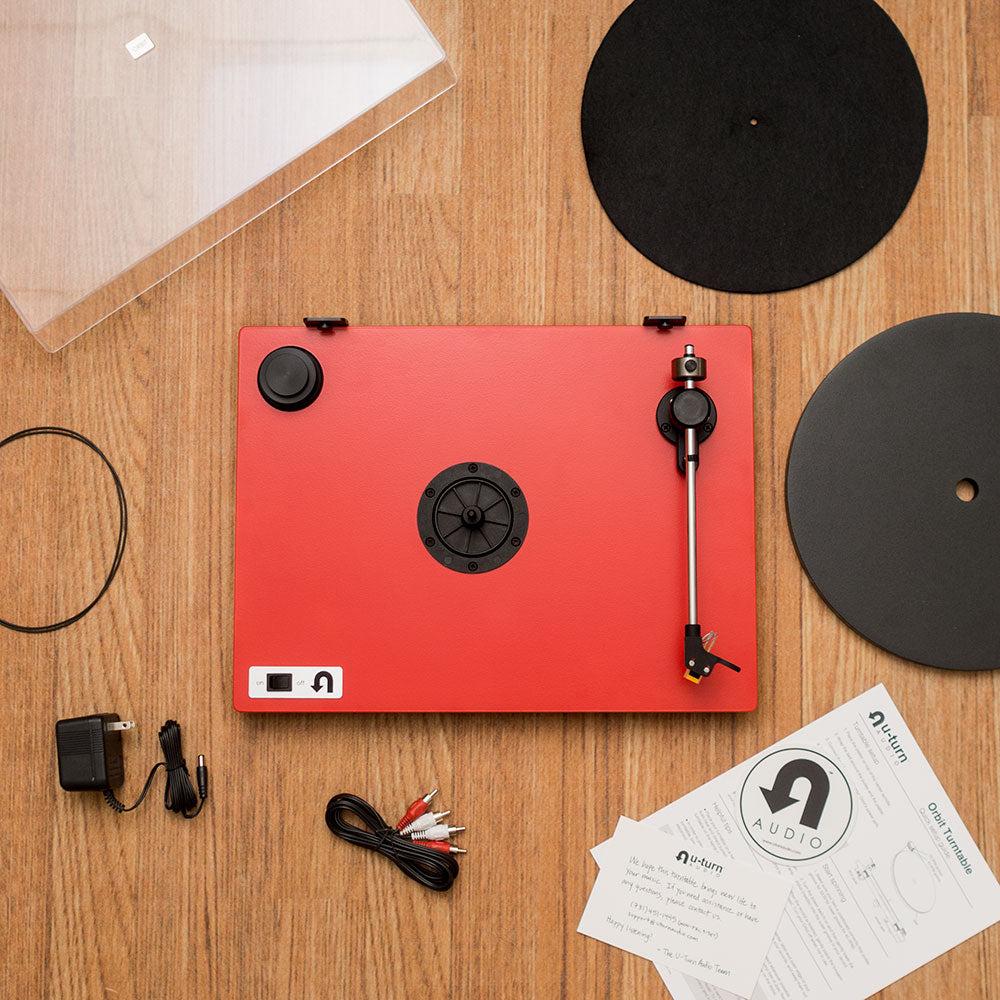
Start by removing the packing. Pro-Ject says to remove the transport lock from the tonearm and, on some models, the transport screws, noting that best results usually come from removing them. Rega says to remove the packing card from beneath the sub-platter.
Level it. Every manual starts here. Fluance says to place the turntable on a sturdy, level surface, and the RT81+ includes a bubble level and three adjustable feet; it's level when the bubble sits inside the circle. U-Turn also includes a bubble level. Rega warns against soft surfaces like long carpet.
Fit the platter and belt. Fluance's platter comes with a ribbon to help: line it up with the motor pulley, use it to lift the belt onto the pulley, then remove it and spin the platter a few times to make sure the belt isn't twisted. Pro-Ject adds a useful tip: avoid getting sweat or grease on the belt.
On U-Turn's Orbit, you change speed by moving the belt: the upper groove for 33 RPM and the lower for 45.
Step 2: Balance the tonearm
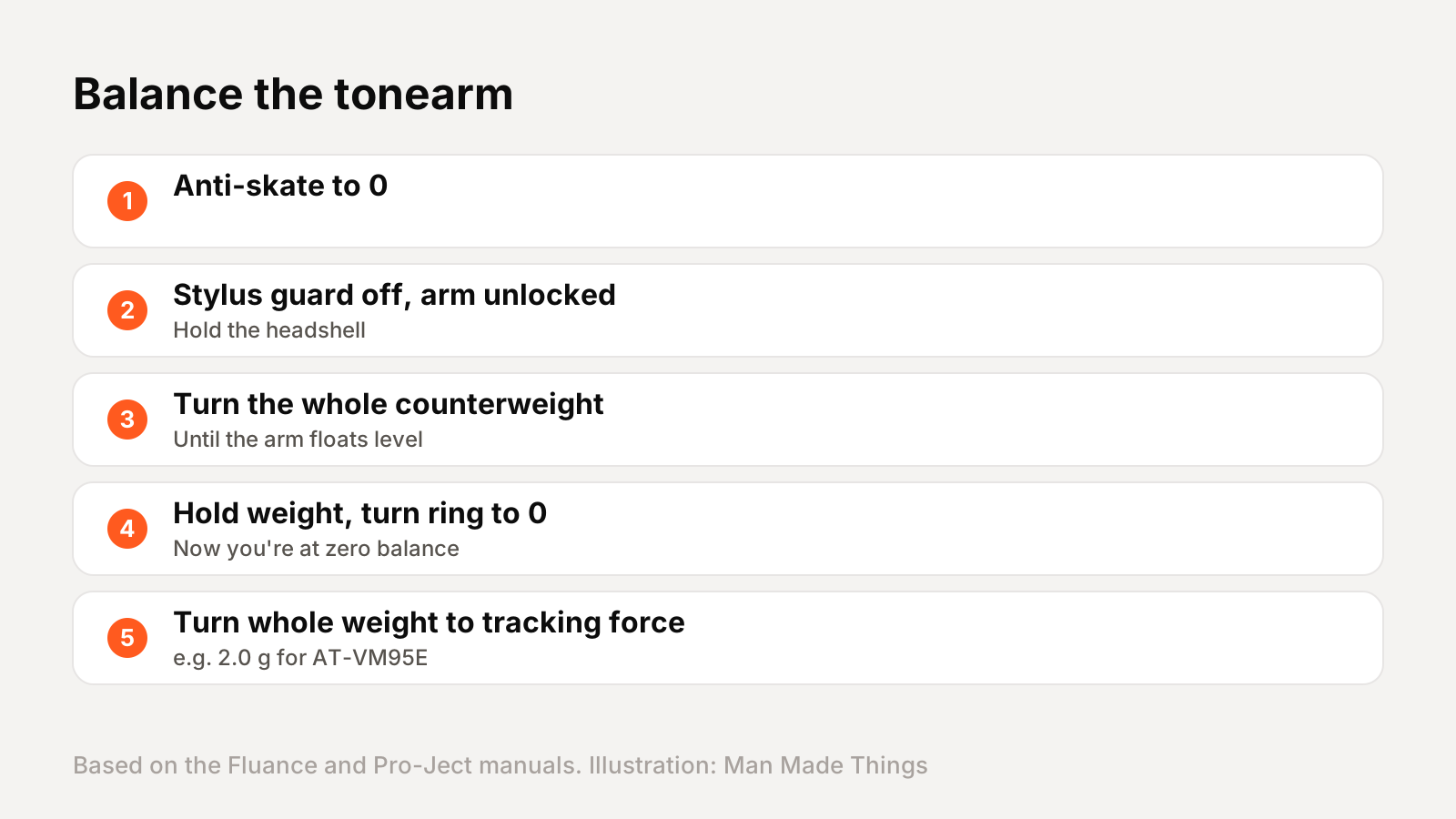
This is the step that matters most, and it's easier than it looks. Fluance's method for the RT81+:
- Slide the counterweight onto the back of the tonearm, numbers facing forward.
- Set the anti-skate dial to 0.
- Remove the stylus protector, unlock the arm and hold the headshell.
- Turn the entire counterweight until the tonearm floats level, neither rising nor falling.
- Hold the weight still and turn only the numbered ring until 0 lines up with the center line.
Now the arm is at zero balance, and the numbers on the ring show the downward force you'll add next. Pro-Ject's Debut EVO 2 manual describes the same process: balance the arm, then set the scale ring to zero.
Rega does it slightly differently on its Planar 3: push the weight along until the stylus floats about 1mm above the record. Be gentle, and never let the stylus drop onto the platter.
Step 3: Set tracking force and anti-skate

Tracking force. Your cartridge maker specifies it. Fluance says the Audio-Technica AT-VM95E on the RT81+ needs 2.0 grams: turn the whole counterweight counterclockwise until the ring reads 2. Fluance's tip: turn the entire weight, not just the ring. Ortofon recommends 1.8 grams for its 2MR Red. Rega suggests using the upper end of your cartridge maker's recommended range.
Pro-Ject's scale works in smaller units: each mark is 0.1 gram, so 1.8 grams is 18 marks.
Anti-skate. As a record spins, the stylus is naturally pulled toward the center. Anti-skate pushes back. Fluance says to set the anti-skate dial to match the tracking force, so 2 for 2.0 grams. Rega says the same: set the bias to the same number as the tracking force. Pro-Ject uses a weight on a thread with three grooves matched to force ranges.
Some turntables make it simpler. Rega's Planar 1 sets bias automatically, and U-Turn's Orbit has a preset tonearm.
Step 4: Connect to a phono preamp
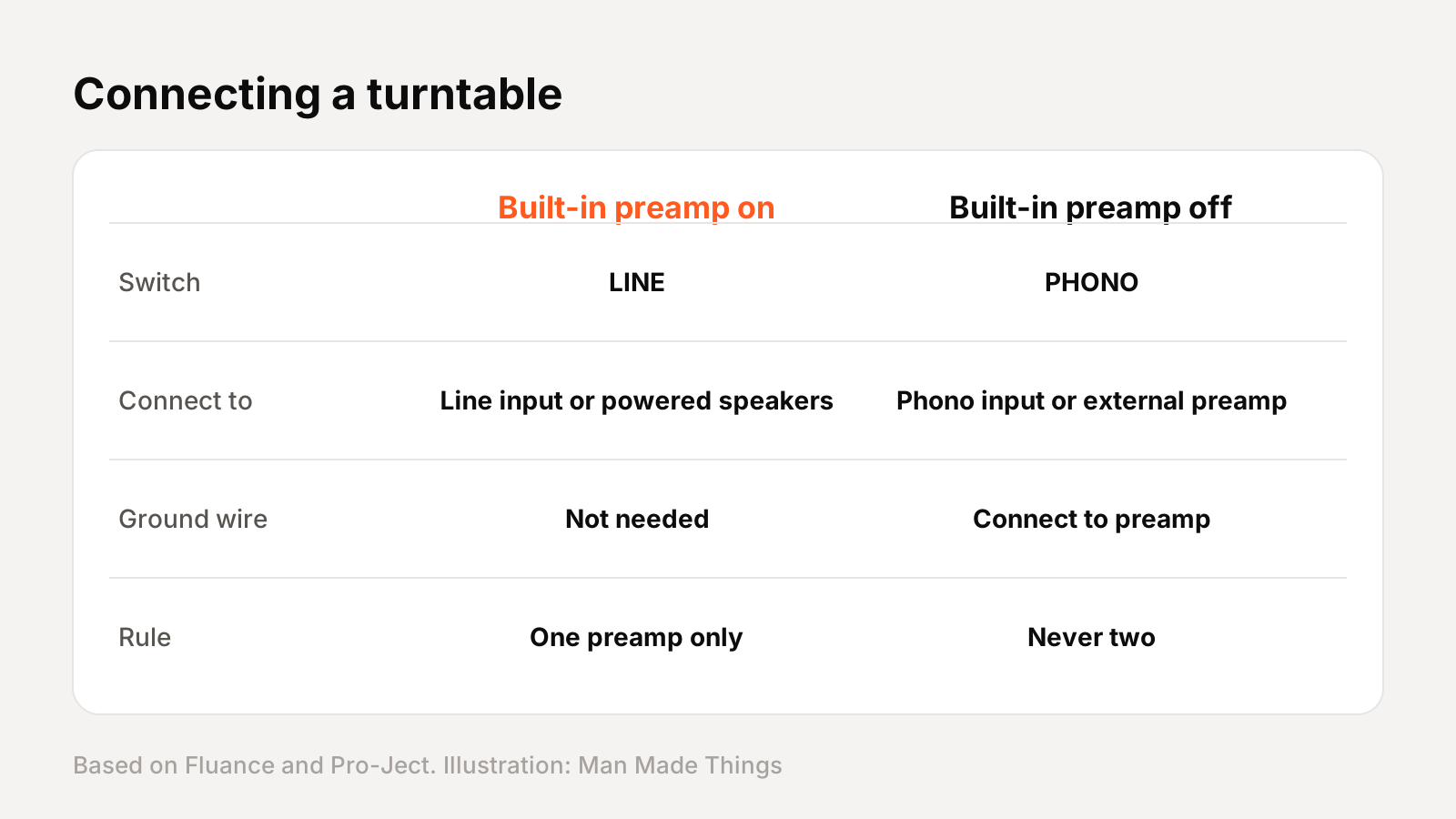
A turntable's signal is very quiet and needs a phono preamp to boost it. You need exactly one.
- Built-in preamp: Fluance says to set the switch on the back to LINE to use the RT81+'s internal preamp, then connect to any line input or powered speakers. No ground wire needed.
- External preamp or amp with a phono input: set the switch to PHONO. Pro-Ject says to connect to an input labeled phono, gram, disc or RIAA, and that line inputs like CD or tuner aren't suitable.
Don't double up. Pro-Ject warns that a phono preamp must not be connected to a built-in phono stage.
The ground wire stops hum. Fluance says to connect it to the external preamp when you use one. Pro-Ject has a useful test: if you hear hum when the needle isn't on a record, something is wrong with the grounding.
For more on preamps, see the explainer in our best turntables for beginners guide.
Where to put your turntable
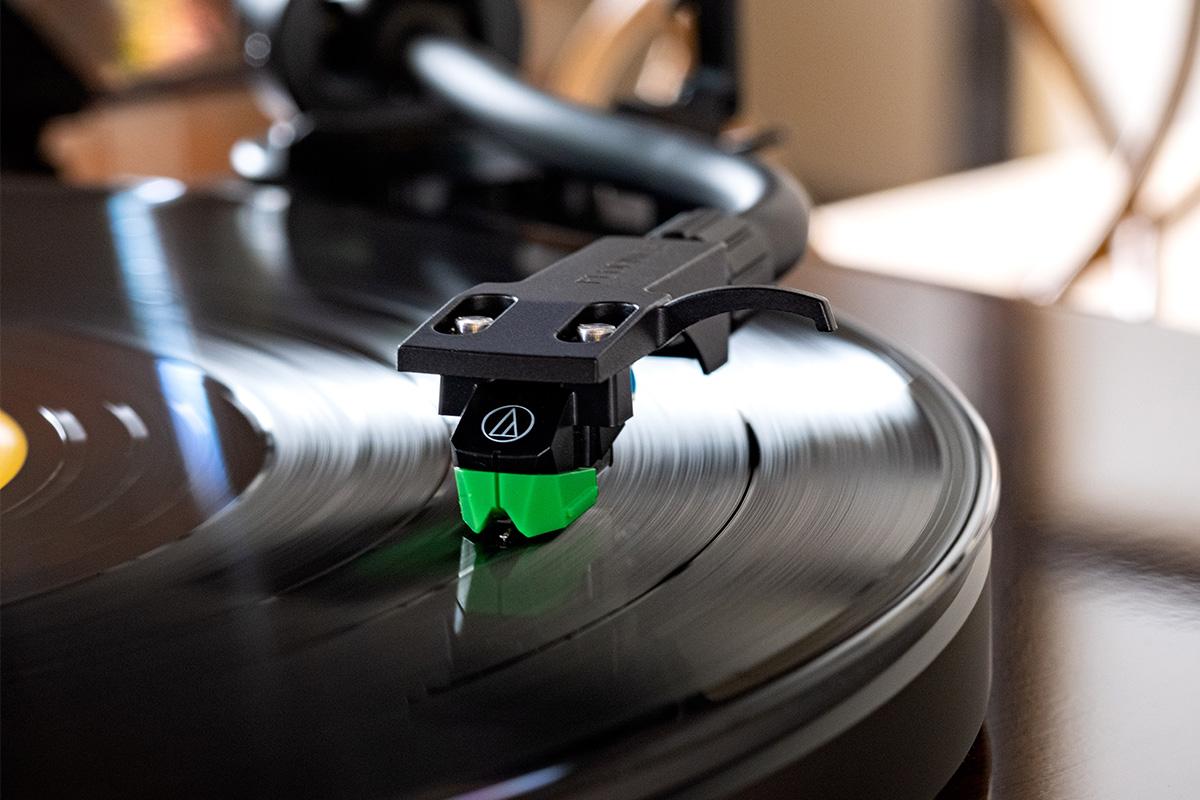
Vibration is a turntable's enemy. The stylus reads microscopic grooves, so it picks up anything that shakes the platform. Pro-Ject says vibrations from the motor, footsteps and other outside sources degrade accuracy and sound quality.
Fluance's placement advice:
- Use a rigid, stable surface. Furniture rigidity, floor construction and room layout all affect how much vibration reaches the stylus.
- Keep speakers off the same furniture. Fluance says nearby speakers can increase vibration transfer, and using separate furniture for speakers and turntable reduces it.
- Keep it level, and away from heat sources. Rega also recommends leaving about 10cm of space for ventilation.
Two more tips: Fluance recommends removing the dust cover while playing for the best sound, which Pro-Ject agrees improves playback. And if you change cartridges, use the alignment protractor that comes with Fluance, Pro-Ject and Rega turntables.
Frequently asked questions
What tracking force should I use?
+
Whatever your cartridge maker recommends. Fluance says 2.0 g for the AT-VM95E; Ortofon says 1.8 g for the 2MR Red.
What should anti-skate be set to?
+
Fluance and Rega say to set anti-skate to the same number as the tracking force.
Do I need a phono preamp?
+
Yes, exactly one: built into the turntable, built into your amp's phono input, or an external box.
Why is my turntable humming?
+
Pro-Ject says hum when the needle isn't on a record usually means a grounding problem. Connect the ground wire to your preamp.
Sources
Editor-in-Chief
Rahul has been writing about gadgets and software since 2013, first at Thetechhacker and now at Man Made Things. He edits every review on the site and signs off on every verdict.
More from Rahul →
